Replacing the PCIe card
WARNING: Before working inside your Embedded Box PC, read the
safety information that shipped with your Embedded Box PC and
follow the steps in
Before working inside your Embedded Box PC.
After working inside your Embedded Box PC, follow the steps in After
working inside your Embedded Box PC. For more safety best practices,
see the Regulatory Compliance home page at
www.dell.com/
regulatory_compliance.
Procedure
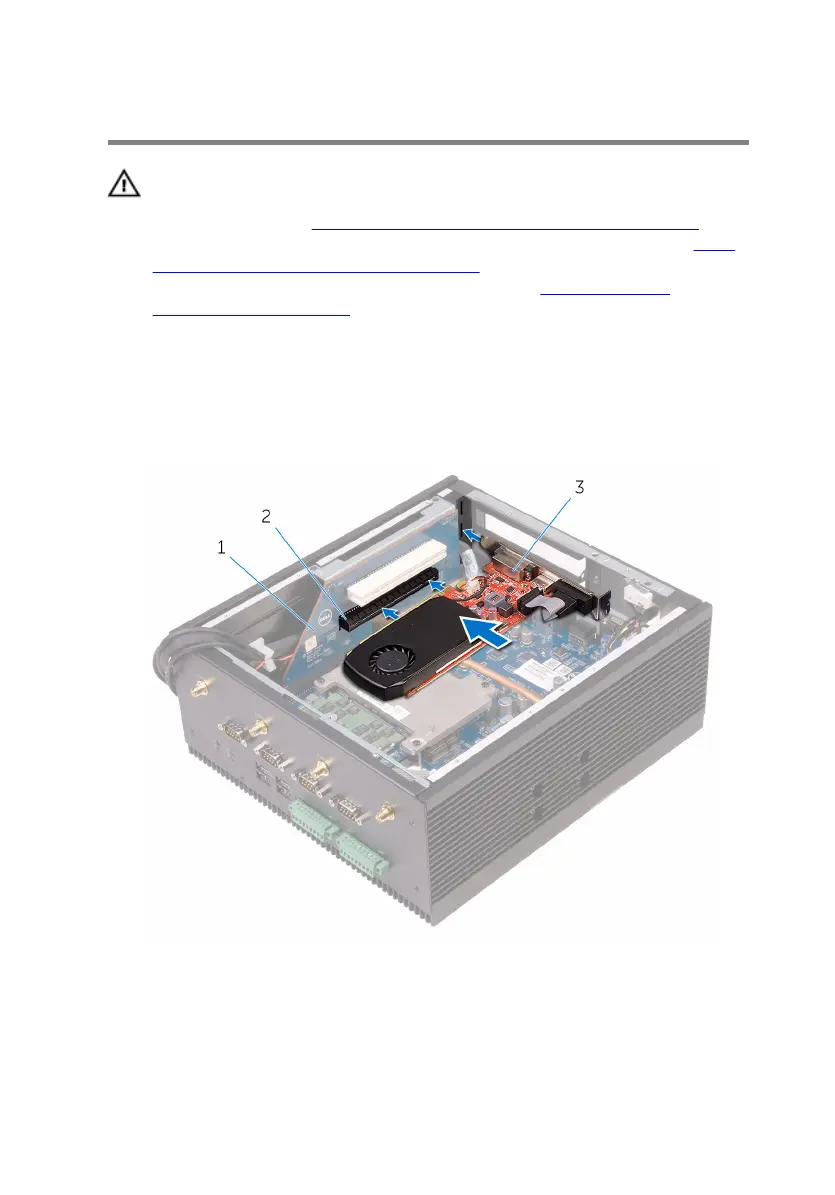
1 Install the PCI/PCIe cards in their respective slots on the riser board.
1 riser card 2 PCIe-card slot
3 PCIe card
2 Replace the filler plate for an empty card slot.
3 Replace the bracket on the chassis.
45


 To Next Page