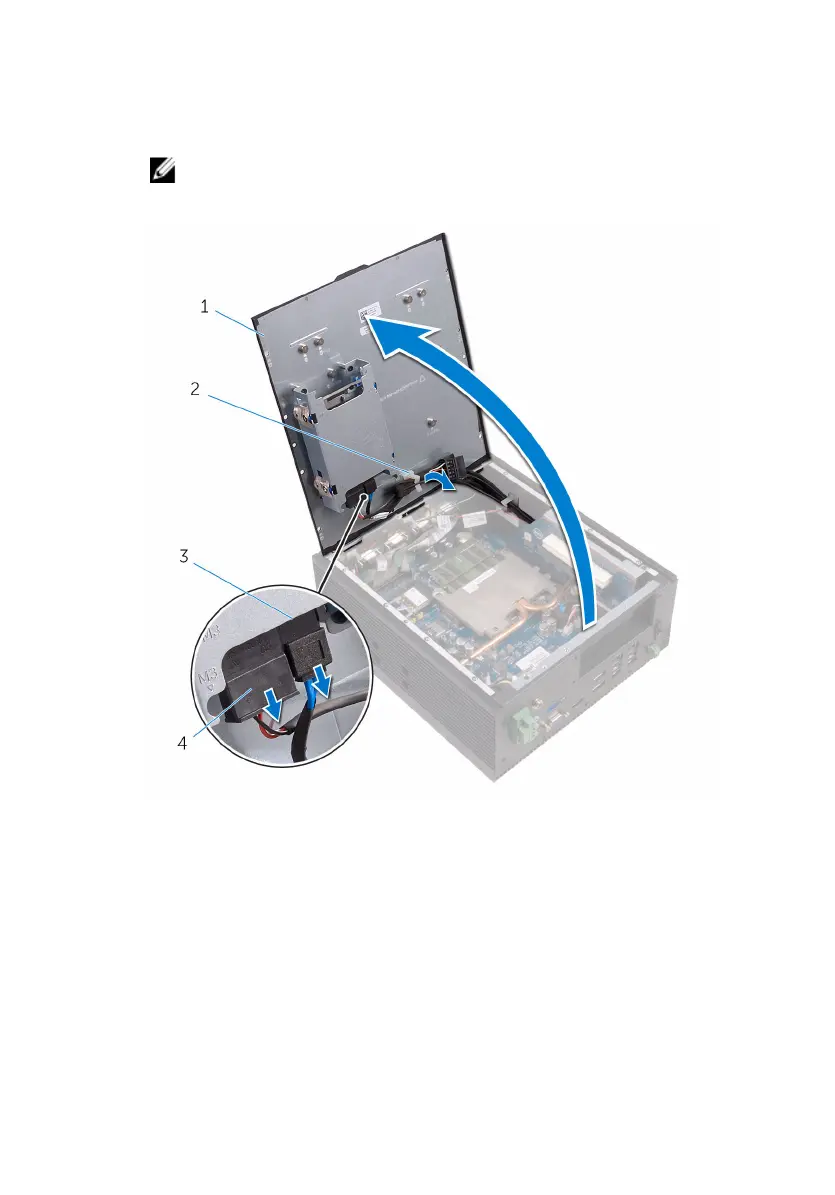
2 Open the back cover from the chassis.
3 Disconnect the SATA-power and SATA-data cable from the hard drive or
SSD kit.
NOTE: Disconnect the cables from the second drive if installed.
4 Remove the cables from the routing guides on the top-cover.
1 back cover 2 routing guide
3 SATA-data cable 4 SATA-power cable
5 Close the back cover partially and push the back cover forward to release
it from the tabs on the chassis.
19


 To Next Page