1
2
3
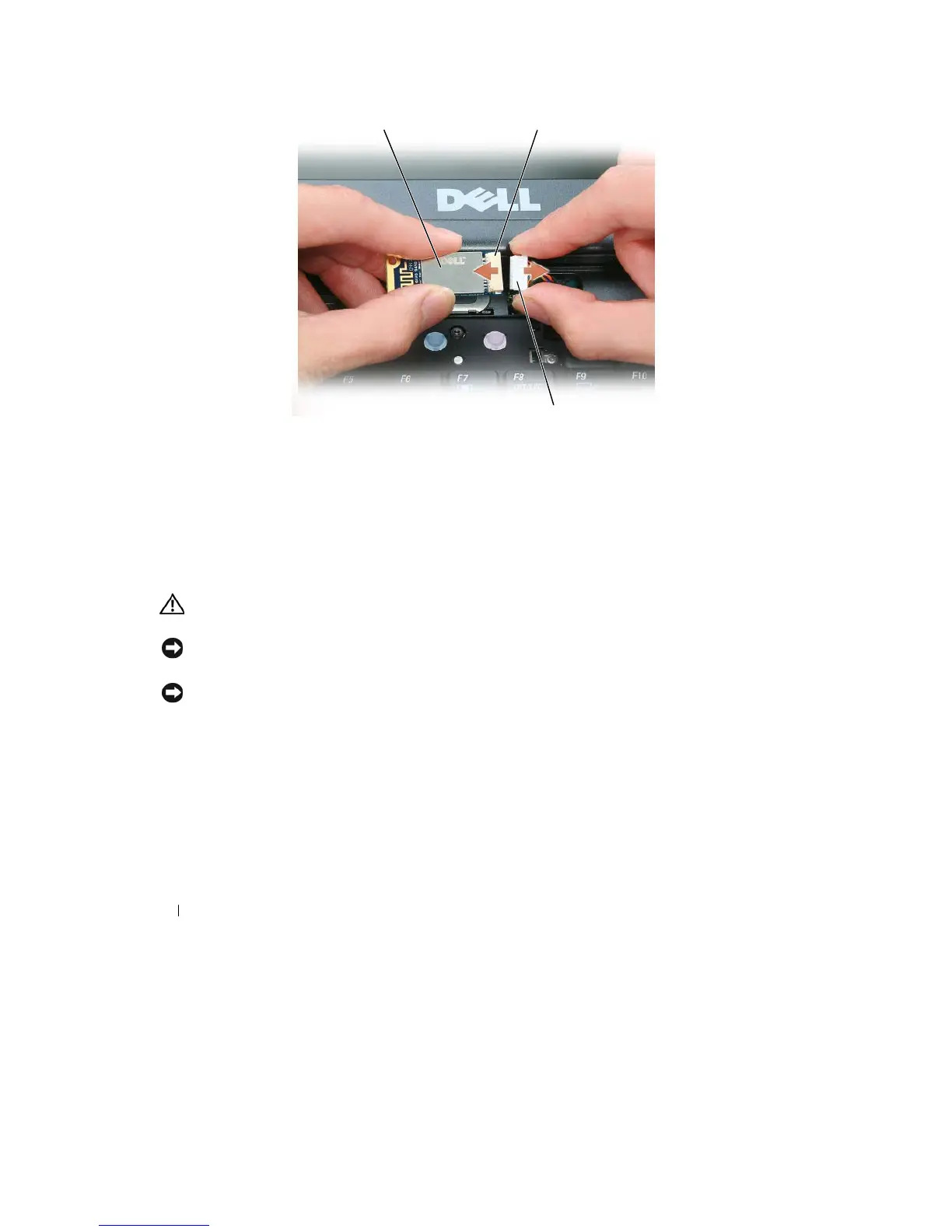
1
card
2
card connector
3
cable
connector
5 Connect
the
new card
to the cable.
6 Install
the
new card by rotating and sliding
into the
retention tab
in the compartment.
7 Reinstall
the
hinge
cover.
Coin-Cell
Battery
CAUTION:
Before performing the
following
procedures,
follow
the safety instructions
in
your
Product
Information
Guide
.
NOTICE:
To
avoid electrostatic discharge, ground yourself by using
a
wrist grounding strap or by
periodically
touching
a
connector on the back panel of the computer
.
NOTICE:
To
avoid damaging the system board, you must remove the main battery before you begin working inside
the
computer
.
1 Follow
the
procedures
in
"Before You Begin" on page
107.
2 Remove
the
memory module cover (see "Memory" on page
115).
126
Adding and Replacing
Parts










 To Next Page