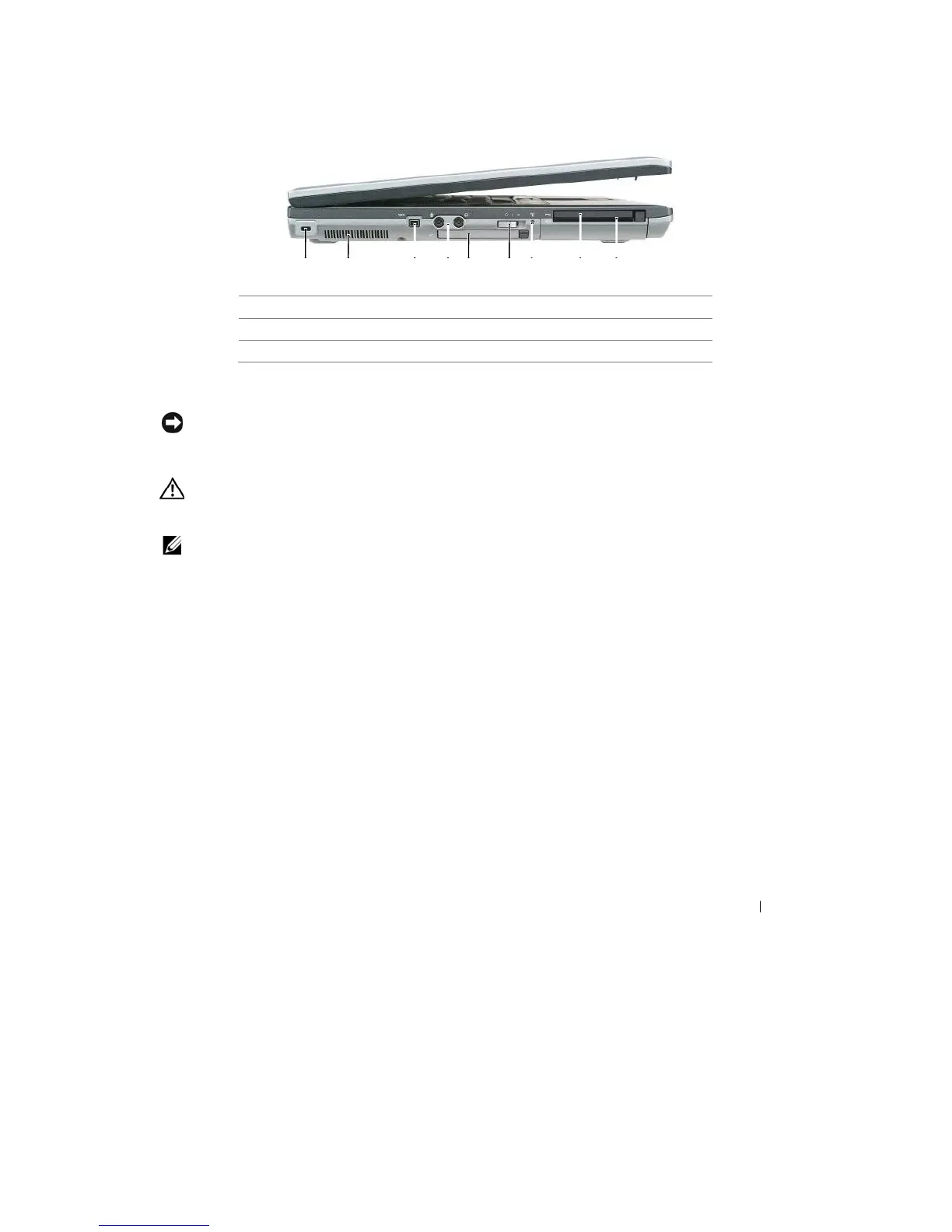
4
audio connect
o
rs
5
ExpressCard
slot
6
wireless
switch
7
Wi-Fi Catcher
light
8
PC Card
slot
9
smart card
slot
SEC U R ITY C AB L E SL O T
— Lets you attach a commercially available
antitheft
device to the computer. For
mor
e
information, see "Security Cable
Lock"
on page 63.
NOTICE:
Before you buy an antitheft device, ensure that
it will
work with the security cable
slot.
A I R
V E N T S
— The computer uses an internal fan to create airflow through the vents, which prevents the
computer
from
over
heating.
CAUTION:
Do not block, push objects into, or
allow
dust to accumulate
in
the
air
vents. Do not store your
Dell™
computer
in a low-airflow
environment, such as
a
closed briefcase,
while it is
running. Restricting the
airflow
can damage the computer or cause
a fire.
NOTE:
The computer turns on the fan when the computer gets hot. Fan noise is normal and does not indicate
a
problem with the fan or the computer
.
IEEE 1394
C O N N E C T O R
— Connects devices supporting IEEE 1394 high-speed transfer rates, such as some
digital
video
cameras.
About Your Computer
19










 To Next Page