K E YBO A R D
S T A T U S
L I G H T S
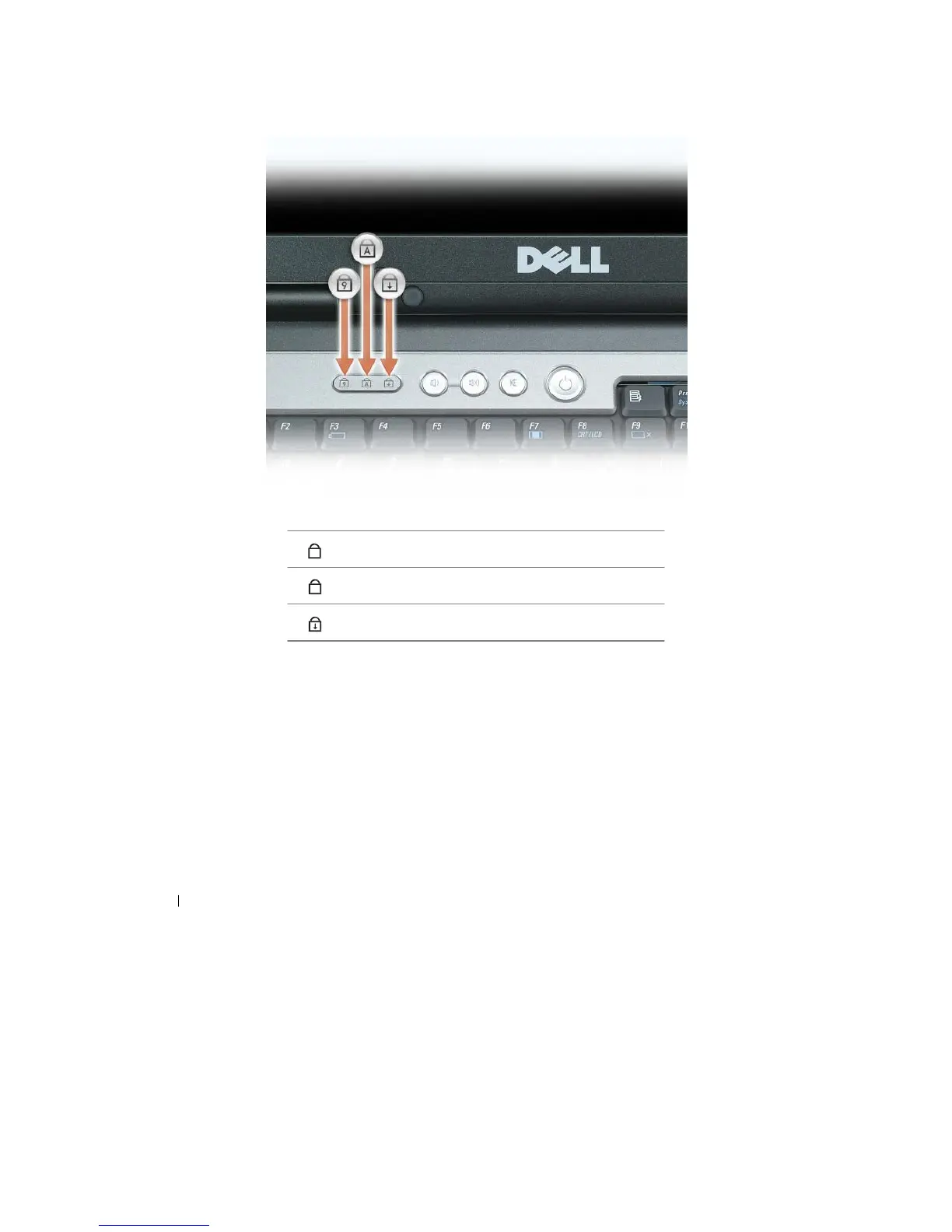
The green lights located above the keyboard indicate the following:
9
Turns on when the numeric keypad is
enabled.
A
Turns on when the uppercase letter function is
enabled.
Turns on when the scroll lock function is
enabled.
VOL UM E C O N T ROL B U T T O N S
— Press these buttons to adjust the speaker
volume.
MU T E
B U T T O N
— Press this button to turn off the speakers.
A M B IE N T
L IGH T S E N S O R
— Helps to control display brightness. For more information, see "Using the
Ambient
Light Sensor" on page 46.
18
About Your
Computer










 To Next Page