EasyManua.ls Logo

Dell PP04X - Storing a Battery

Dell PP04X
161 pages
Print Icon
To Next Page IconTo Next Page
To Previous Page IconTo Previous Page
Loading...
1
If the
computer is connected
to
a docking device (docked), undock
it.
See
the
documentation
that
came
with
your docking device
for instructions.
2 Ensure
that the
computer is turned
off.
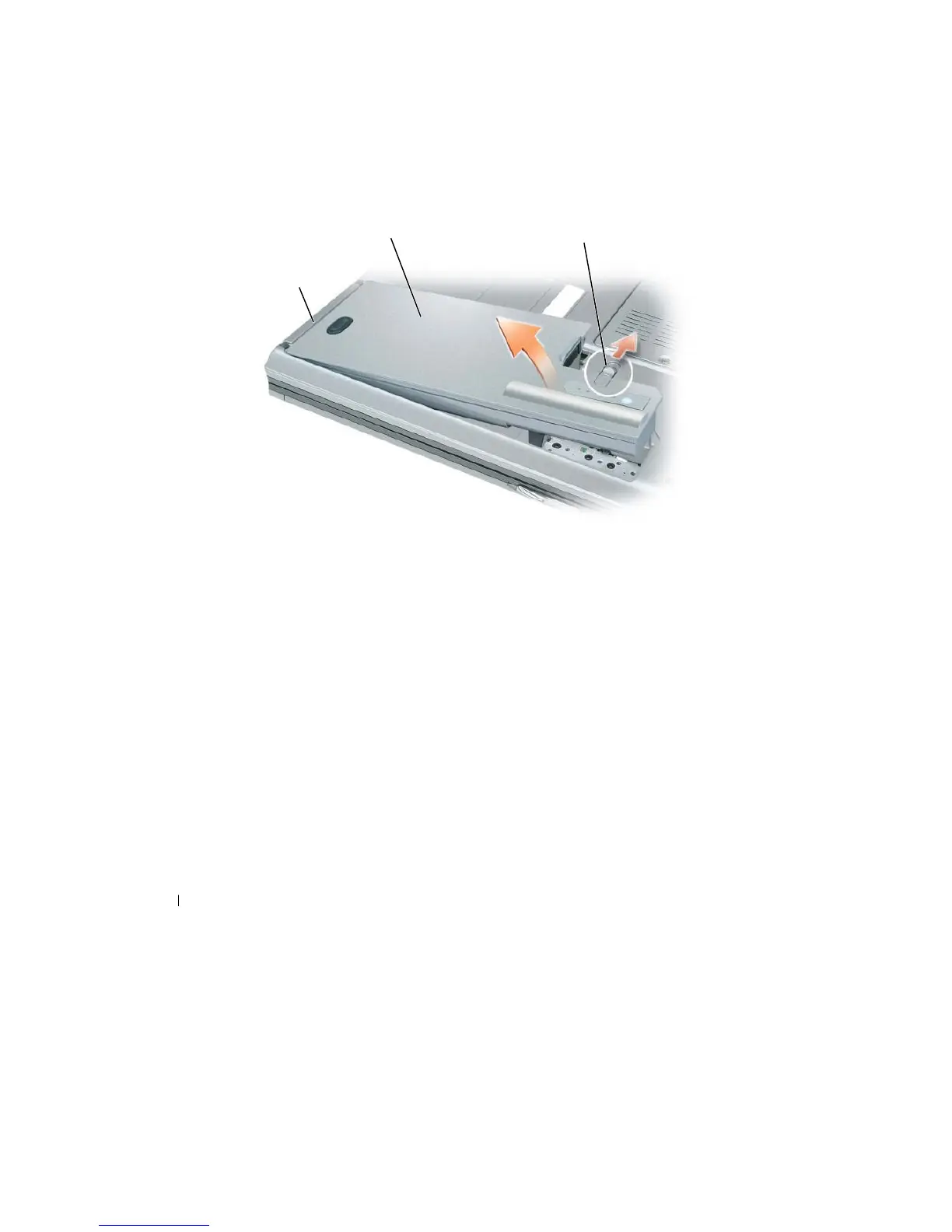
3 Slide
the
battery-bay latch release on
the bottom of the
computer
until the
release
clicks.
4 Using
the
tab on
the
battery,
lift the
battery
out of the computer.
2
3
1
1
battery tab
2
battery
3
battery-bay latch release
To
replace
the
battery, place
the
battery
in the
bay and press down
until the
battery-bay
latch r
elease
clicks.
Storing a
Battery
Remove
the
battery when you store your computer
for
an extended period
of time. A
battery
dischar
g
es
during
prolonged storage.
After
a long storage period, recharge
the
battery
fully
before you use
it (see
"Charging
the
Battery"
on
page
33).
34
Using
a Battery

Table of Contents

Related product manuals