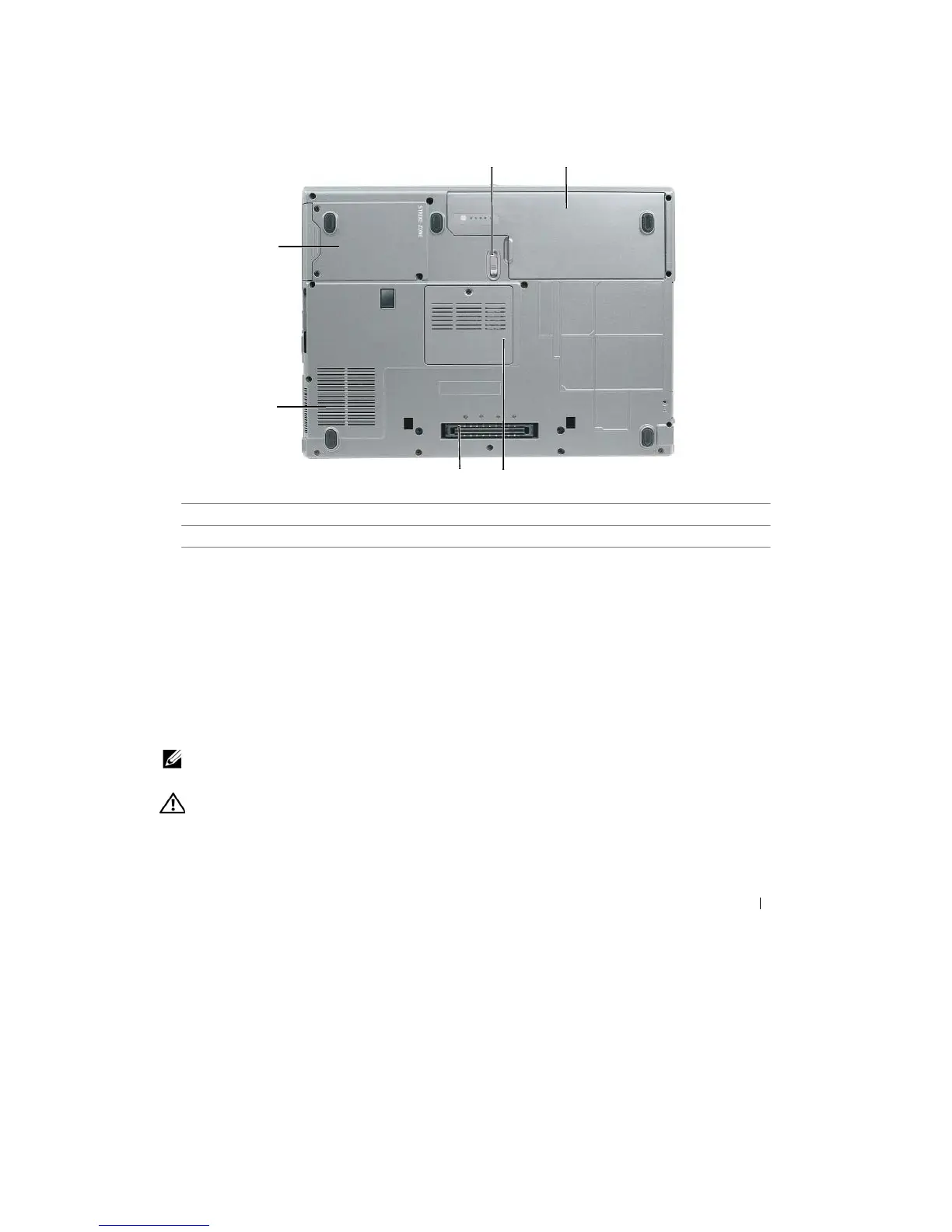
Bottom View
1
2
6
5
4
3
1
battery-bay latch release
2
battery
3
memory module
cover
4
docking-device
connector
5
fan air
vents
6
hard
drive
B A T T E R Y
-
BAY
L ATC H R E L E ASE
— Releases the battery. See "Replacing the Battery" on page 33 for
instructions.
B A T T E R Y
— When a battery is installed, you can use the computer without connecting the computer to
an
electrical outlet (see
"Using
a Battery" on page 29
).
M EMO R Y MO DU L E C OVER
— Covers the
compartment
that contains the second memory module (see
"Memory"
on
page
115).
D O C KI N G
-
D E V IC E C O N N E CT O R
— Lets you attach your computer to the Media Base or other docking device.
See
the Dell
documentation
that came with your docking device for more
information.
F AN AIR
V E N T S
— The computer uses an internal fan to create
airflow
through the fan air vents, which prevents
the
computer from
over
heating.
NOTE:
The computer turns on the fan when the computer gets hot. Fan noise is normal and does not indicate
a
problem with the fan or the computer
.
CAUTION:
Do not block, push objects into, or
allow
dust to accumulate
in
the
air
vents. Do
not store your
computer
in a low-airflow
environment, such as
a
closed briefcase,
while it is
running. Restricting the
airflow
can
damage the computer or cause
a fire.
H A RD DR I V E
—
Stores
sof
t
war
e
and
data.
About Your Computer
25










 To Next Page