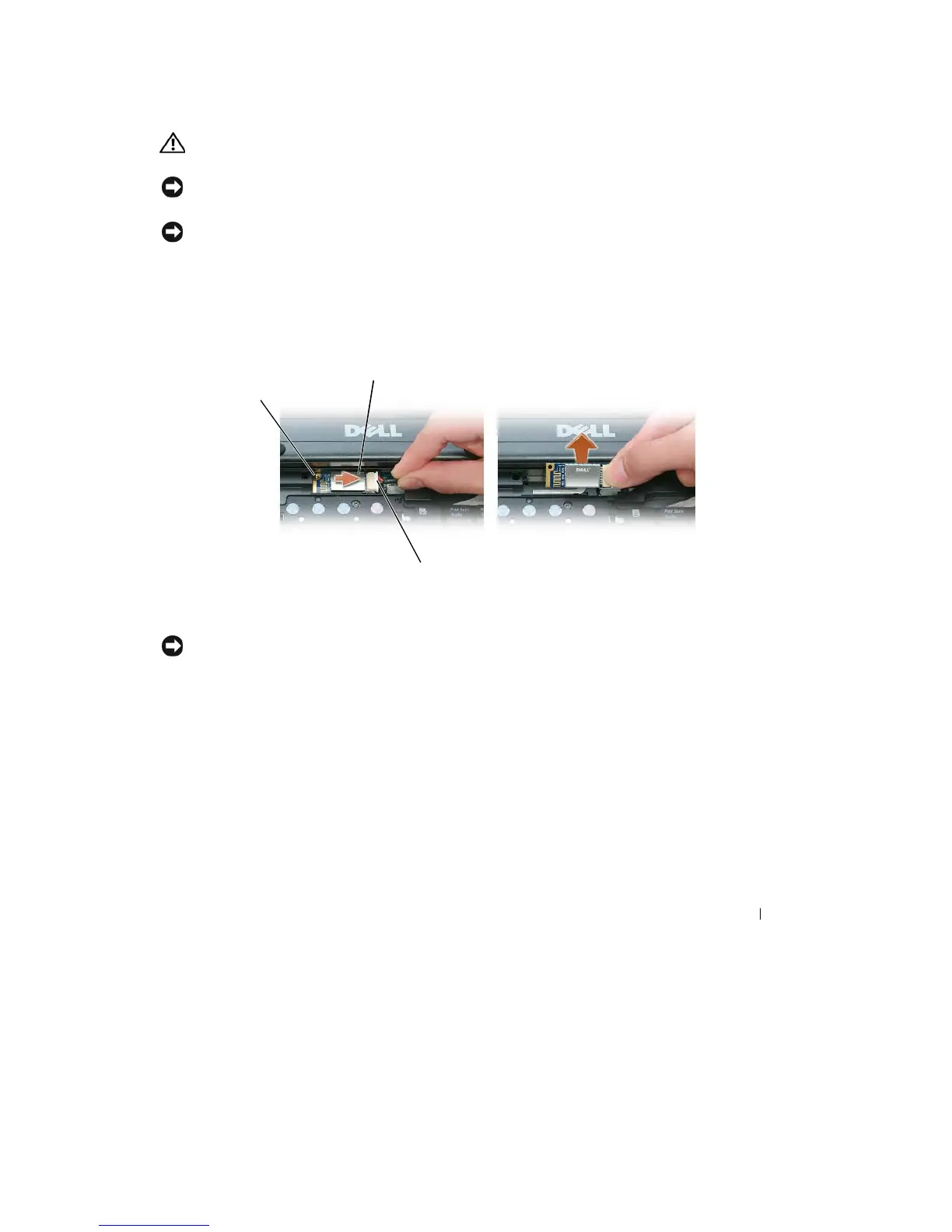
Internal Card
With Bluetooth
®
Wireless
T
e
chnology
CAUTION:
Before performing the
following
procedures, read the safety instructions
in
your Product
Information
Guide
.
NOTICE:
To
avoid electrostatic discharge, ground yourself by using
a
wrist grounding strap or by
periodically
touching
a
connector on the back panel of the computer
.
NOTICE:
To
avoid damaging the system board, you must remove the main battery before you begin working inside
the
computer
.
If
you ordered an
internal
card
with
Bluetooth
wireless technology
with
your computer,
it
is
alr
e
ady
installed.
1 Follow
the
procedures
in
"Before You Begin" on page
107.
2 Remove
the
hinge cover (see "Hinge Cover" on page
112).
2
1
3
1
metal
tab
2
card
3
cable
connector
NOTICE:
Be careful when removing the card to avoid damaging the card, card cable, or surrounding
components.
3 Remove
the
card
from its
compartment
in the computer.
a
With the front of the
computer facing you, slide
the
card
to the right.
b
Rotate
the
card toward
the front of the computer.
c
Lift the
card
out of the computer.
4 Disconnect
the
card
from the
cable
connector.
Adding and Replacing Parts
125










 To Next Page