W I R EL E S S
S W I T C H
P O S I T I O N S
"off" Disables
wireless
devices.
"on" Enables
wireless
devices.
"momentary" Scans for WiFi networks. See
"Dell™
Wi-Fi
Catcher™
Network Locator" on page 56 for more
information.
W
I
- F
I
C
A T C H E R
™
L I G H T
— The light operates as follows:
– Flashing green: Searching for
networks
– Solid green: Strong network
found
–
Solid yellow:
Weak network
found
–
Flashing yellow:
Error
– Off: No signal
found
NOTE:
The Dell Wi-Fi Catcher Network Locator light appears only when the computer is turned off and
wireless
networking is activated in the system setup program. While working in Microsoft Windows operating systems,
the
light is designed not to appear
.
PC
C
A R D
SLOT
— Supports one PC Card, such as a modem or network adapter. The computer ships with a
blank
installed in the slot to prevent dust particles from entering the computer. For more information, see "Using
Car
d
s"
on page 59.
SMART CA R D SLO T
— Supports one smart card (see "Smart Cards" on page
63).
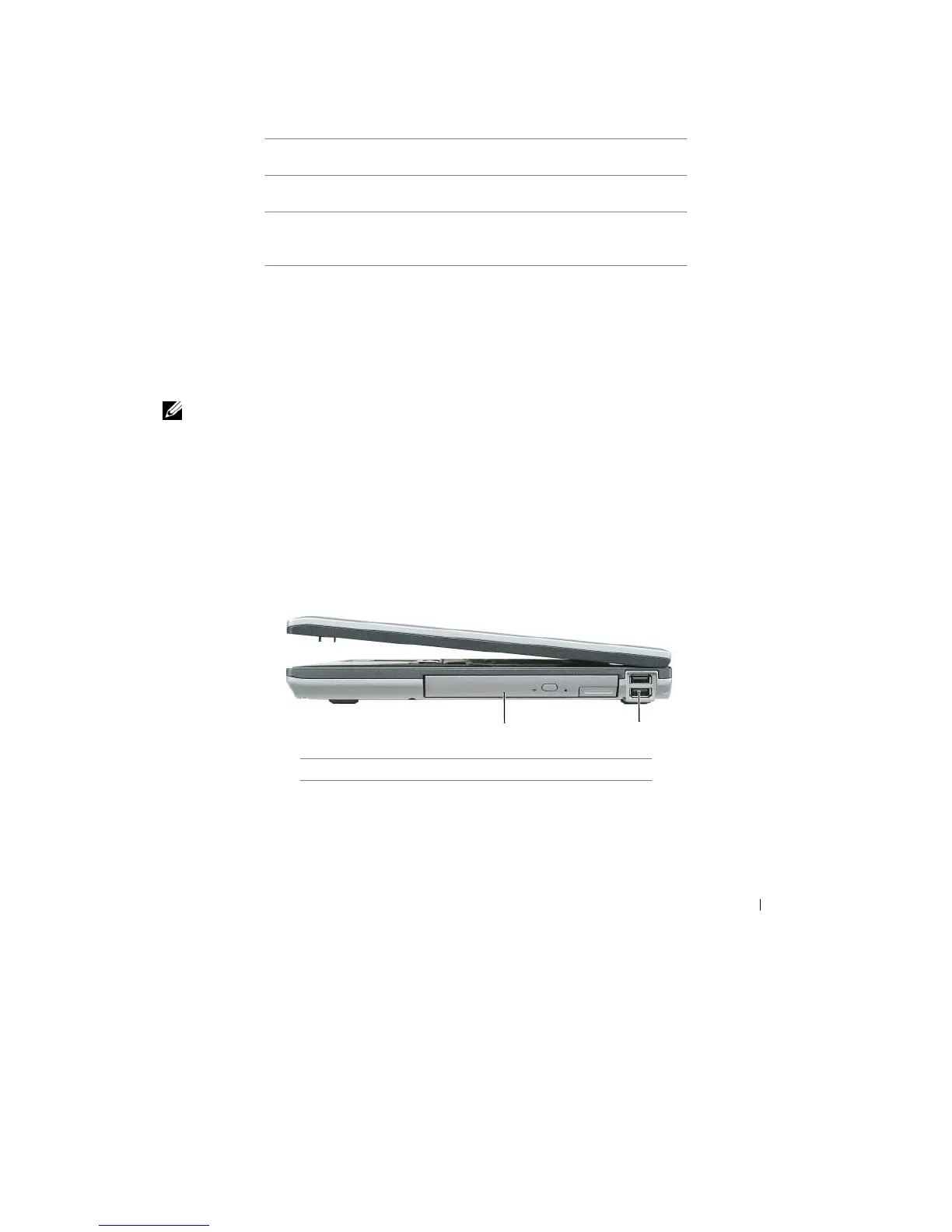
Right Side View
1
2
1
media
bay
2
USB connectors
(2)
ME D I A B AY
— Supports a floppy drive, optical drives, a second battery, or a second hard drive (see "Media
Bay"
on
page
110).
About Your Computer
21










 To Next Page