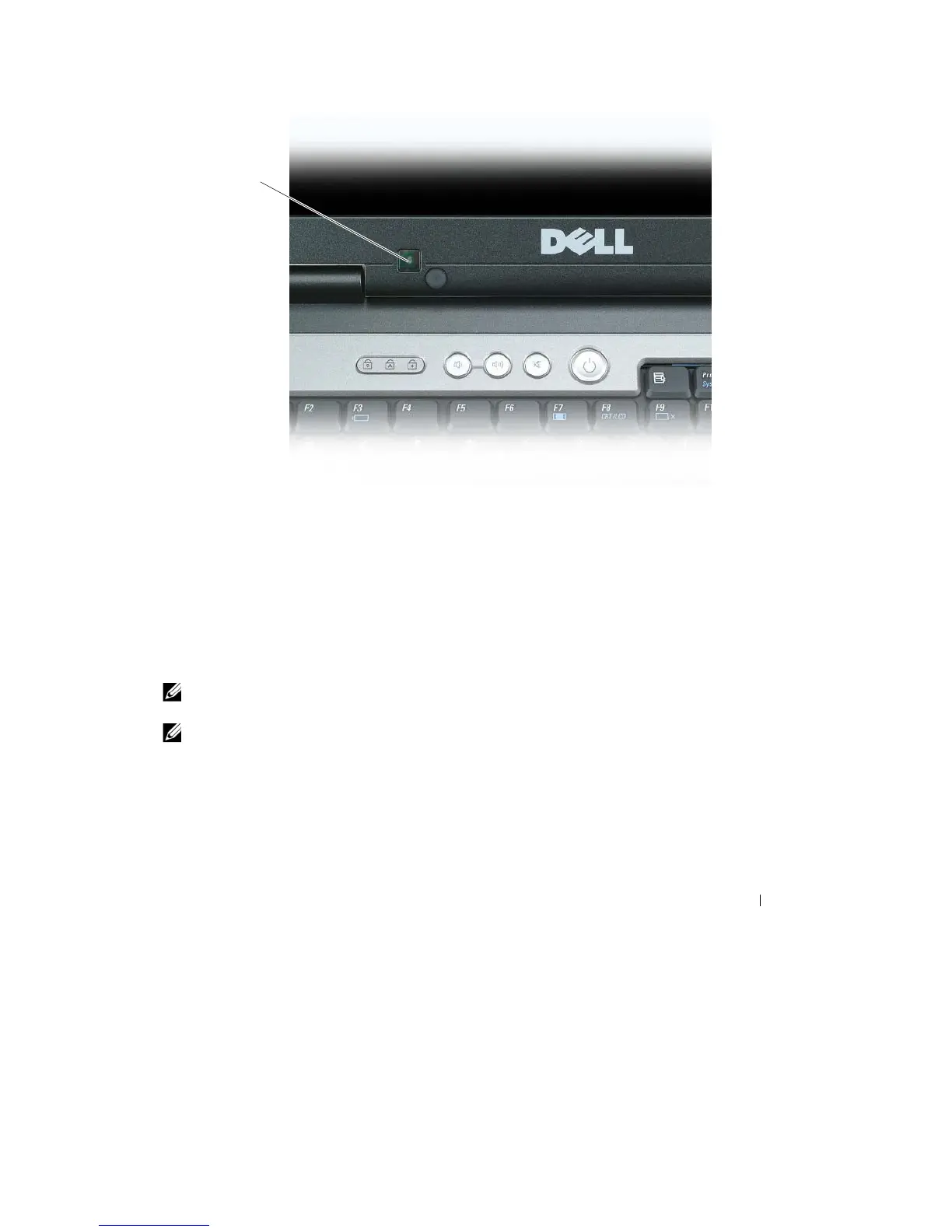
1
1
ambient light
sensor
The
ambient
light
sensor is disabled when your computer is shipped
to
you.
If
you enable
the
sensor
and
then
use any
of the
display brightness key combinations,
the
sensor is disabled and
the
display
brightness
is increased
or
decreased
accordingly.
Dell™ QuickSet allows you
to
enable
or
disable
the
ambient
light
sensor feature. You can also
adjust
maximum and
minimum
brightness settings
that
are activated when you enable
t
he
ambient
light
sensor
feature.
For
more
information
about QuickSet,
right-click the
QuickSet
icon in the
taskbar, and
click
Help
.
NOTE:
Rebooting the computer returns the ambient light sensor to the setting (either enabled or disabled) as
it
was
before
it
was
adjusted.
NOTE:
The ambient light sensor adjusts the display backlighting on your portable computer only.
It
does
not
control the brightness on any external monitors or
projectors.
Using the Display
47










 To Next Page