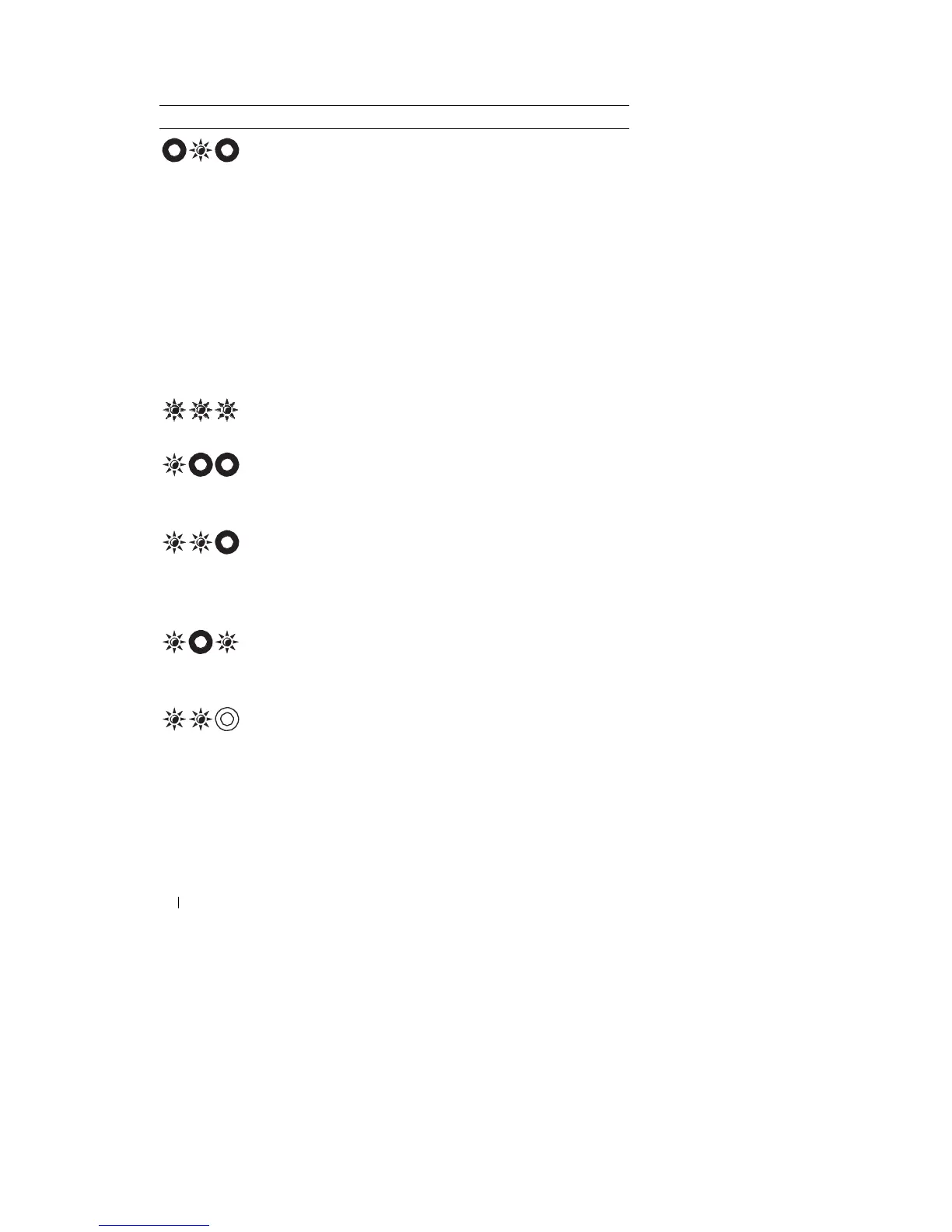
Light
Pattern
Problem
Description
Suggested
Resolution
Memory modules
are
detected, but
a
memory failure
has
occurr
ed.
System board
failure
has
occurr
ed.
•
If
two
or
more memory modules
ar
e
installed, remove
the
modules,
then
reinstall one module and restart
the
computer.
If the
computer
starts
normally, continue
to install
additional memory modules (one
at
a
time) until
you have identified a
faulty module
or
reinstalled
all
modules
without
error (see
"Memory"
on page
115).
•
If
available, install working memory
of
the same type
into
your computer (see
"Memory" on page
115).
•
If the
problem persists, contact
Dell
Support.
Contact Dell
Support.
A possible processor
failure has
occurr
ed
.
A possible
graphics
card/video failure
has
occurr
ed.
A possible
LCD
failure has
occurr
ed
.
A possible keyboard
failure has
occurr
ed
.
•
Reseat
the
processor (see
"M
em
ory"
on page
115).
•
If the
problem persists, contact
Dell
Support.
•
Reseat any installed graphics car
d
s.
•
If
available, install a working graphics
card
into
your
computer.
•
If the
problem persists, contact
Dell
Support.
•
Reseat
the LCD
cable (see
your
computer’s
Service
Manual
).
•
If the
problem persists, contact
Dell
Support.
•
Reseat
the
keyboard (see
"K
eyboar
d"
on page
113).
•
If
available, connect an
e
xternal
ke
y
b
o
a
rd
.
•
If the
problem persists, contact
Dell
Support.
72
T
r
oubleshooti
ng










 To Next Page