Keyboard lattice and Keyboard
Removing the keyboard
1 Follow the procedures in Before working inside your computer.
2 Remove the:
a battery cover
b battery
c hard drive
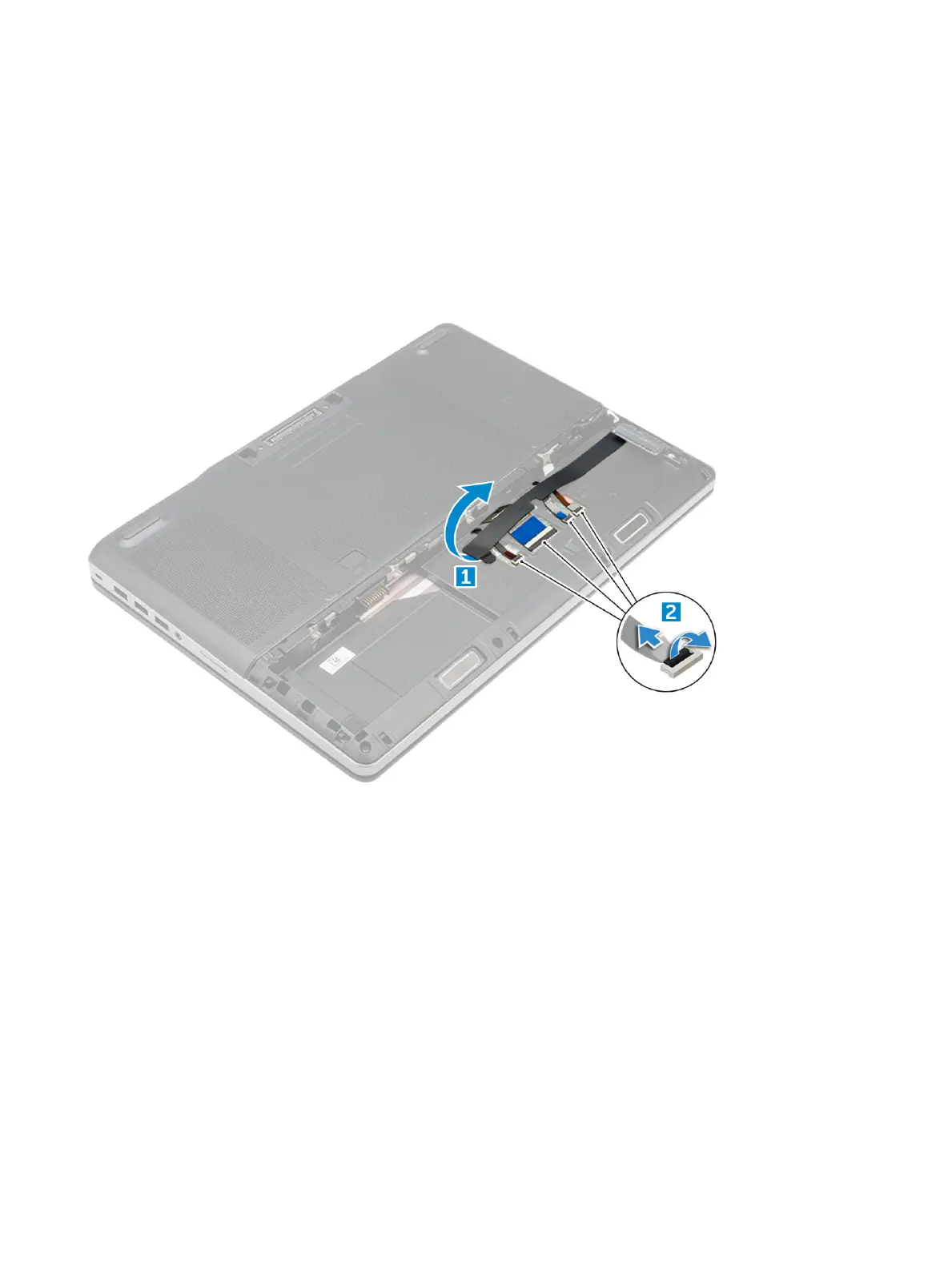
3 To remove keyboard cable:
a Peel the tape to access the keyboard cable [1].
b Disconnect the keyboard cables from the touchpad board [2]
4 To remove the keyboard:
a Using plastic scribe pry the keyboard trim from the bottom and work along the top edge and remove it from the computer [1, 2,
3].
b Remove the M2.0x2.5 screws that secure the keyboard to the computer [4].
c Lift and slide the keyboard to remove it away from the computer [5].
14
Disassembly and reassembly















 To Next Page