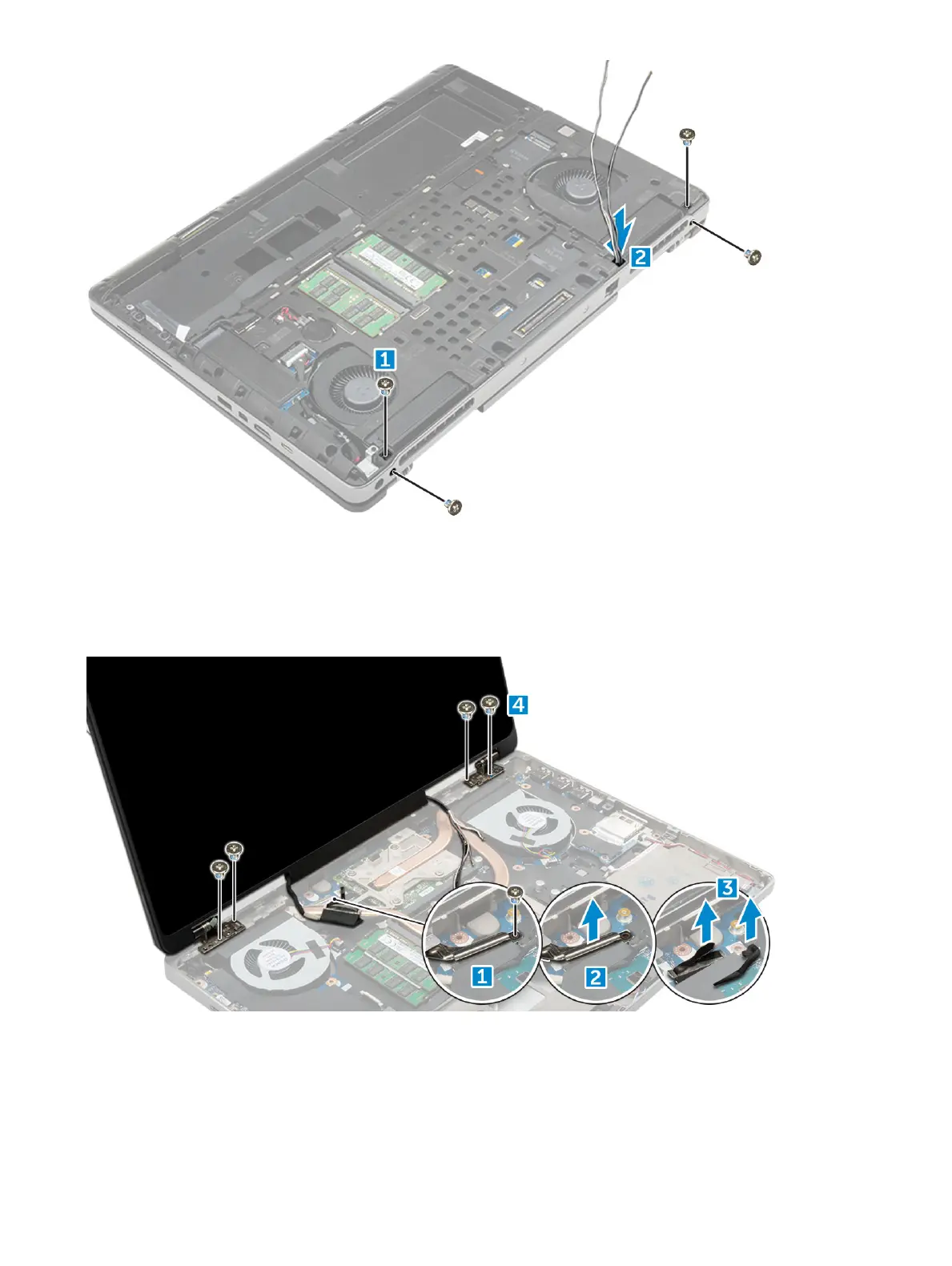
5 To remove display assembly:
a Flip the computer and open the display.
b Remove the M2.0X3 screw that secures the eDP cable bracket [1].
c Remove the eDP cable bracket [2].
d Peel o the tape on the heat sink and disconnect the eDP cable from the system board [3].
e Remove the M2.0X3 screws that secure the display assembly to the computer and remove it from the computer [4].
Installing the display assembly
1 Insert the display assembly into the slots on the computer.
2 Replace the M2.0X3 screws to secure the display assembly in place.
38
Disassembly and reassembly















 To Next Page