e battery
f battery cover
6 Follow the procedure in After working inside your computer.
Graphics card
Removing the graphic card
1 Follow the procedure in Before working inside your computer.
2 Remove the:
a battery cover
b battery
c base cover
d hard drive
e keyboard
f palmrest
g heat sink
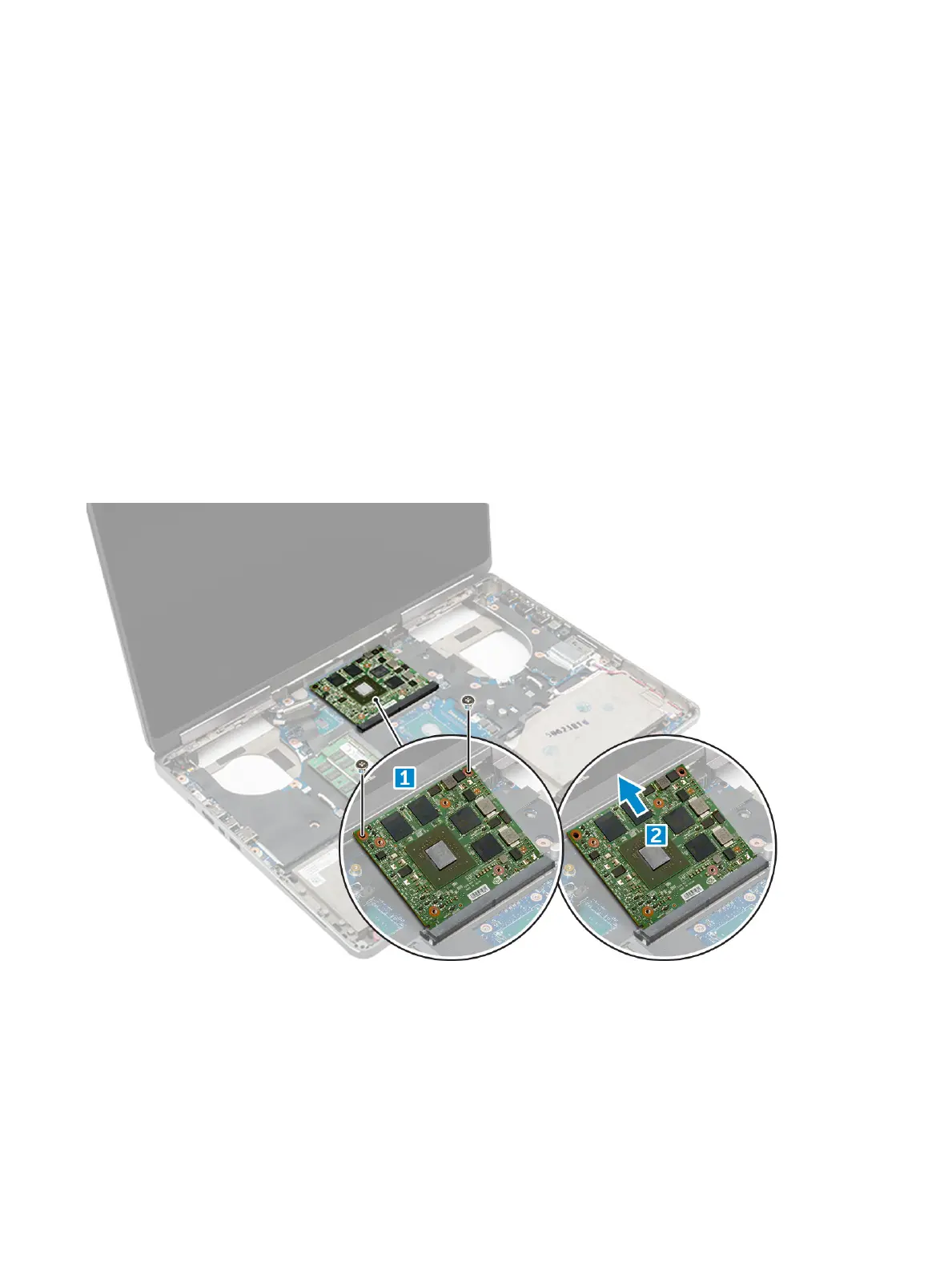
3 To remove the graphic card:
a Remove the M2.0x3.0 screws that secure the graphic card to the computer [1].
b Remove the graphic card from the computer [2].
Installing the graphic card
1 Slide the graphic card into its original position in the computer.
2 Replace the M2.0x3.0 screws to secure the graphic card to the computer.
3 Install the:
a heat sink
Disassembly and reassembly
31















 To Next Page