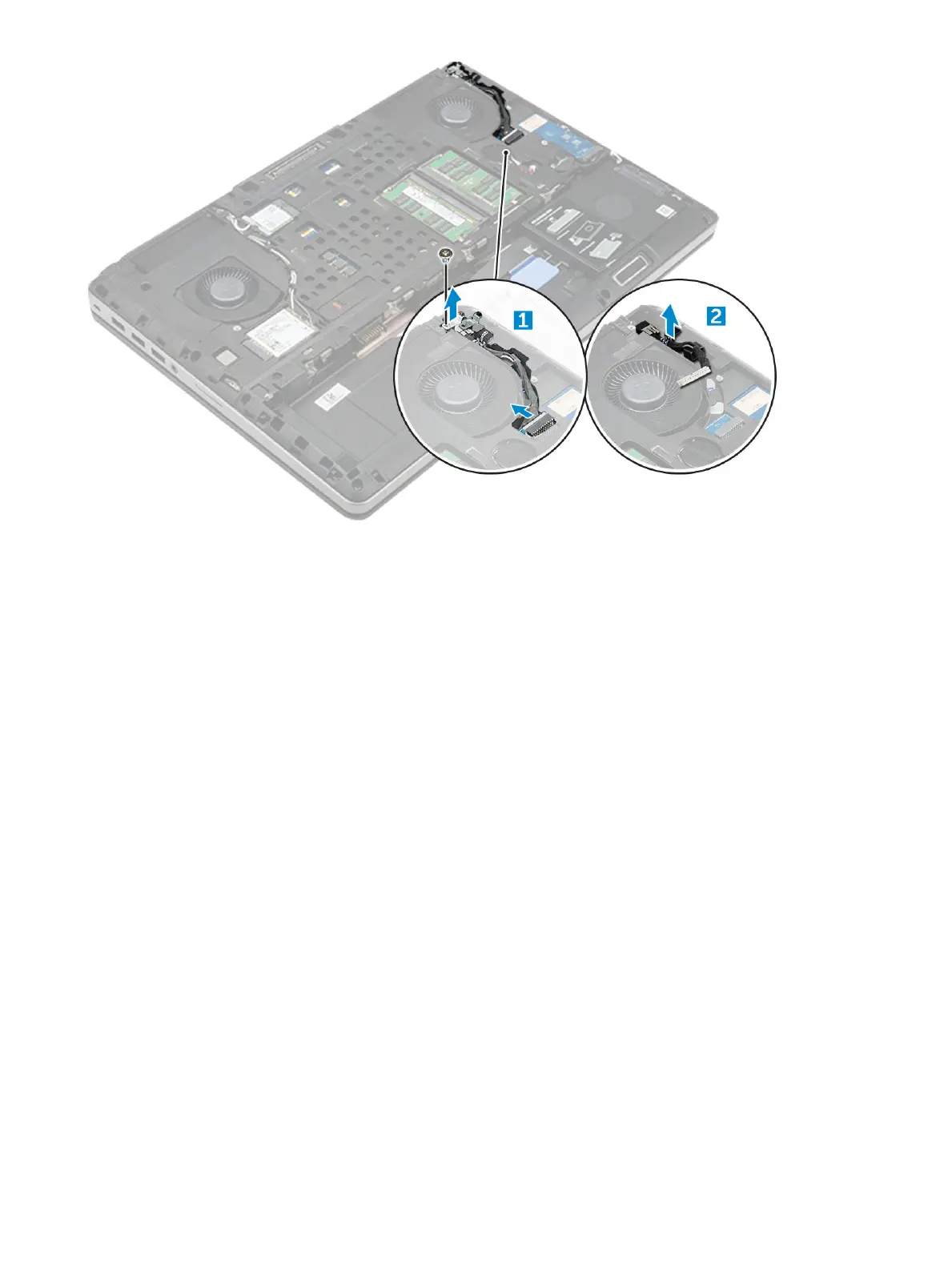
Installing the power connector port
1 Replace the power connector cable on the computer.
2 Route the cable through the routing channel
3 Replace the M2.5x5.0 screw to secure the power connector port to the computer.
4 Connect the power connector cable.
5 Install the:
a base cover
b battery
c battery cover
6 Follow the procedure in After working inside your computer.
Palm rest
Removing the palmrest
1 Follow the procedure in Before working inside your computer.
2 Remove the:
a battery cover
b battery
c base cover
d hard drive
e keyboard
3 Remove the 15 screws (M2.5x5.0, M2.0x8.0, M2.0x3.0) at the bottom of the computer which secure the palmrest to the computer .
24
Disassembly and reassembly















 To Next Page