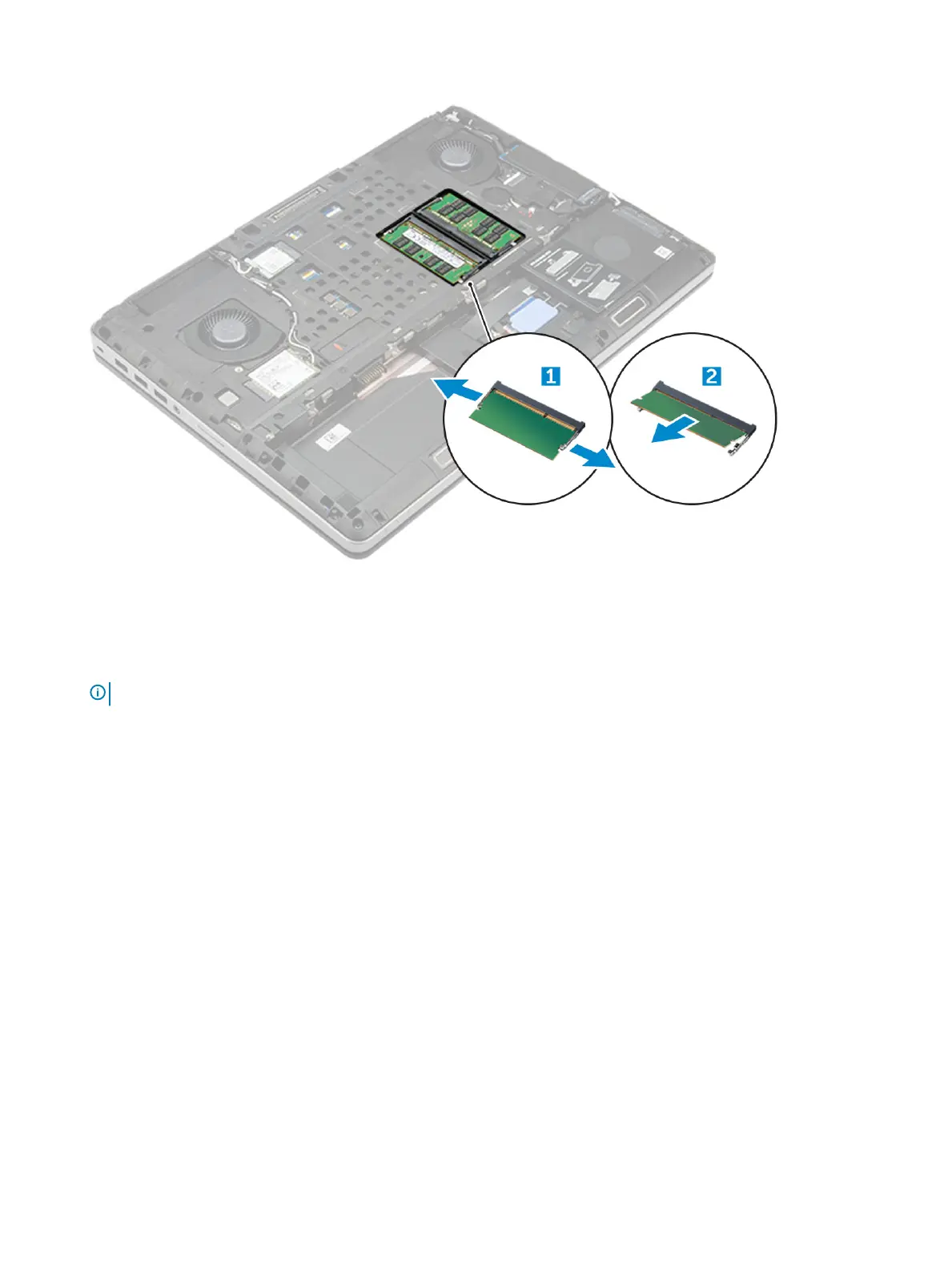
a Pry the retention clips away from the memory module until it pops up.
b Lift the memory module and remove it from the computer.
Installing the primary memory module
1 Insert the memory module into the memory socket.
NOTE
: Installing one or three memory modules leads to system performance issues.
2 Press the clips to secure the memory module to the system board.
3 Install the:
a base cover
b battery
c battery cover
4 Follow the procedure in After working inside your computer.
Removing the secondary memory module
1 Follow the procedure in Before working inside your computer.
2 Remove the:
a battery cover
b battery
c hard drive
d keyboard
3 To remove the secondary memory module:
a Remove the screw that secures the memory shield [1].
b Lift and remove the memory shield from the computer [2].
c Pry the retention clips away from the memory module until it pops up [3].
d Lift the memory module and remove it from the computer [4].
18
Disassembly and reassembly















 To Next Page