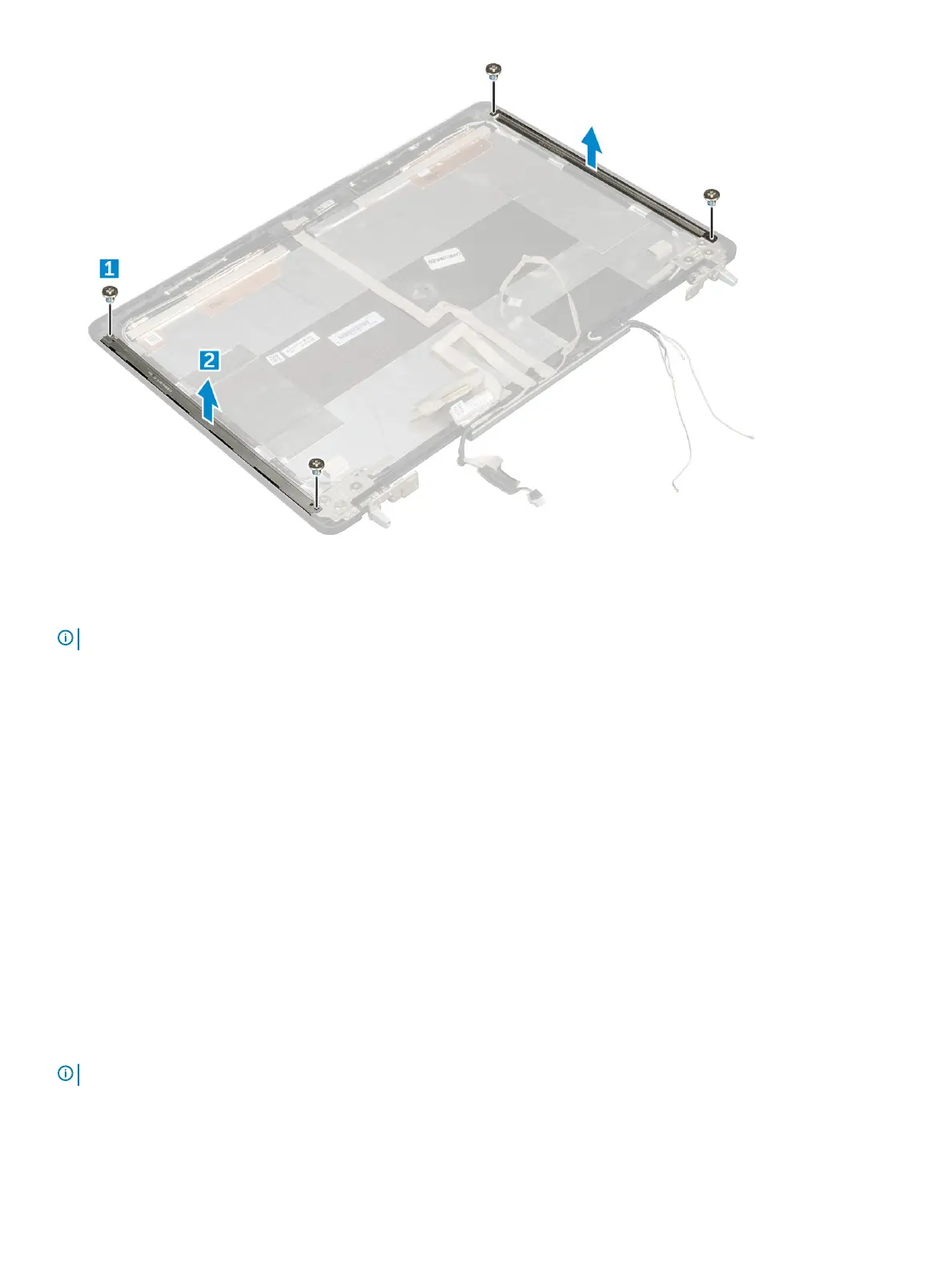
Installing the display bracket
NOTE
: For non touch systems perform following steps.
1 Place the display brackets in its slot on the display cover.
2 Replace the M2.5x4.0 screws to secure the display bracket..
3 Install the:
a display panel
b display bezel
c display assembly
d palmrest
e keyboard
f hard drive
g base cover
h battery
i battery cover
4 Follow the procedure in After working inside your computer.
Display hinges
Removing the display hinge
NOTE
: For non touch systems perform following steps.
1 Follow the procedure in Before working inside your computer.
2 Remove the:
Disassembly and reassembly
49















 To Next Page