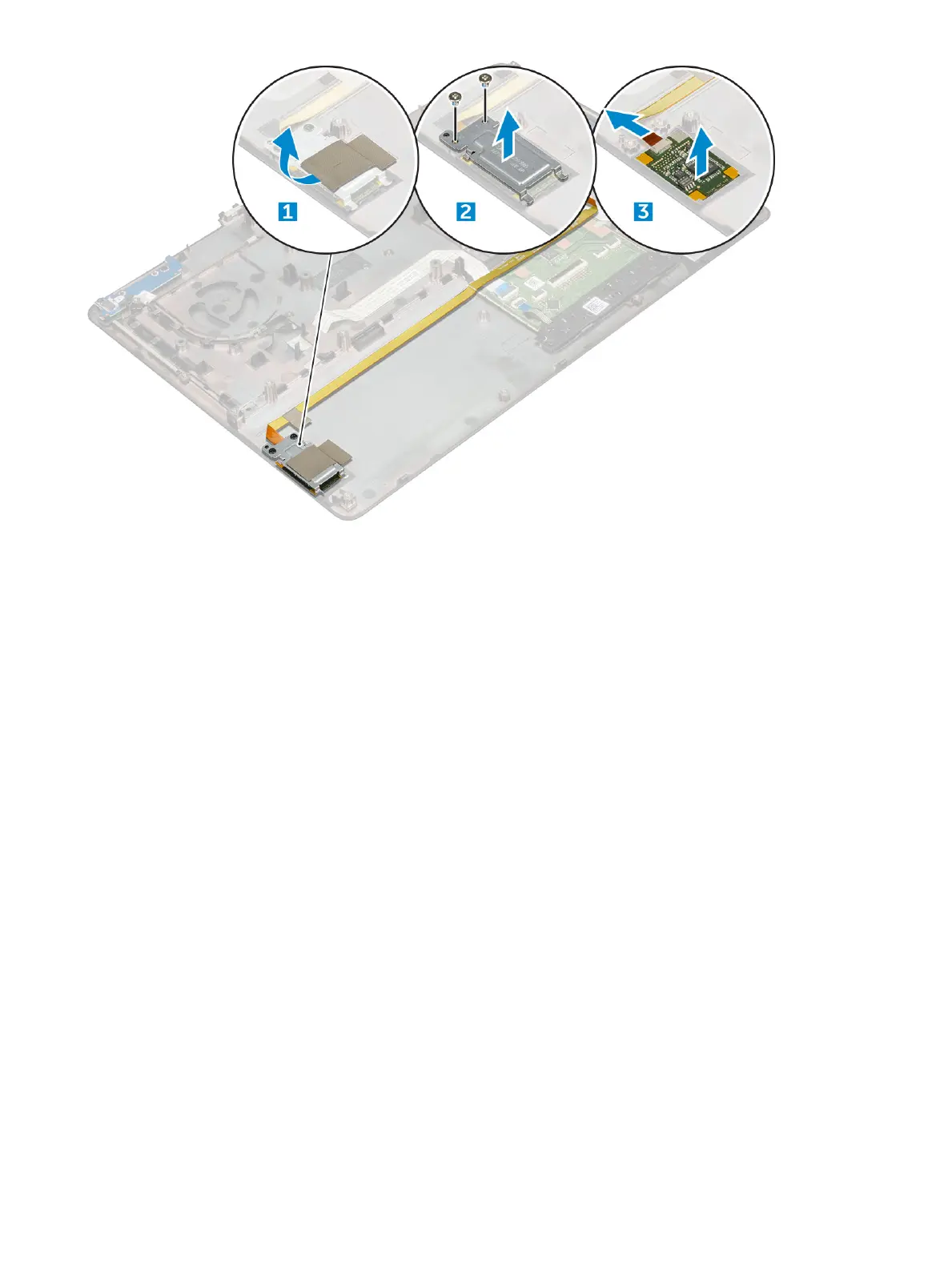
Installing the ngerprint reader
1 Align the ngerprint reader into its original position on the chassis.
2 Connect the nger print reader cable.
3 Place the metal bracket on the chassis.
4 Replace the M2.0X3 screws to secure the ngerprint reader to the chassis.
5 Ax the adhesive tape to secure the ngerprint reader.
6 Install the:
a palmrest
b power connector port
c graphic card
d M.2 SSD card
e WWAN card
f WLAN card
g primary memory
h secondary memory
i HDD cable
j keyboard
k hard drive
l base cover
m battery
n battery cover
o SD card
7 Follow the procedure in After working inside your computer.
Disassembly and reassembly
35















 To Next Page