NOTE: The power-status light on the power button is available only on computers without the fingerprint reader.
Computers that are shipped with the fingerprint reader that is integrated on the power button will not have the
power-status light on the power button.
2. Touchpad
Move your finger on the touchpad to move the mouse pointer. Tap to left-click and two fingers tap to right-click.
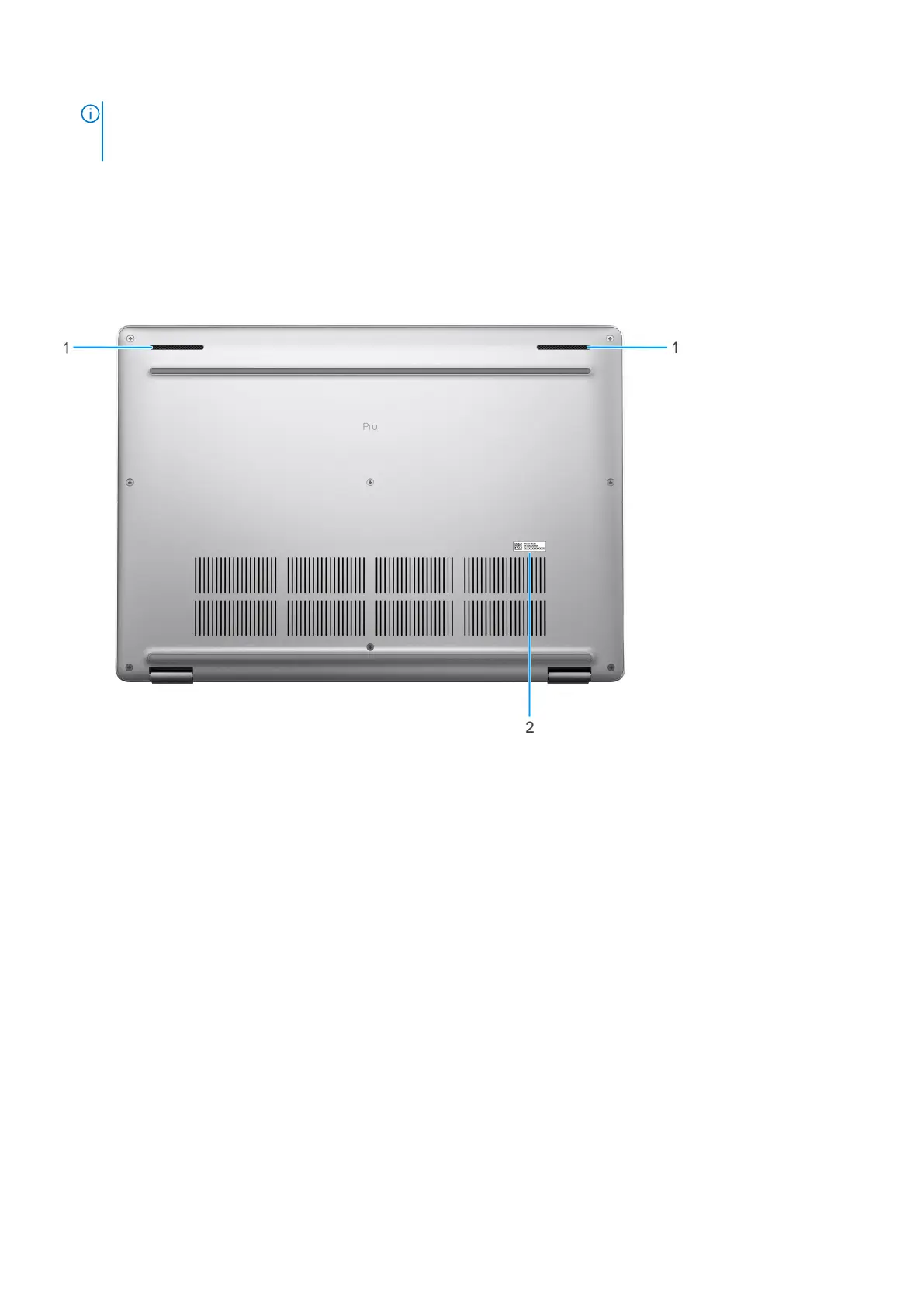
Bottom
1. Speakers
Provide audio output.
2. Service Tag label
The Service Tag is a unique alphanumeric identifier that enables Dell service technicians to identify the hardware
components in your computer and access warranty information.
Service Tag
The service tag is a unique alphanumeric identifier that allows Dell service technicians to identify the hardware components in
your computer and access warranty information.
10
Views of Dell Pro 16 Plus











 To Next Page