2. IR Sensor (optional)
Sensor detects the absence of the user and locks the computer for securing the computer and reducing power consumption.
3. Infrared emitter (optional)
The infrared emitter emits infrared light, which enables the infrared camera to sense and track motion.
4. Camera
A camera enables you to video chat, capture photos, and record videos.
5. Camera-status light
Turns on when the camera is in use.
6. Right microphone
Provides digital sound input for audio recording and voice calls.
7. Ambient-light sensor (optional)
The sensor detects the ambient light and automatically adjusts the display brightness.
Top
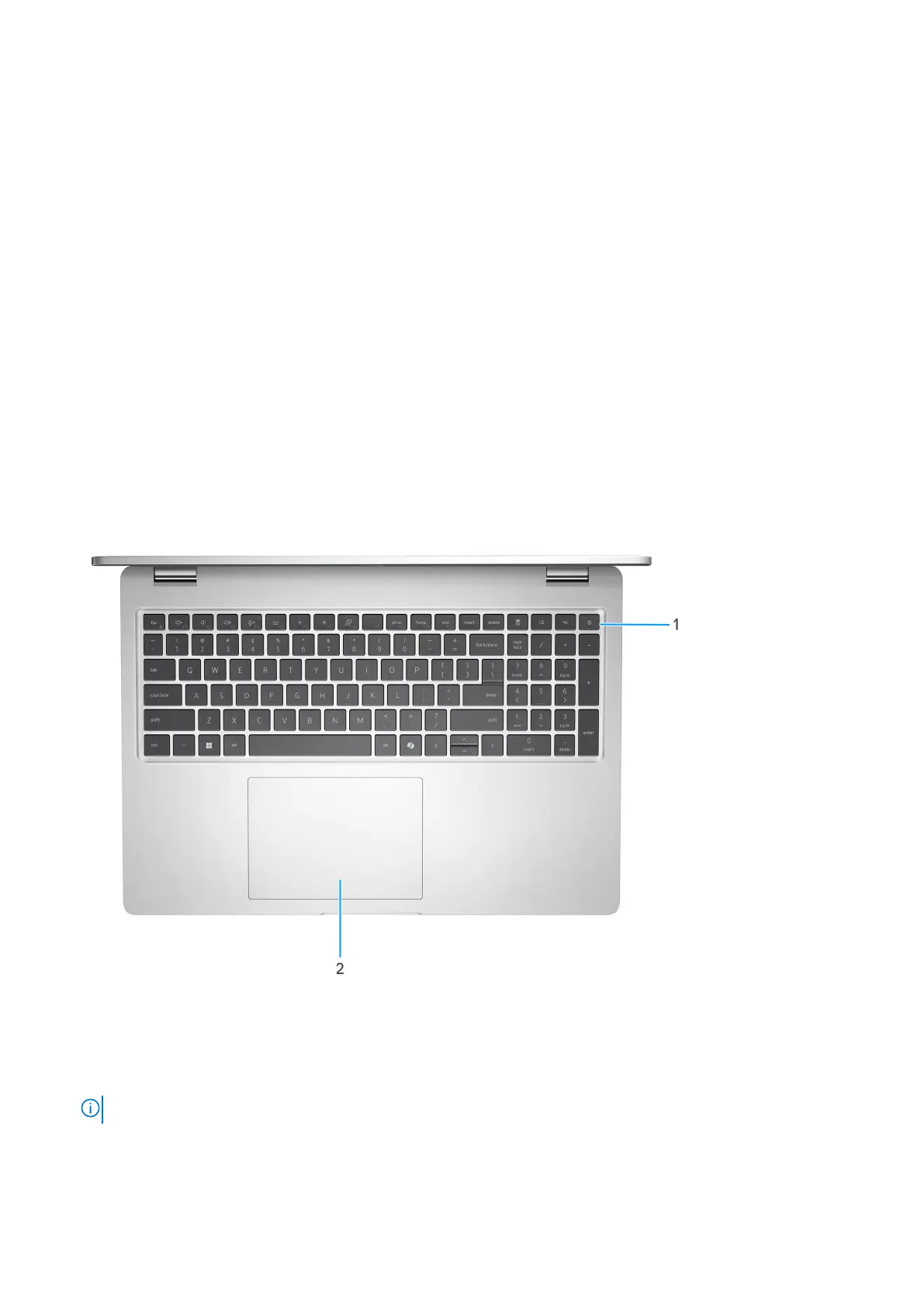
1. Power button with optional fingerprint reader
Press to turn on the computer if it is turned off, in sleep state, or in hibernate state.
When the computer is turned on, press the power button to put the computer into sleep state; press and hold the power
button to force shut-down the computer.
NOTE: You can customize the power-button behavior in Windows.
Views of Dell Pro 16 Plus 9











 To Next Page