Installing the 5G WWAN Card
Prerequisites
If you are replacing a component, remove the existing component before performing the installation process.
About this task
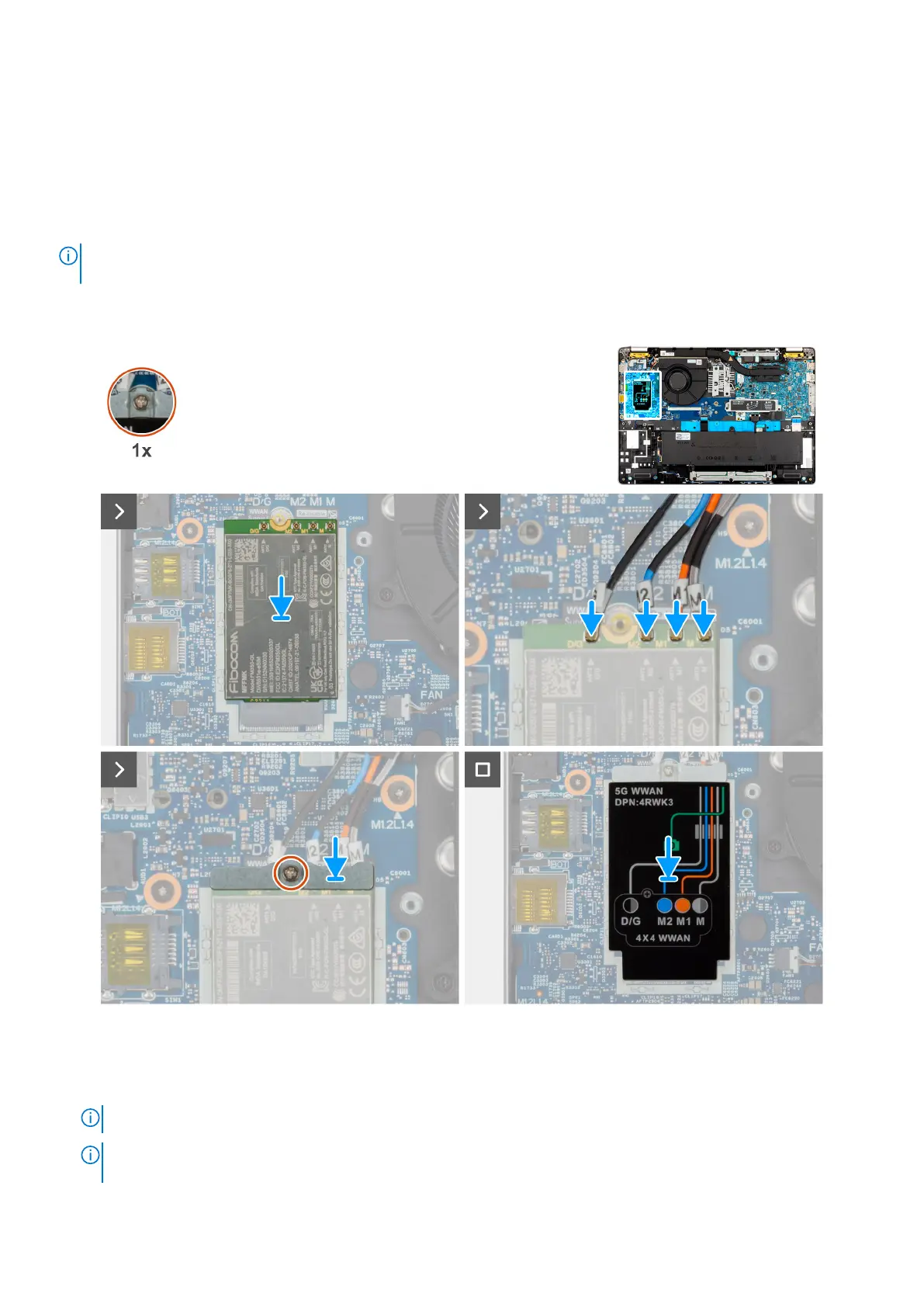
NOTE: The 5G WWAN card is available only on certain configurations. It is connected to the computer with four antenna
cables.
The following images indicate the location of the 5G WWAN card and provide a visual representation of the installation
procedure.
Figure 11. Installing the 5G WWAN card
Steps
1. Place the WWAN card into the slot on the I/O daughter board.
NOTE: If you are replacing the 5G WWAN card, ensure that the thermal pad is in place.
NOTE: If you are replacing the system board, ensure to peel the thermal pad from the old system board to the new
system board.
54 Removing and installing Customer Replaceable Units (CRUs)











 To Next Page