CAUTION: If you are unable to turn on the computer, if your computer is unable to enter Service Mode, or the
computer does not support Service Mode, proceed to disconnect the battery cable.
2. Remove the SIM card.
About this task
NOTE: Before removing the base cover, ensure that there is no microSD-card that is installed in the microSD-card slot on
your computer.
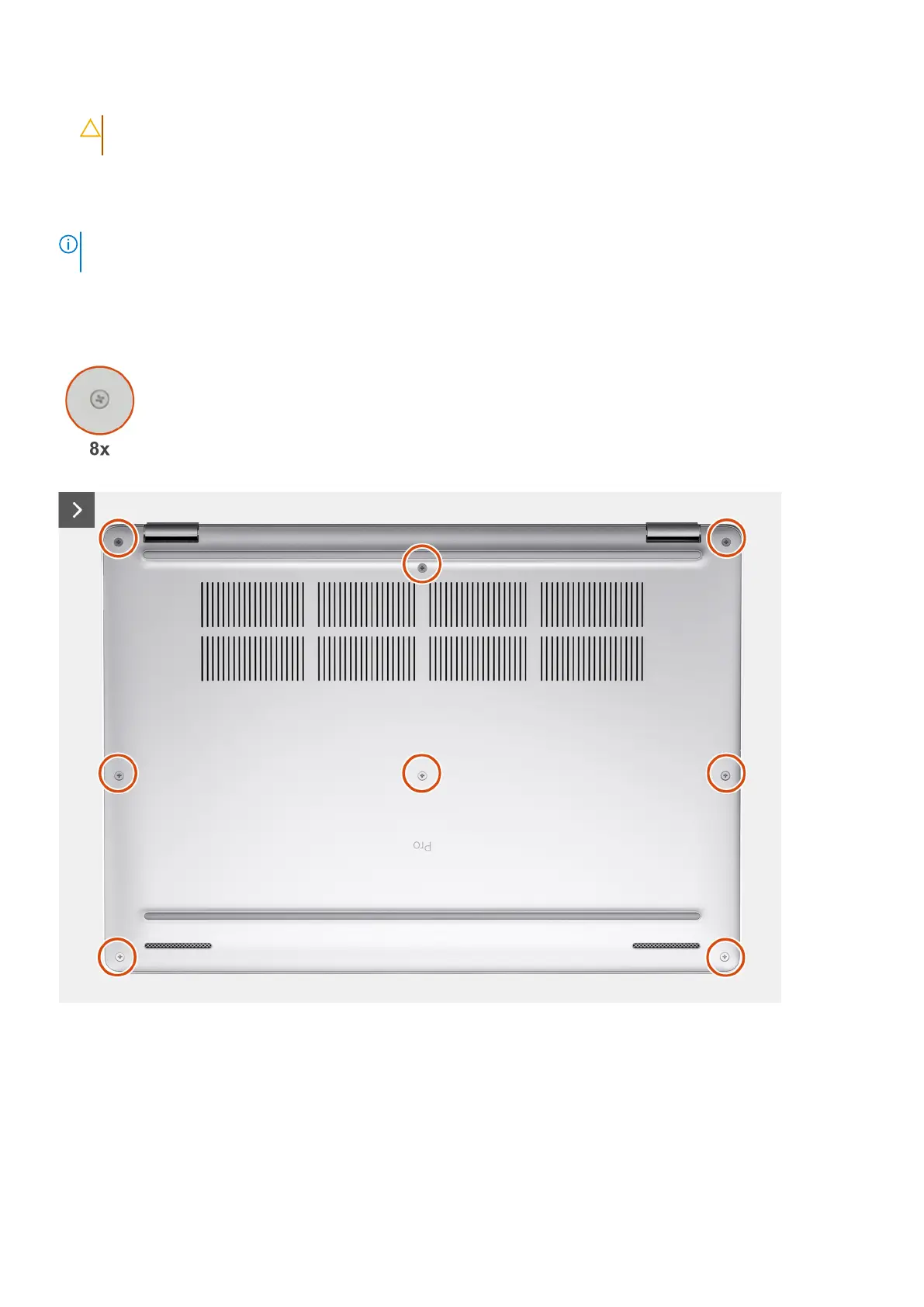
The following images indicate the location of the base cover and provide a visual representation of the removal procedure.
Figure 6. Removing the base cover
Removing and installing Customer Replaceable Units (CRUs) 45











 To Next Page