About this task
CAUTION: Removing the battery resets the BIOS setup settings to default. It is recommended that you note the
BIOS setup settings before removing the battery.
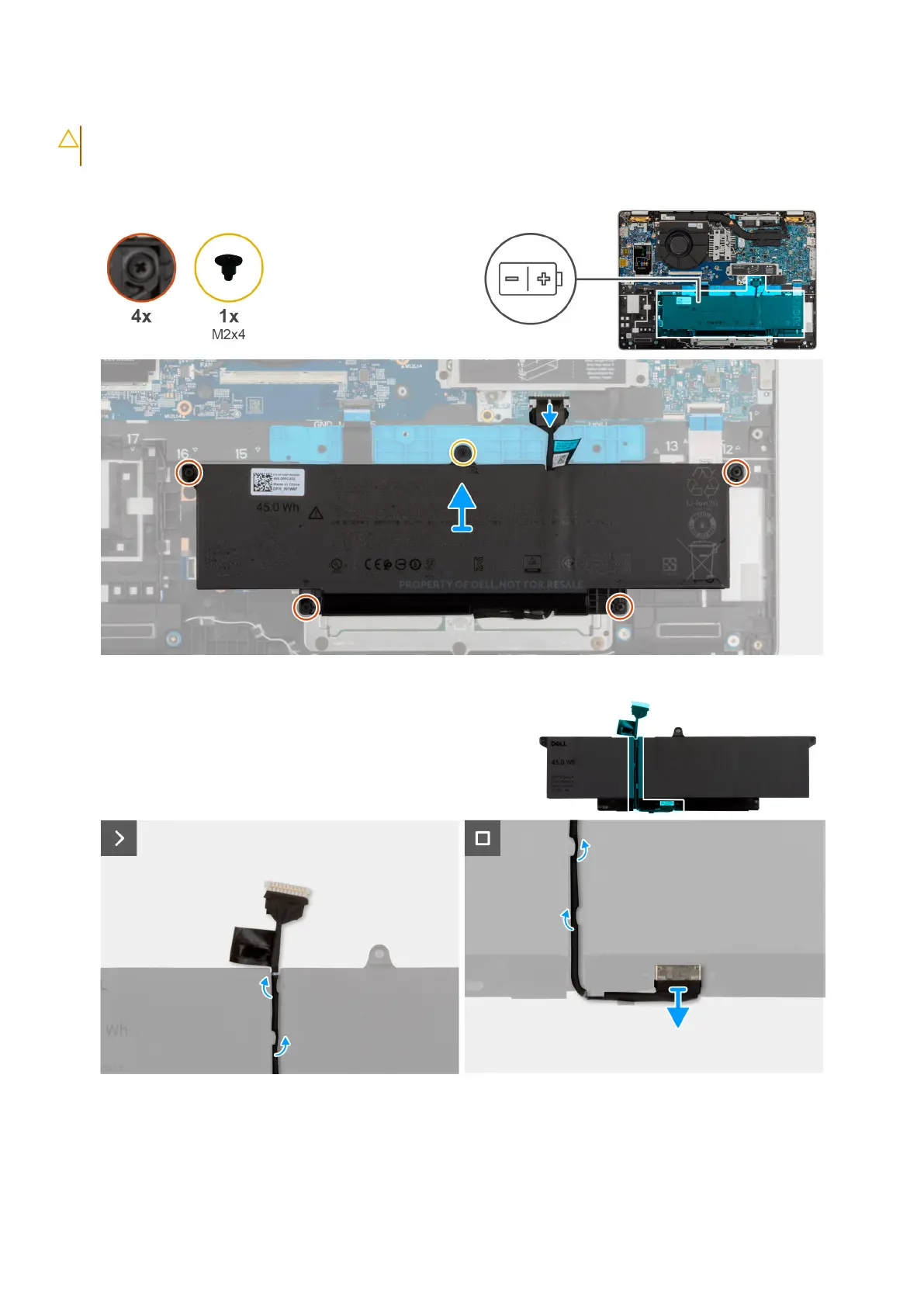
The following images indicate the location of the battery and provide a visual representation of the removal procedure.
Figure 8. Removing the battery
Steps
1. Disconnect the battery cable from the battery cable connector (BATT1) on the system board (if not disconnected earlier).
2. Loosen the four captive screws that secure the battery to the palm-rest assembly.
50
Removing and installing Customer Replaceable Units (CRUs)











 To Next Page