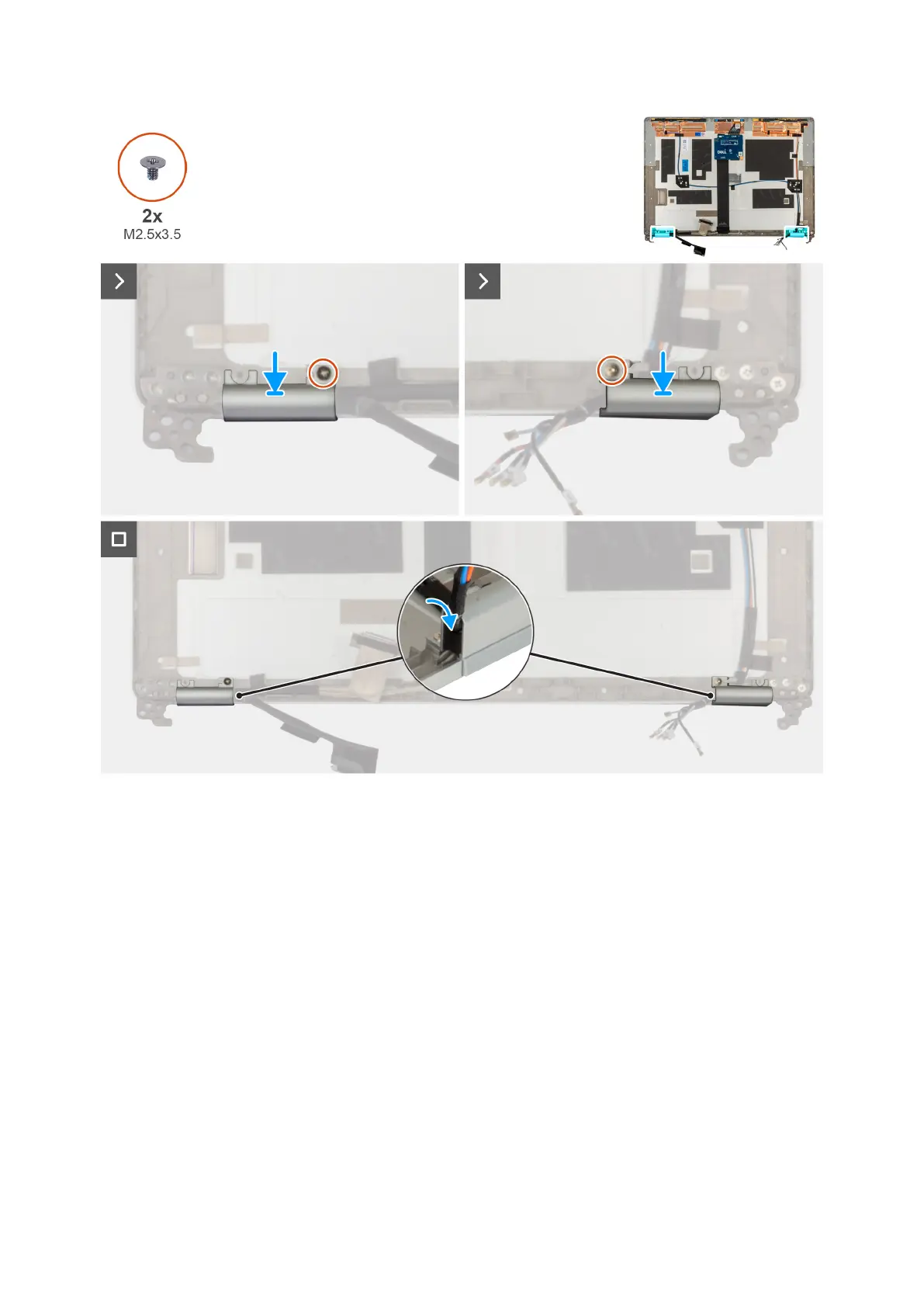
Figure 35. Installing the display hinge cap
Steps
1. Align the screw hole on the left hinge with the screw hole on the display back cover.
2. Replace the screw (M2.5x3.5) that secures the left hinge to the display back cover.
3. Align the screw hole on the right hinge with the screw hole on the display back cover.
4. Replace the screw (M2.5x3.5) that secures the right hinge to the display back cover.
Next steps
1. Install the display panel.
2. Install the display bezel.
3. Install the display assembly.
4. Install the 5G WWAN card
5. Install the base cover.
6. Install the SIM card.
7. Follow the procedure in After working inside your computer
8. .
Removing and installing Field Replaceable Units (FRUs)
83











 To Next Page