Blitz-DT9 User Manual
- 59 -
airplane. It can effectively improve the stability of your airplane, especially
on a windy day.
Auto-Recovery: It is also called Auto Balance Mode. Choose this mode to
lock the tilt angle on pitch and roll axis. When operating in this mode, the
airplane will maintain level flight automatically. When switch it to this mode
from any other modes in an emergency, the airplane will recover to the level
flight automatically, which it is known as one-click rescue. This mode is
suitable for the new beginners or the FPV (First Person View) applications.
Aerobatic: By adding the attitude hold function to the gyros, it will lock the
airplane to its previous attitude if there is no command sent from the
transmitter in a flight. This mode can effectively help you to accomplish an
aerobatic flight. Operate the sticks in this mode, the controller won’t affect
the operation and can improve the stability of the airplane. Once release
the sticks, the controller will save the previous flight attitude and lock the
airplane to this attitude.
CAUTION: Flying in this mode, do not drastically adjust the trims,
excessive trims will affect the judgment of neutral position for the
transmitter. Set the trims during test, and then restart the RC system.
4. Adjust the roll, pitch, and yaw gain. Adjusting the roll gain is taken as an
example.
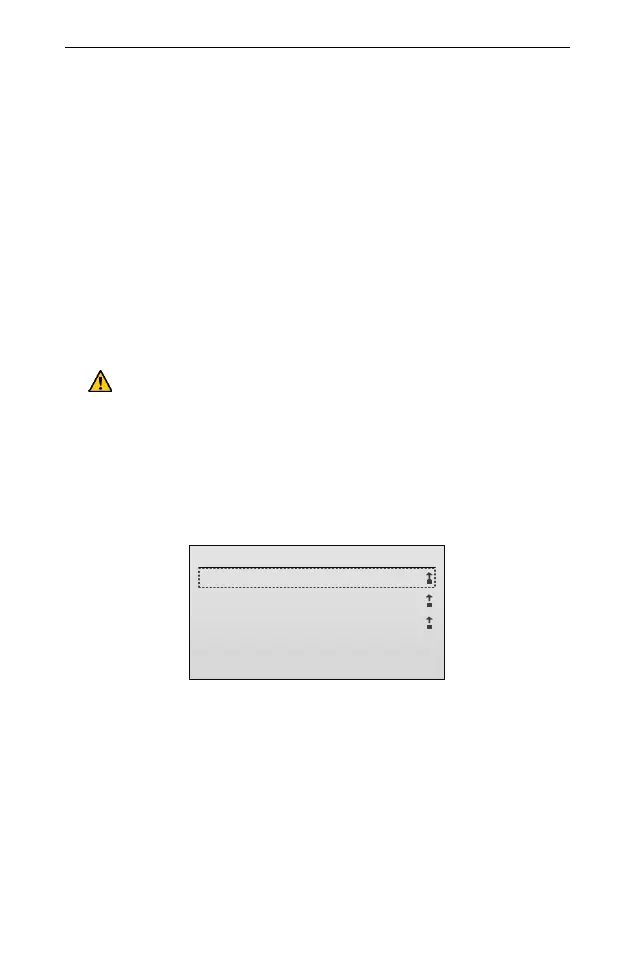
(1) In the Airplane Gyro menu, roll the scroll wheel to select Roll Gain, and then
press the scroll wheel to enter the setting interface.
Roll Gain
1/3
1.Direction:
2.Angle Gain:
3.Rate Gain:
Normal
0
0
(2) Roll the scroll wheel to select the setting item. Press and then roll the scroll
wheel to set the value of the item. After that, press the scroll wheel to save the
value.
Direction: This parameter is used to specify the adjusting direction of the
gain. Values:
Normal: Adjust the gain in positive direction. When the servo moves in
normal direction, Set the value to Normal.
Reverse: Adjust the gain in negative direction. When the servo moves in
reverse direction, Set the value to Reverse.
The default is Normal.



 To Next Page