User Manual DEV 2194
Copyright DEV Systemtechnik GmbH 2013-2017 37
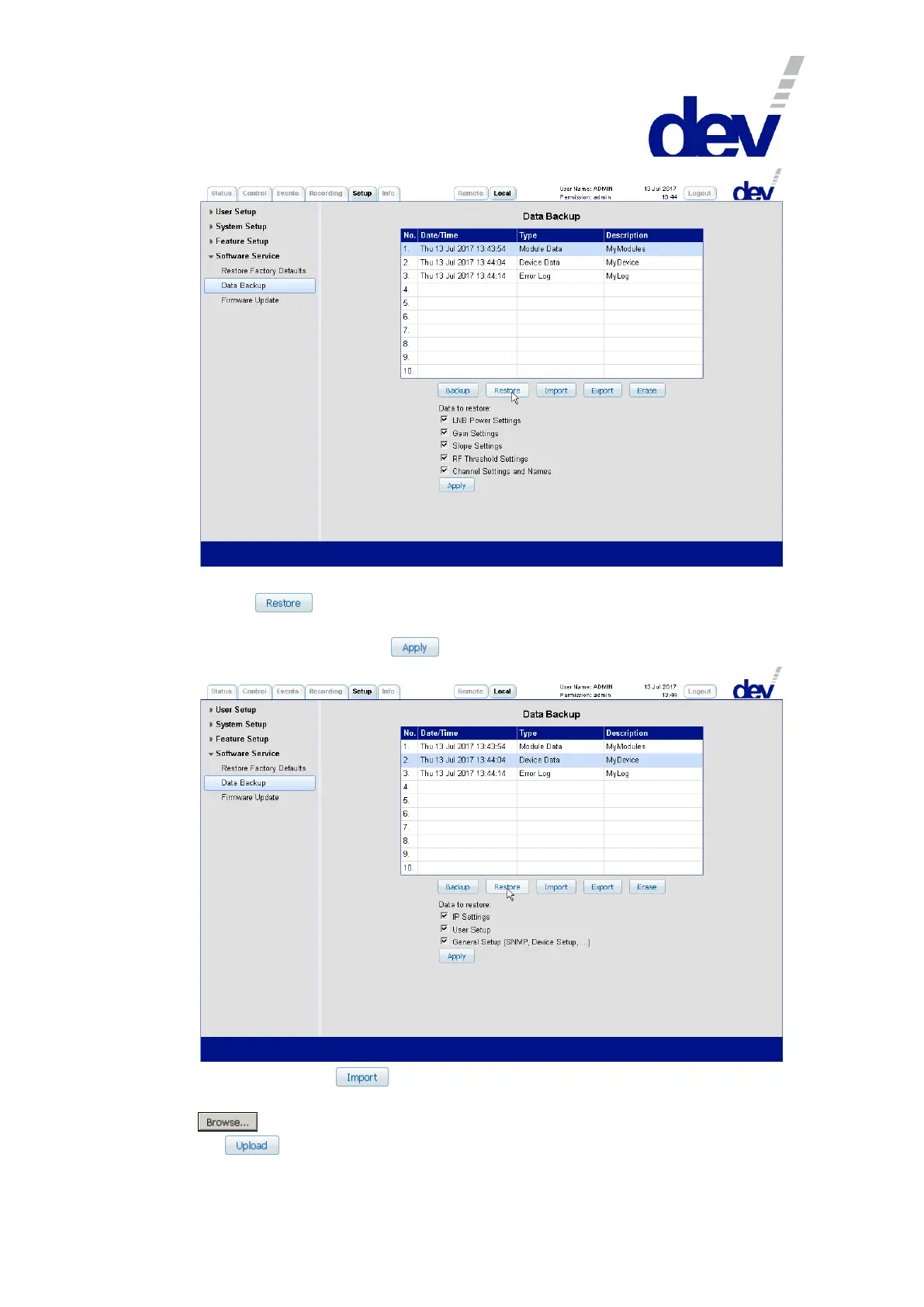
If a backup set containing "Device Data" is selected as shown in the next screenshot
and the button is operated, the available categories (as described above)
are listed. It is possible to (de-)select particular categories via the adjacent check
boxes before operating the button.
After operating the button, the appearing "File" text field permits the
insertion of a filename including the path where the file resides. Alternatively, the
button can be used to locate the file. After the file was selected, a click on
the button activates the file transfer to the device.



 To Next Page