ineo 164 4-5
4.2 Display indications
4
5 Zoom ratio Indicates the fixed/manual zoom ratio selected for use.
6 Quality Indicates the selected quality setting.
7 Density Indicates the density level for the selected density setting.
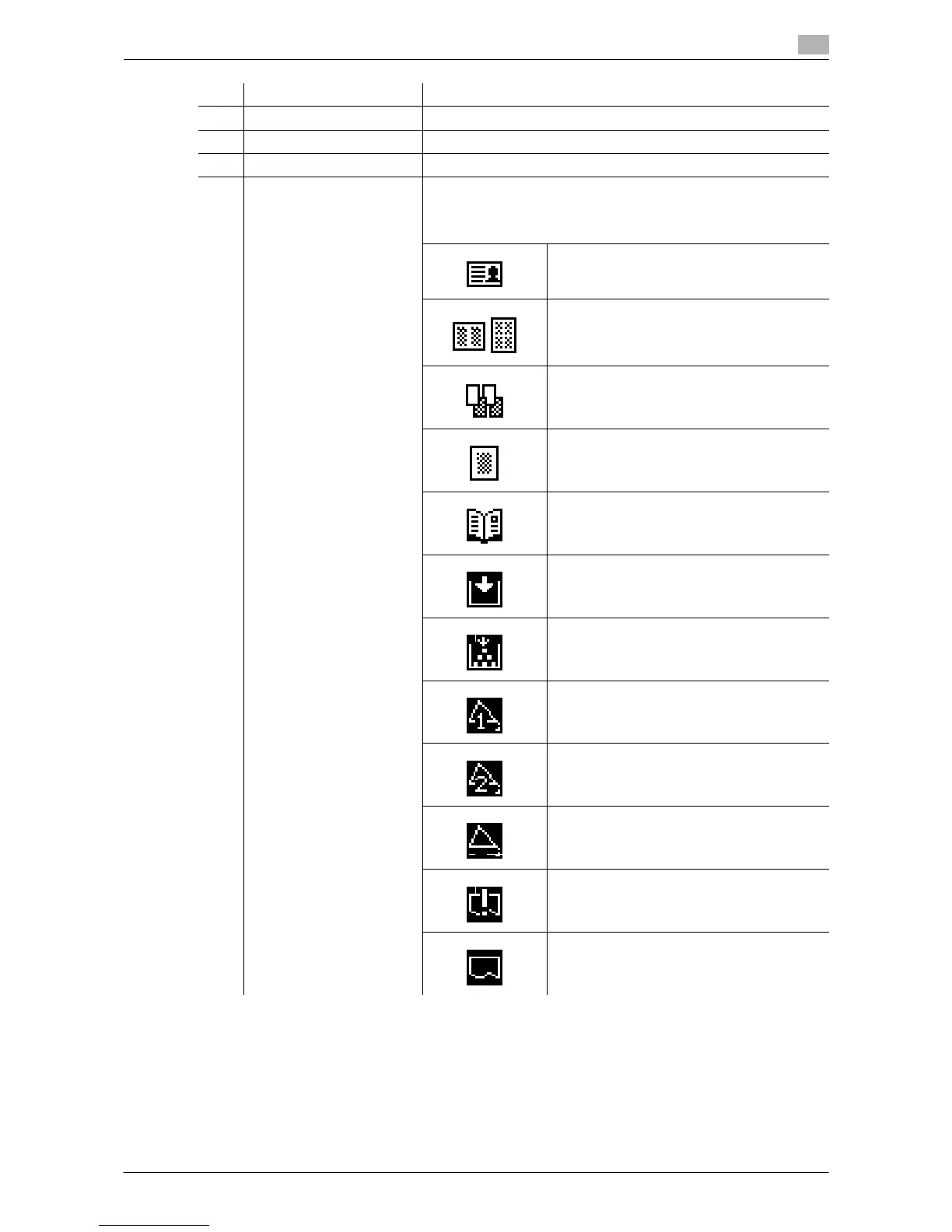
8 Icon/Message Displays the icon that represents a specific status of the machine
or set function.
Also displayed is a message that indicates the status of the ma-
chine.
[ID COPY] is set.
[COMBINE ORIGINAL] is set.
[SORT] is set.
[ERASE] is set.
[BOOK SEPARATION] is set.
Paper has run out. For details on loading pa-
per, refer to page 10-4.
Toner is running out. For how to replace Ton-
er Bottles, refer to page 10-6.
A maintenance is due.
Contact your service representative.
The Drum should be replaced.
Contact your service representative.
A maintenance is due and the Drum should
be replaced.
Contact your service representative.
The machine is receiving print data.
The print data waits in a queue for printing.
No. Display indication Description











 To Next Page