14
SOFTWARE MODES AND SYSTEM MENUS
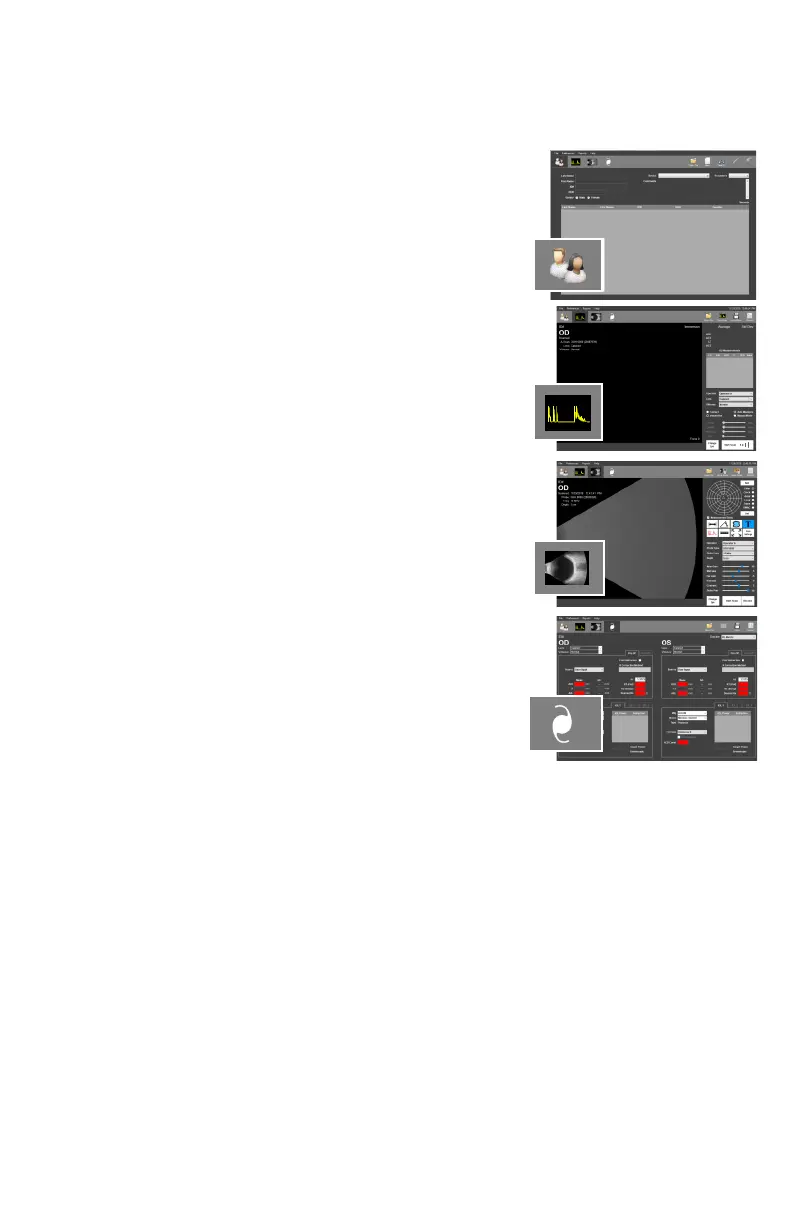
The tabs in the upper le-hand corner allow the user to switch between modes of operaon. By
clicking the tabs, the user is able to navigate between the Paent Data, A-Scan, B-Scan/UBM or
IOL Calculaon screens.
PATIENT SCREEN
When starng the program, the Paent Database Screen is
presented. Clicking this tab will bring you to the paent data
screen.
A-SCAN SCREEN
Clicking this tab will bring the operator to the A-Scan screen.
B-SCAN/UBM SCREEN
Clicking this tab will bring you to the B-Scan / UBM screen
IOL CALCULATOR SCREEN
Clicking this tab will bring you to the IOL Calculator.
Addional tools and conguraon opons are available
through the menus which are located above the Mode Tabs.
FILE MENU
The File Menu allows the user to save measurements, images and videos. The File Menu also
allows the user to import and export paent records. The Database Backup / Restore ulity is
accessed through this menu as well.
PREFERENCES MENU
The Preferences Menu allows individual doctor and user proles to be created. Users can
precongure the system according to their preferences and recall the sengs at a later me.
System preferences for system login and report export can be edited from this menu as well.
REPORTS MENU
The Reports Menu allows the user to generate reports from paent records. See the
corresponding secon for informaon on creang A-Scan, B-Scan/UBM and IOL Calculator
reports.
HELP MENU
The Help Menu contains a link to the user manual, soware/system informaon and contact
informaon for DGH Technology, Inc.



 To Next Page