19
PATIENT SCREEN
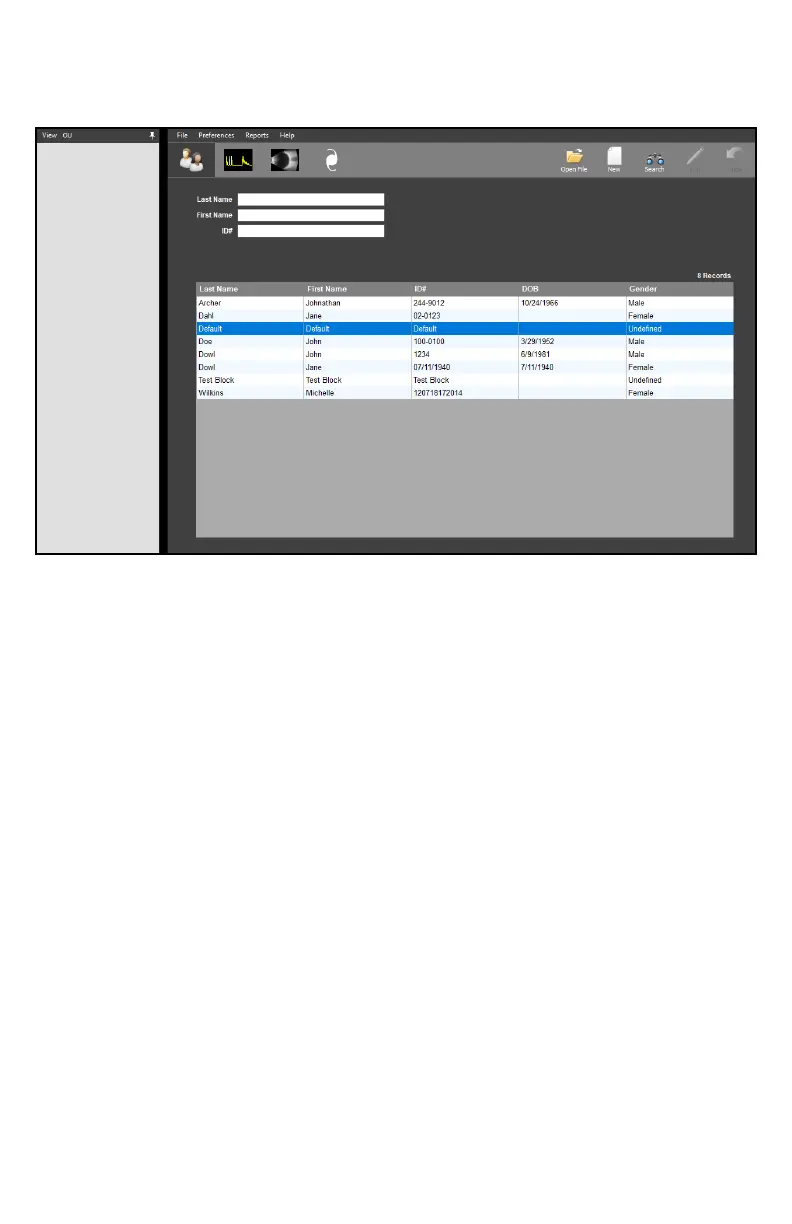
The Paent Screen allows the user to search paents and create new or edit exisng records.
The selected paent’s records will be displayed when the A-Scan, B-Scan or IOL tabs are clicked.
Create New Paent: To create a new paent, click the [NEW] icon in the upper right-hand
corner. The elds for entering paent informaon will be highlighted.
Once all informaon is entered, click the [SAVE] icon in the upper right
hand corner.
Search for Paent: To search for an exisng paent, click the [SEARCH] icon in the upper
right hand corner. The search elds will be highlighted. Type in the
idenfying informaon to perform the search. Searches can also be
performed by scrolling through the paent table.
Load Exisng Paent: To view an exisng paent, highlight the desired paent and double
click. The paent informaon will appear in the boxes above.
View Paent Records: Once a paent has been loaded, click the [OPEN FILE] icon in the
upper right-hand corner. A window will appear showing all records
related to this paent. Double click the record to load it.
Edit Paent Records: To edit a paent’s records, load the paent and click the [EDIT] icon in
the upper right-hand corner. The editable elds will be highlighted.
Once the informaon is edited, click the [SAVE] icon in the upper right-
hand corner.



 To Next Page