Page 52 of 87 DGH 55B-INS-OMENG Rev: 3
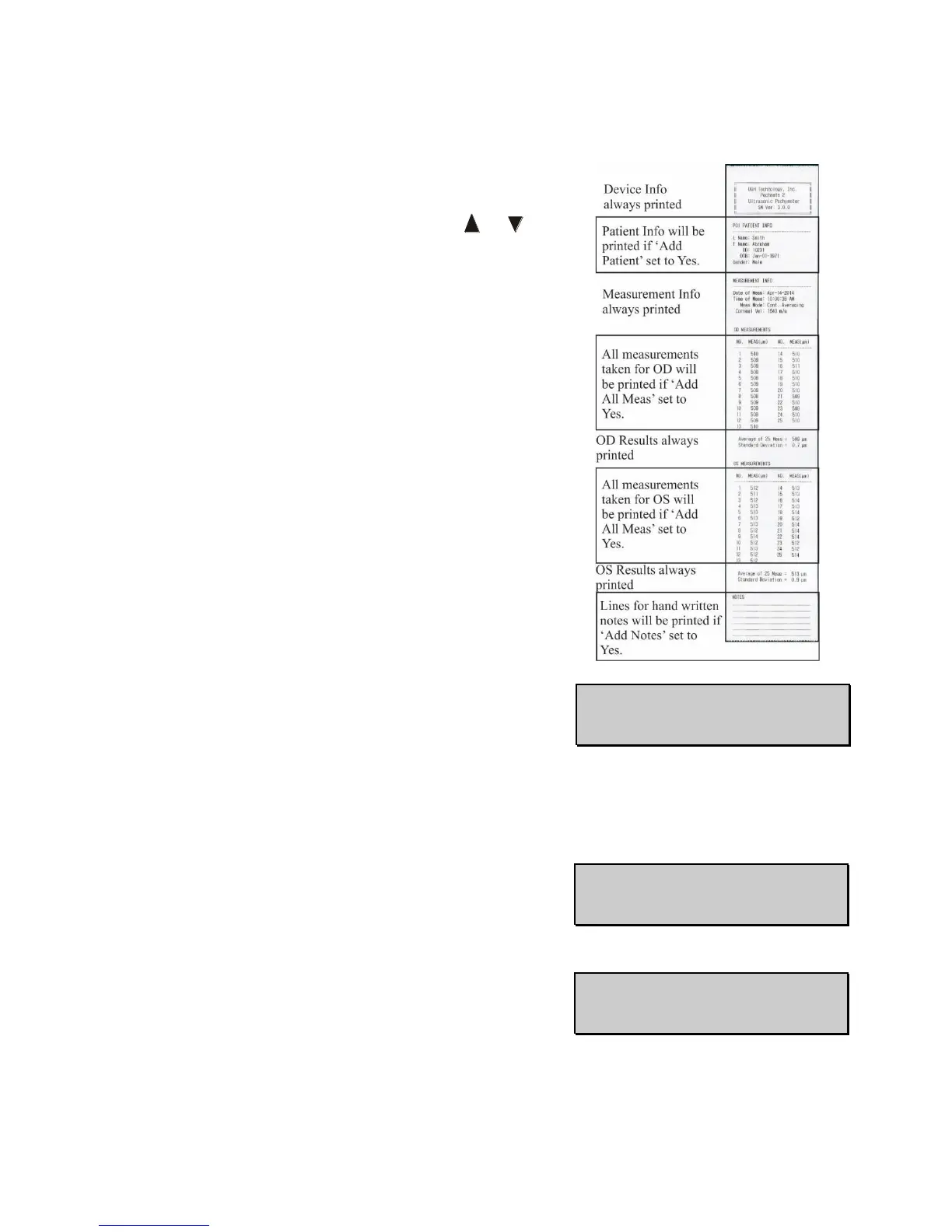
13.5.4 Printer Config determines what information is sent to
the Bluetooth
®
enabled printer. There are 3 fields that
determine what is being sent. Press the or key to
change the field.
• Add Patient (default Yes) field determines if
patient name, ID number, date of birth and
gender are included on the printed measurement
report. Press the OD key to switch between Yes
and No.
o If ‘Add Patient’ is enabled, but no patient identifying information is entered,
blank lines will be printed.
• Add Notes (default No) determines if the
printed measurement report will include an area
for the operator’s hand-written comments. Press
the OD key to switch between Yes and No.
• Add All Meas (default No) determines if each
measurement taken during Continuous
Averaging Mode is printed, or only the average
and standard deviation. Press the OD key
to switch between Yes and No.



 To Next Page