Page 70 of 87 DGH 55B-INS-OMENG Rev: 3
15.6 Initiating measurement transfer using the PC software
15.6.1 Check that the Pachmate 2 is placed in the correct Patient Mode:
• If in Single Patient Mode, only the single patient measurements will be retrieved by
the computer.
• If in Multi Patient Mode, all measurements in the patient memory locations will be
retrieved by the computer.
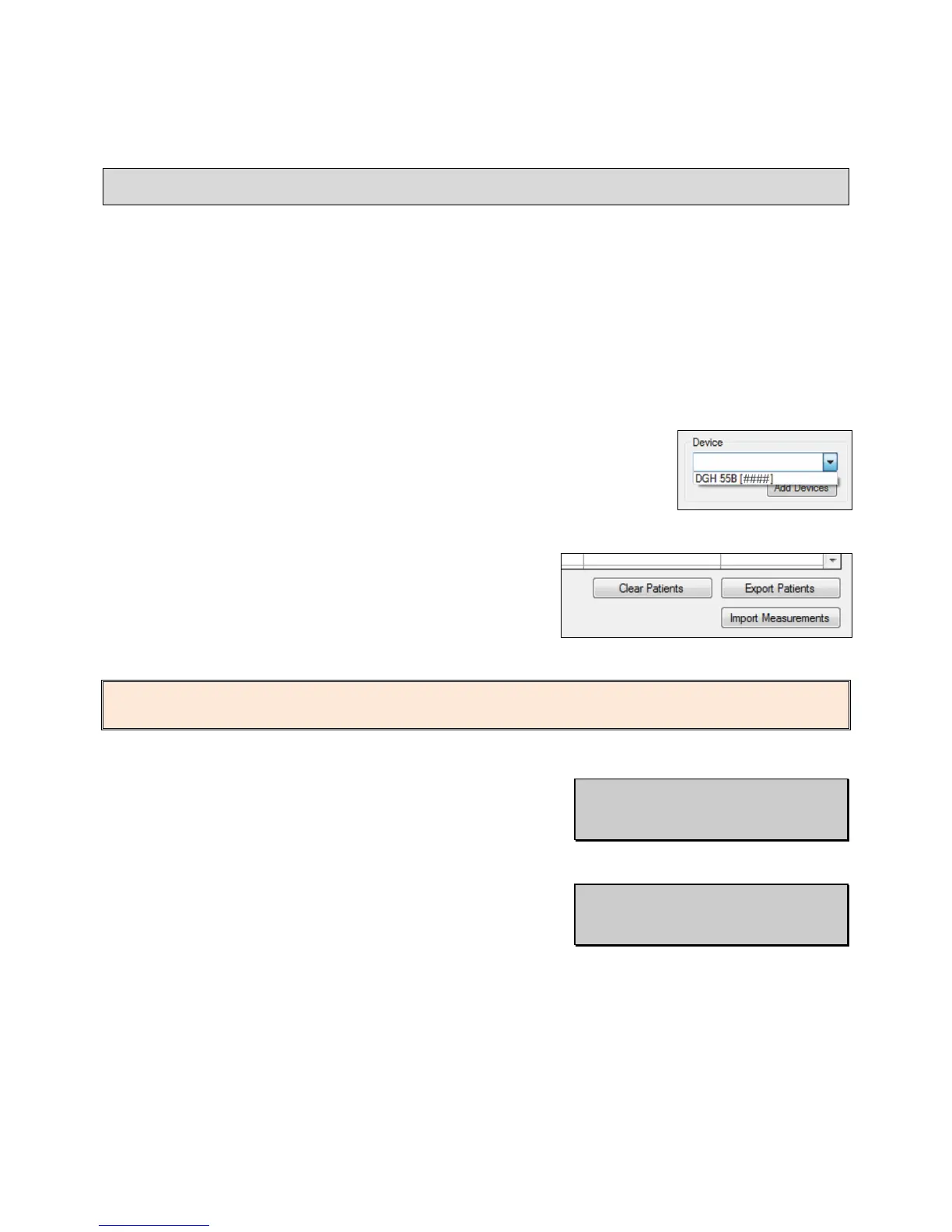
15.6.2 In the ‘Device’ selection box, choose which device the software
is to receive measurements from.
15.6.3 Press the ‘Import Measurements’ button located at
the lower right-hand corner of the table.
NOTE: If there are no measurements stored in the device, the software will display the message
‘No Measurements Exist for Selected Patient(s)’
15.6.4 Once connected, the Pachmate 2 will display
‘Bluetooth Connected’ and will transfer
measurements to the PC automatically.
15.6.5 Once all files are transferred, the device will
automatically disconnect and show the ‘Bluetooth
Disconnected’ message.



 To Next Page