Page 68 of 87 DGH 55B-INS-OMENG Rev: 3
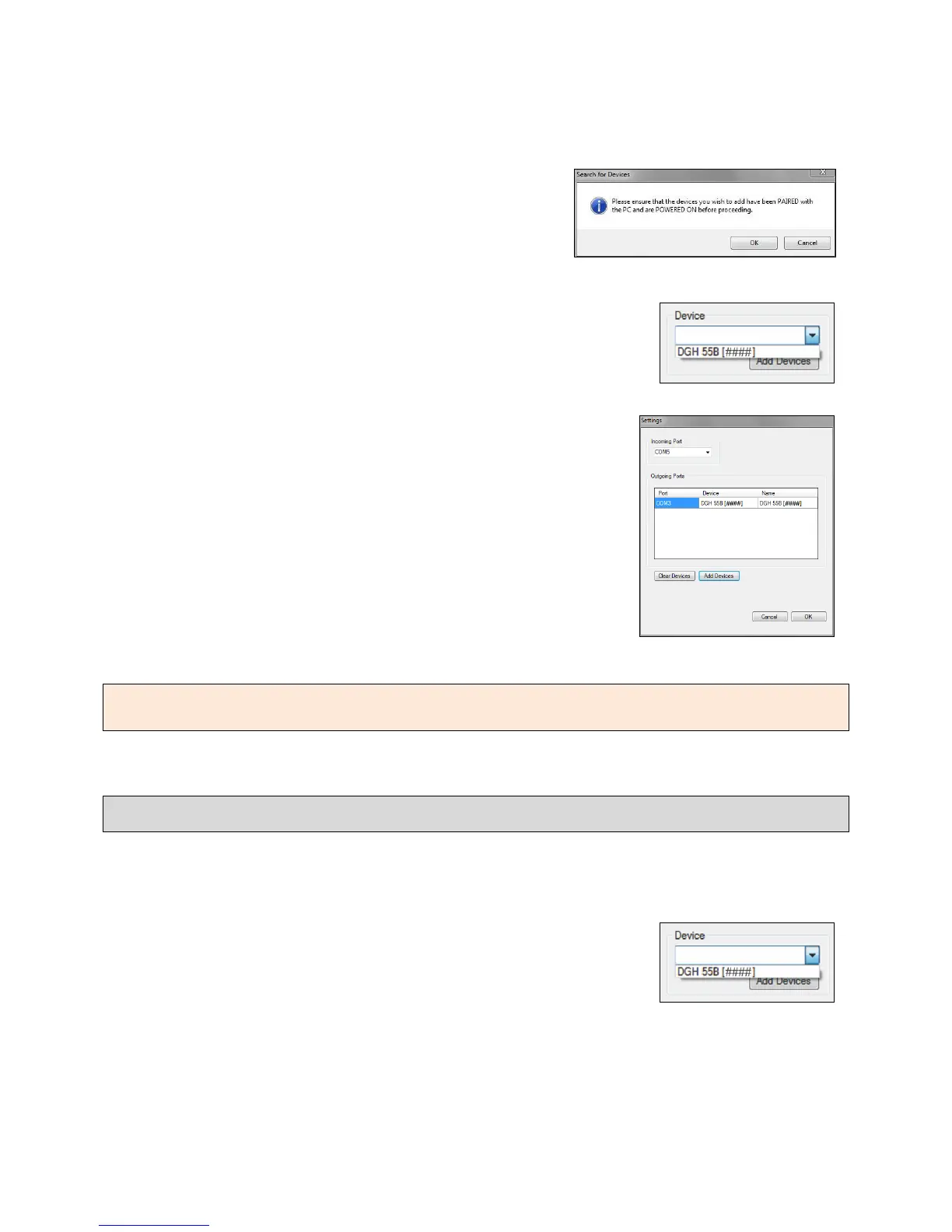
15.4.3 The software will prompt you to check that the
device is powered on and paired. Confirm that the
Pachmate 2 is on and click ‘OK’
15.4.4 The software will automatically find paired devices and add
them to the list of devices.
.
NOTE: From the ‘Settings’ dialog box, the user has the option to assign a unique name in the
‘Name’ field. This is to assist the user in distinguishing between units.
15.5 Exporting Patient Information to the Pachmate 2
The DGH Connect Software is designed to allow the user to quickly input patient identification
information into the Pachmate 2. The following steps explain how to send patient identification
information to the Pachmate 2.
15.5.1 In the ‘Device’ selection box, choose which device is to receive
the patient files.



 To Next Page