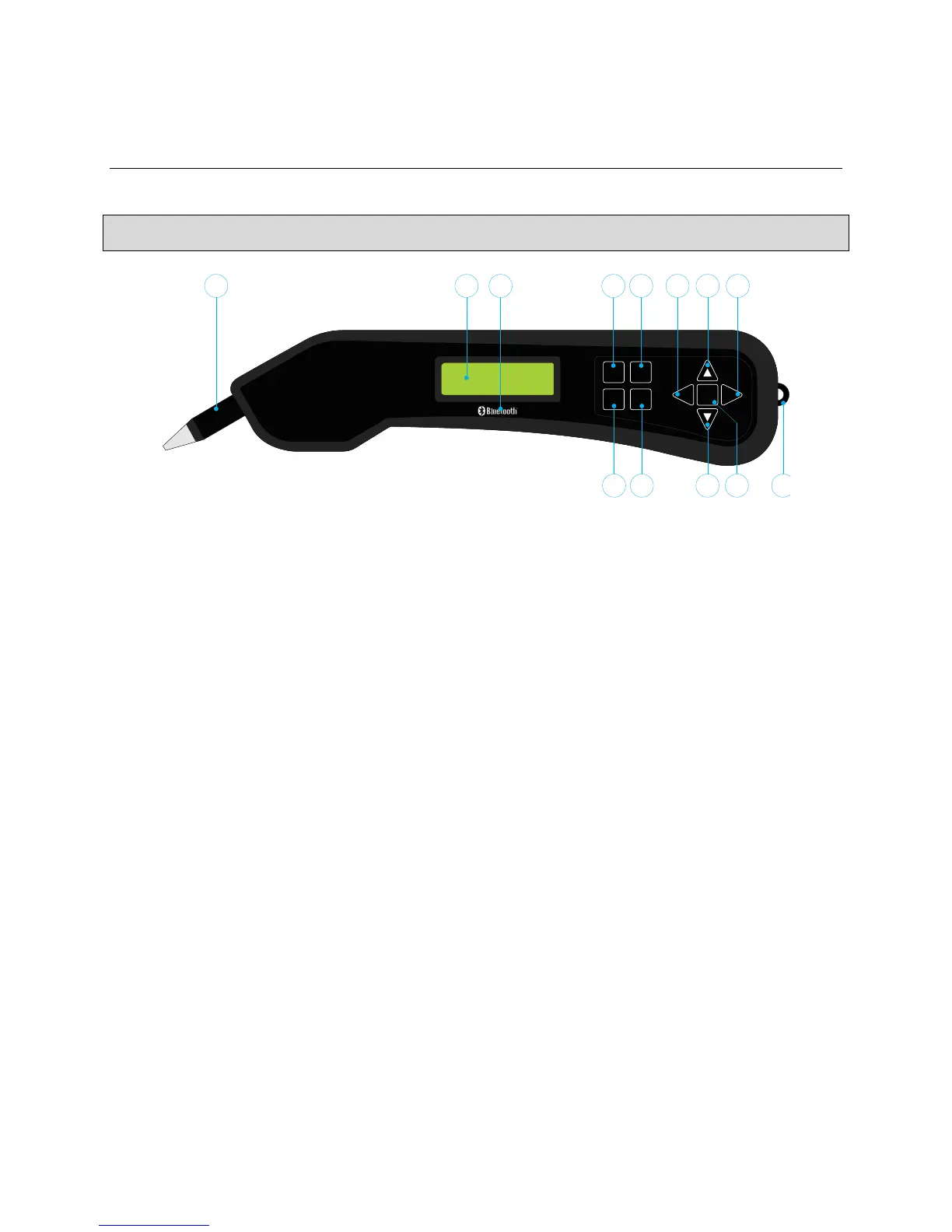
Fig 6.1.1 The DGH 55B (Pachmate 2) Front View
1 Detachable Probe
Probe can be easily removed for cleaning or replacement.
2 LCD Display
16 x 2 character display used to present measurement data and/or configuration parameters to the
operator.
3 Bluetooth
®
Wireless Technology Logo
The Bluetooth
®
Wireless Technology Logo will only appear on the front panel of the unit if the
device has the optional Bluetooth
®
module installed.
4 DEL Key
Used to erase a single measurement from a group of measurements. Also used in conjunction
with the PWR key to enter the CalBox mode.
5 CFG Key
Used to enter and exit the configuration mode. Also used to display the unit model number,
serial number, software version and option number when the key is pressed and held.
6 CLR Key
This key is used to show the clearing options of the device. The user can clear all measurements,
OD measurements, OS measurements, patient information and paired devices. Pressing and
holding this key will display the date and time.



 To Next Page