Operation 25
2. On/Off button
Serves to turn the control on or off.
3. Display
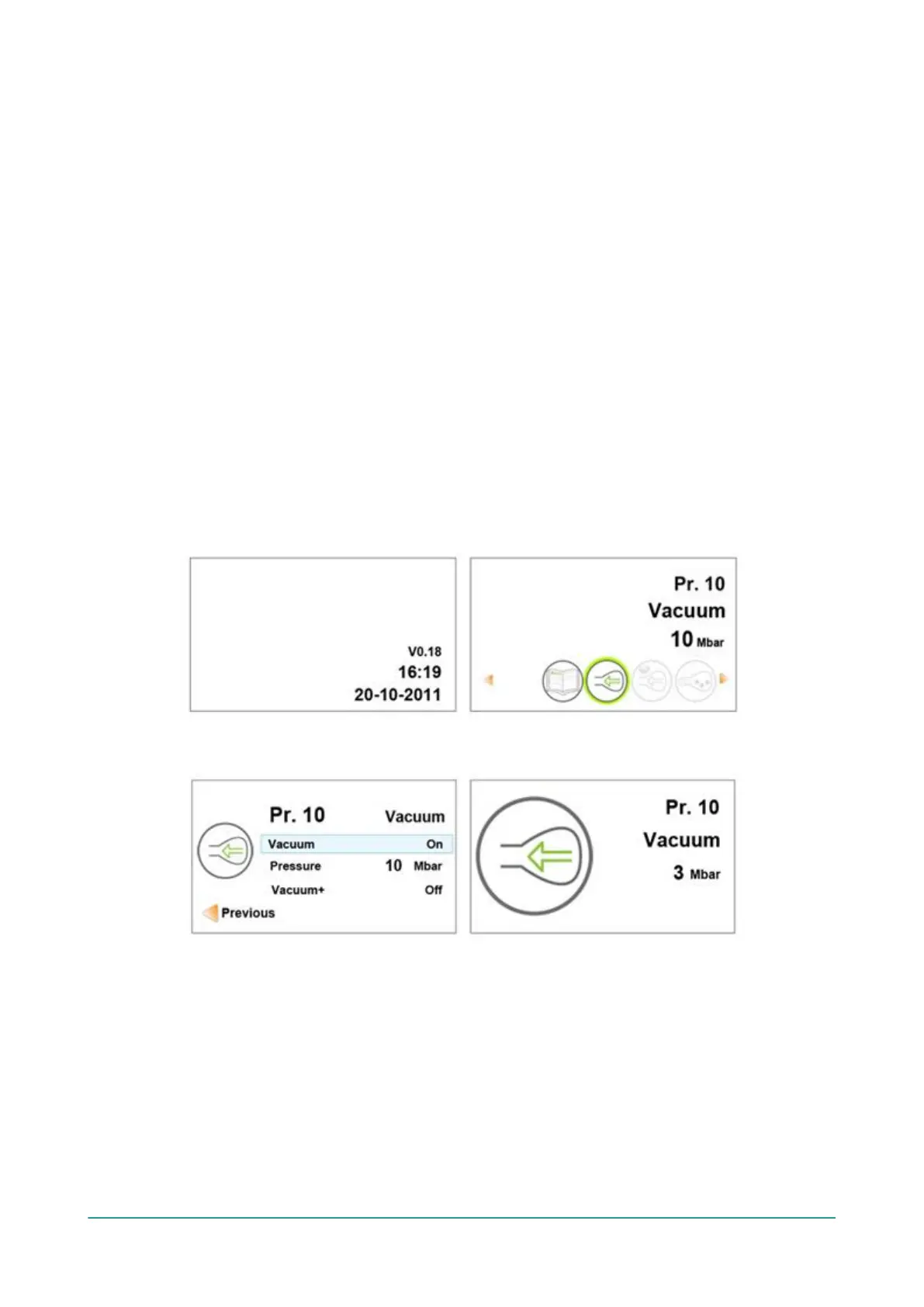
The display has four possible modes: See Figure 8: Possible Display Modes on page 25
and Figure 9: Possible Display Modes on page 25.
• Start-up mode: displays the current date and time when starting the machine. It also
displays the installed software version. The user cannot take any action.
• Navigation mode: displays a program and its functions. The user can navigate through the
various programs and view the current settings of each function.
• Setting mode: the user can view and adjust all settings, provided the user is logged in as
the owner.
• Cycle mode: once the machine starts a packaging cycle, animations of the functions are
displayed along with the current value of the function.
4. Cursor keys
▲
,
▼
,
◄
and
►
These are used to navigate through the functions. The
►
button stops the active function and
proceeds to the next cycle step. See Proceeding to the Next Step in the Cycle on page 30.
5. Enter
This activates/confirms the selected value.
Figure 8: Possible Display Modes
Figure 9: Possible Display Modes
6.2.1 Changing the ACS Settings
To prevent unauthorised changing of the settings and adjustments, there are different levels of
authorisation: user and owner. Authorisation codes for users or owners allow access to the various
levels. User access to change the settings of the machine is limited. The default user code is 0000.
Users can only activate the printer via the printer icon in the navigation mode.
Owners of the machine are authorised to change the machine settings as well as all function
settings. An owner code is requested when the menu icon is selected in navigation mode. This
owner code is 1324. When the owner code has been entered, the machine settings menu will



 To Next Page