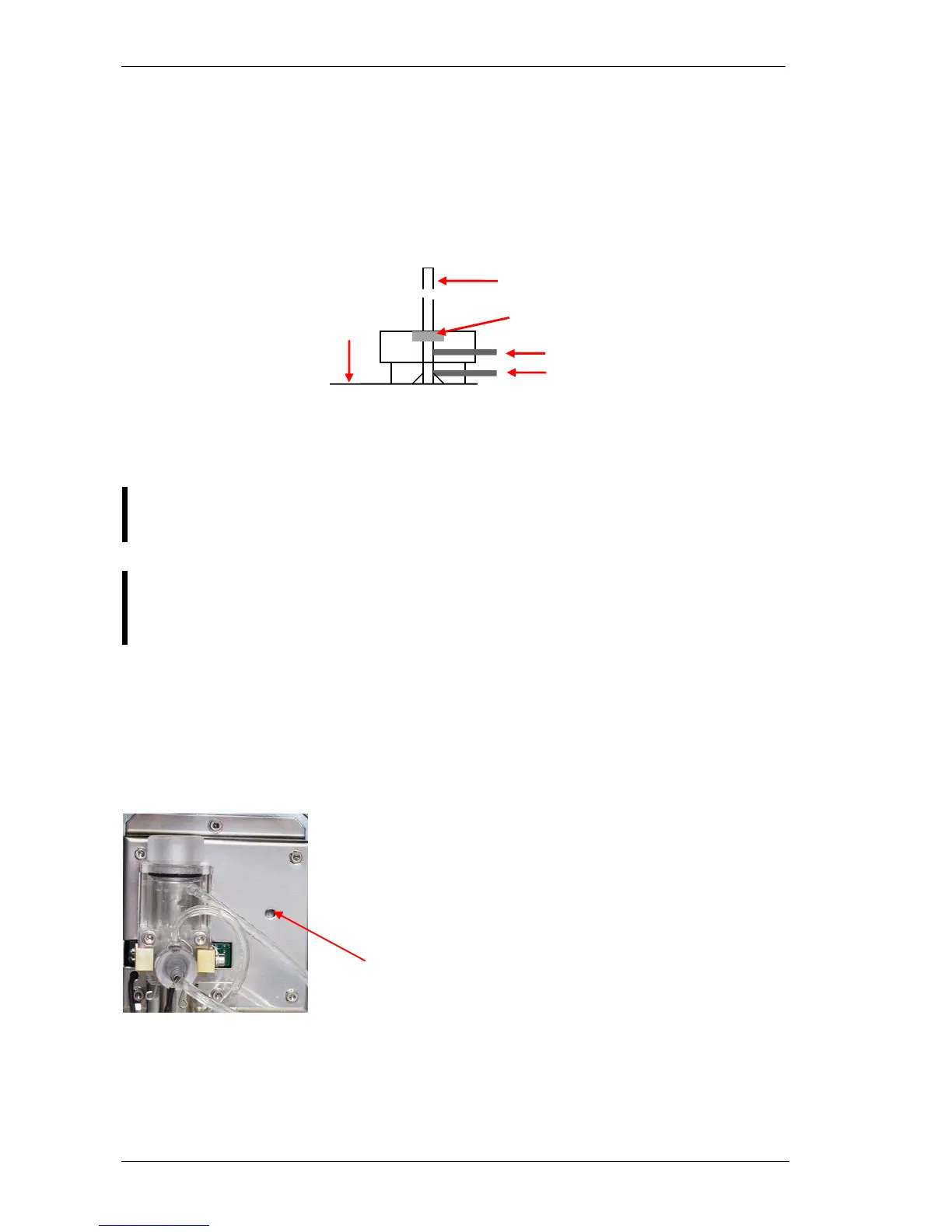
3.1.2. Sampling needle setting
This adjustment sets the sampling needle to the operational position.
In Service menu, in Miscellaneous submenu of AJ/AJvet and in Service menu of AJB select
Needle setting.
The software moves the needle back and up, and turns on horizontal and vertical motors
(AJ/AJvet) to keep needle in place. AJB holds only the vertical motor during needle setting.
Check the setting of the needle. If end of the needle is at the bottom of the washing head,
Set the end of the tip to the washing head’s bottom plane, while the carriage is held
by motors. (Needle setting menu). Fix the „B” screws.
Be careful with the bent upper end of the sampling needle, because if badly
aligned, during movement it can hit other mechanical components causing
mechanical jam, and therefore damages or error.
3.2. Hardware settings
3.2.1. Amplifier offset setting
this range. If it is out of range, it should be re-set, by the following way.
1. Locate the opening for offset setting potentiometer on the
measuring block (see enclosed picture).
2. In Service menu select Offset adjustment menu.
3. Adjust the potentiometer to reach 0 mV.
Opening for offset adjustment on measuring block



 To Next Page