DVR Server Manual
when there are more than one cards.
Possible reasons: PC Motherboard compatibility issue, please change other
brand Intel chipset motherboard to display card.
3. Can’t view images of cameras.
Possible reasons: To reduce the load of CPU, we use overlay as the
display mode; it outputs the data from graphic card to monitor directly, please
check whether the graphic card supports overlay.
7.6 Appendix F: Dual Monitor
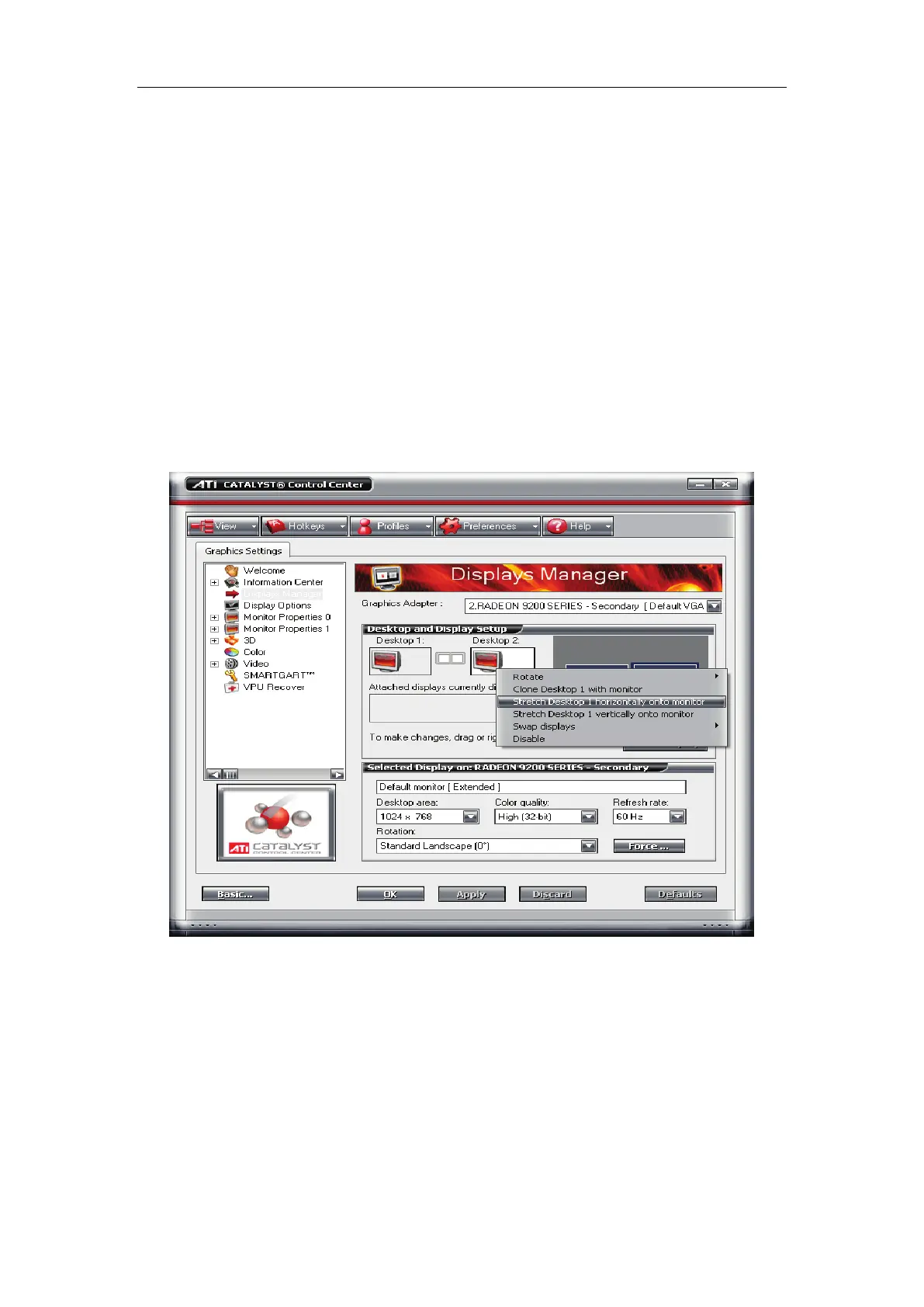
The display card should support the dual monitor. We use ATI 9200
display card. First you should connect the dual monitor to the display card.
The system can detect the dual monitors automatically, then you should
select “Stretch Desktop 1 horizontally onto monitor” and set the desktop area
of each monitor as “1024x768”, the interface as below will be displayed:



 To Next Page