DVR Server Manual
2.2 Camera setup
2.2.1 Camera setup
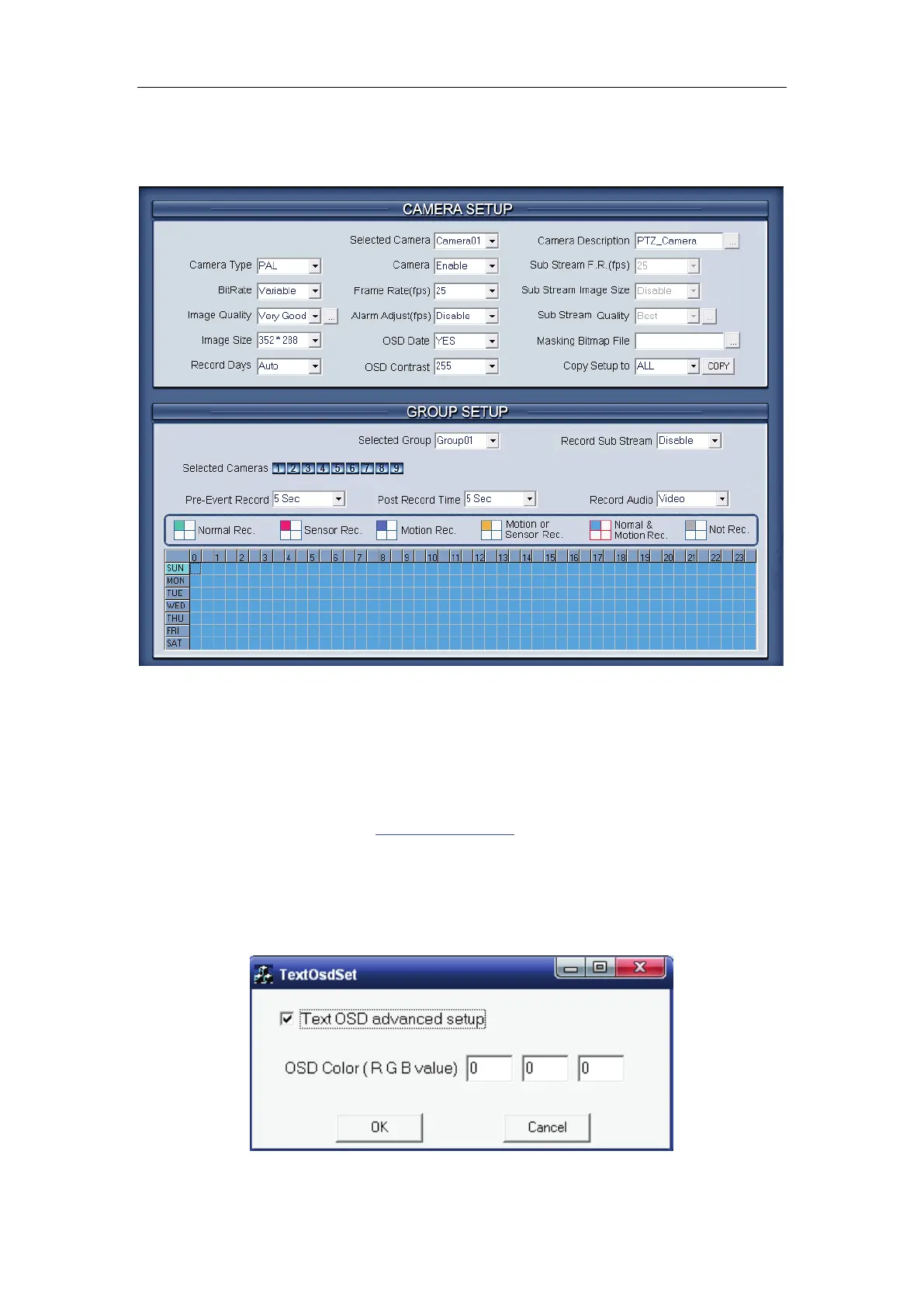
【Selected Camera】To set the parameters for a camera, select the
camera from the drop-down list. The cameras you can select are only the
cameras of the local board card, IP Cameras are not included. For IP Camera,
you should set it remotely in
IP Camera setup.
【Camera Description】Input the description for easy identification. OSD
text can support any languages,it can put any language in camera description
edit blank ,and then press the button to set proper color (it does not support
white) as below:



 To Next Page