DVR Server Manual
better to delete the whole folder “_RECORD_DATA_” under each disk.
After that, the space of the disk will be released; user can assign them
for recording again.
1.3 Start up
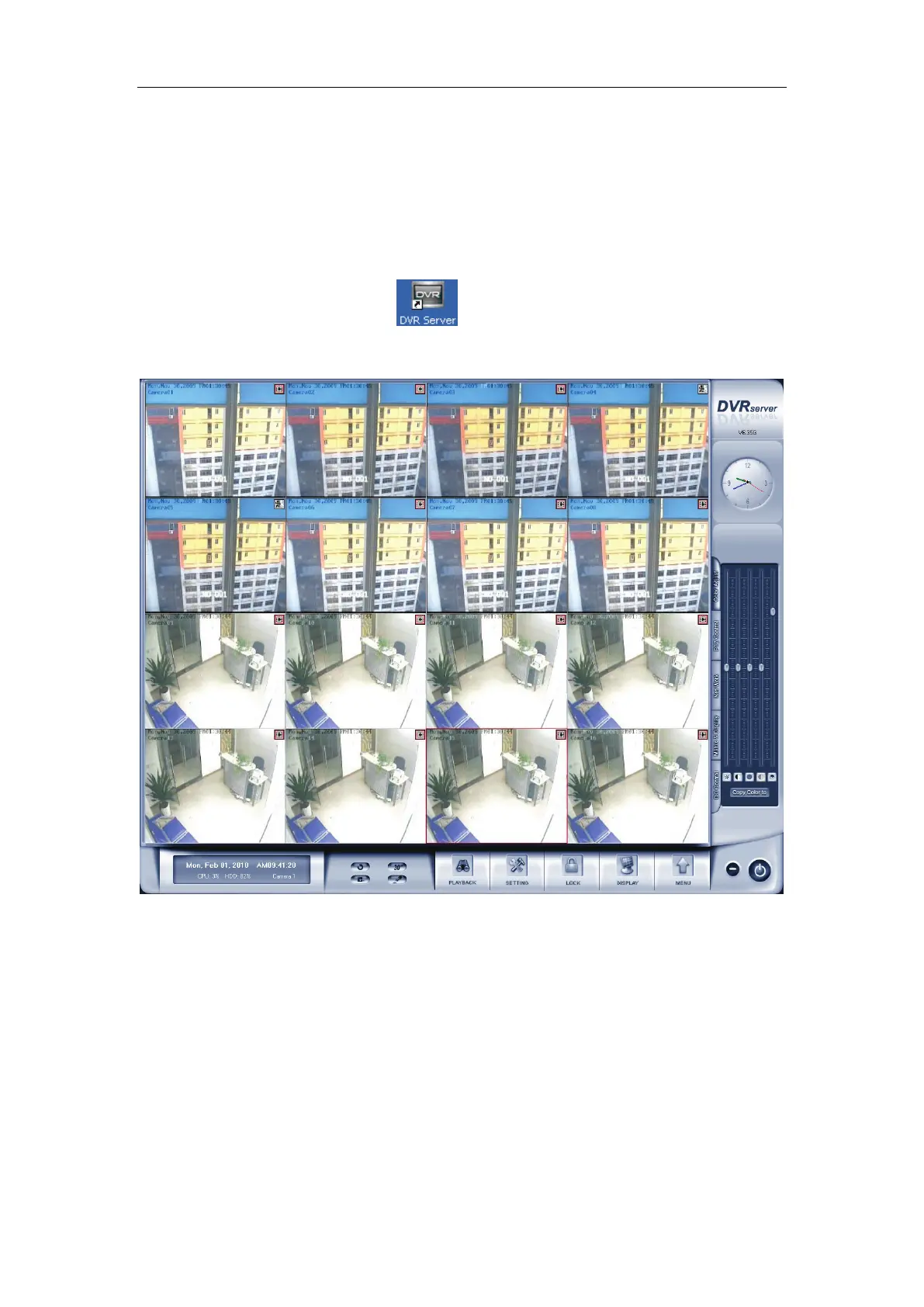
Double click shortcut icon to run DVR Server. The main interface
is as below:
Note:
1) When user run the DVR Server without a valid license for
compression cards or IP products, system will pop up a dialog box to
inform you. System will work under trial version; if you want to use full
version, please contact your supplier or us directly to get it.
2) DVR Server supports several different size of main interface:
1024*768, 1280*768, 1440*900, 1280*1024, 1680*1050 and
1920*1080. System will adjust it automatically according to the current
monitor resolution.



 To Next Page