DVR Server Manual
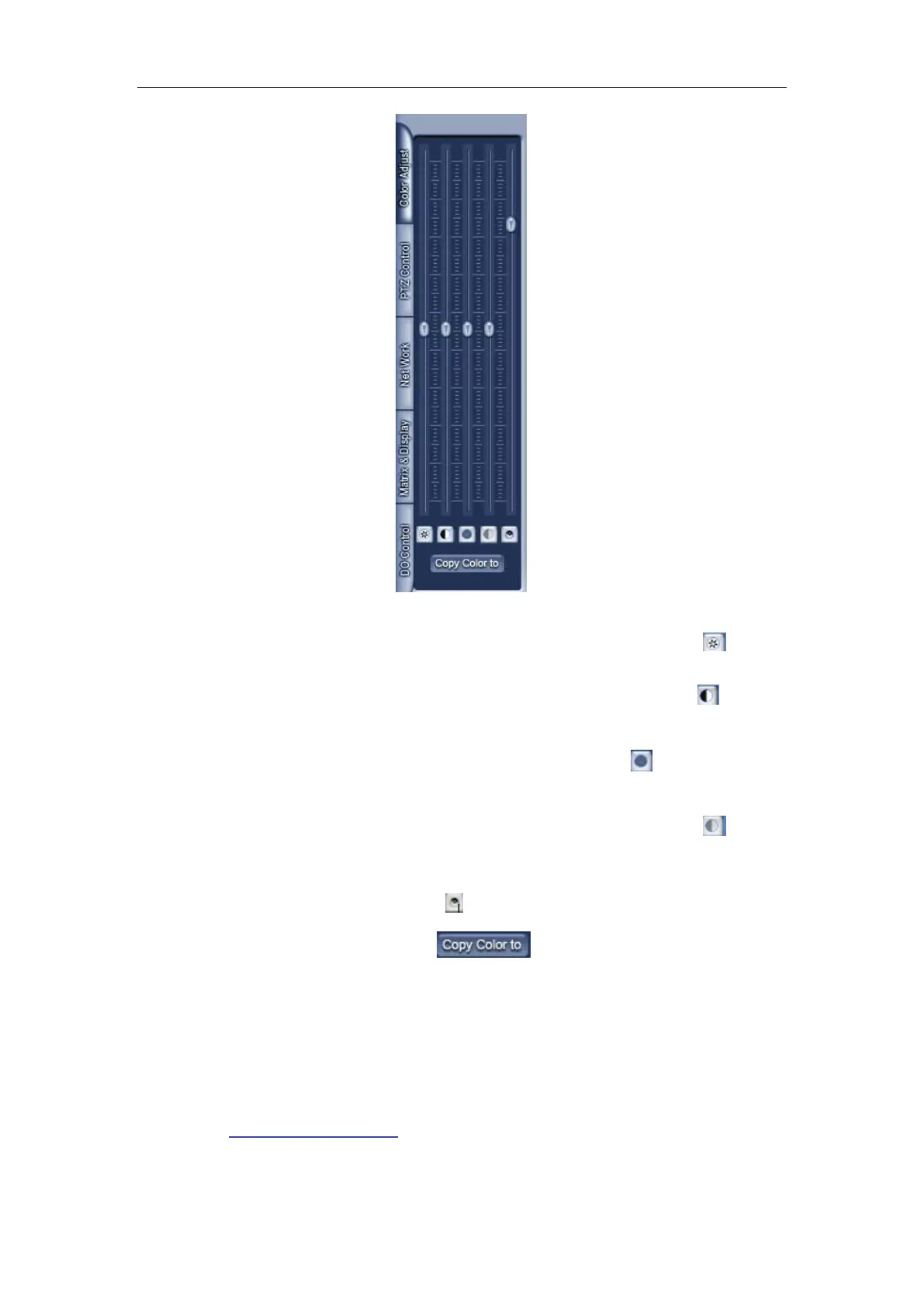
① Press the first button and drag to adjust the brightness of the image
that you selected, and you can resume its default value by pressing
.
②Press the second button and drag it to adjust the contrast of the image
that you selected and you can resume its default value by pressing
.
③Press the third button and drag it to adjust the hue of the image that you
selected, and you can resume its default value by pressing
.
④Press the fourth button and drag it to adjust the saturation of the image
that you selected, and you can resume its default value by pressing
.
⑤Press the fifth button to switch sound of the audio that related to the
image you selected and drag the bar to adjust the volume, and you can
resume its default value by pressing
.
Copy Color To: pressing the
button to copy the color and
audio adjustment in this camera’s setting to the others.
1.4.7 Matrix & display
This panel includes matrix group and display group. Each group includes
16 numeric buttons; each button denotes one type of matrix or display. This will
describe in
1.4.8 DI/DO Control
Digital matrix setup.



 To Next Page