DVR Server Manual
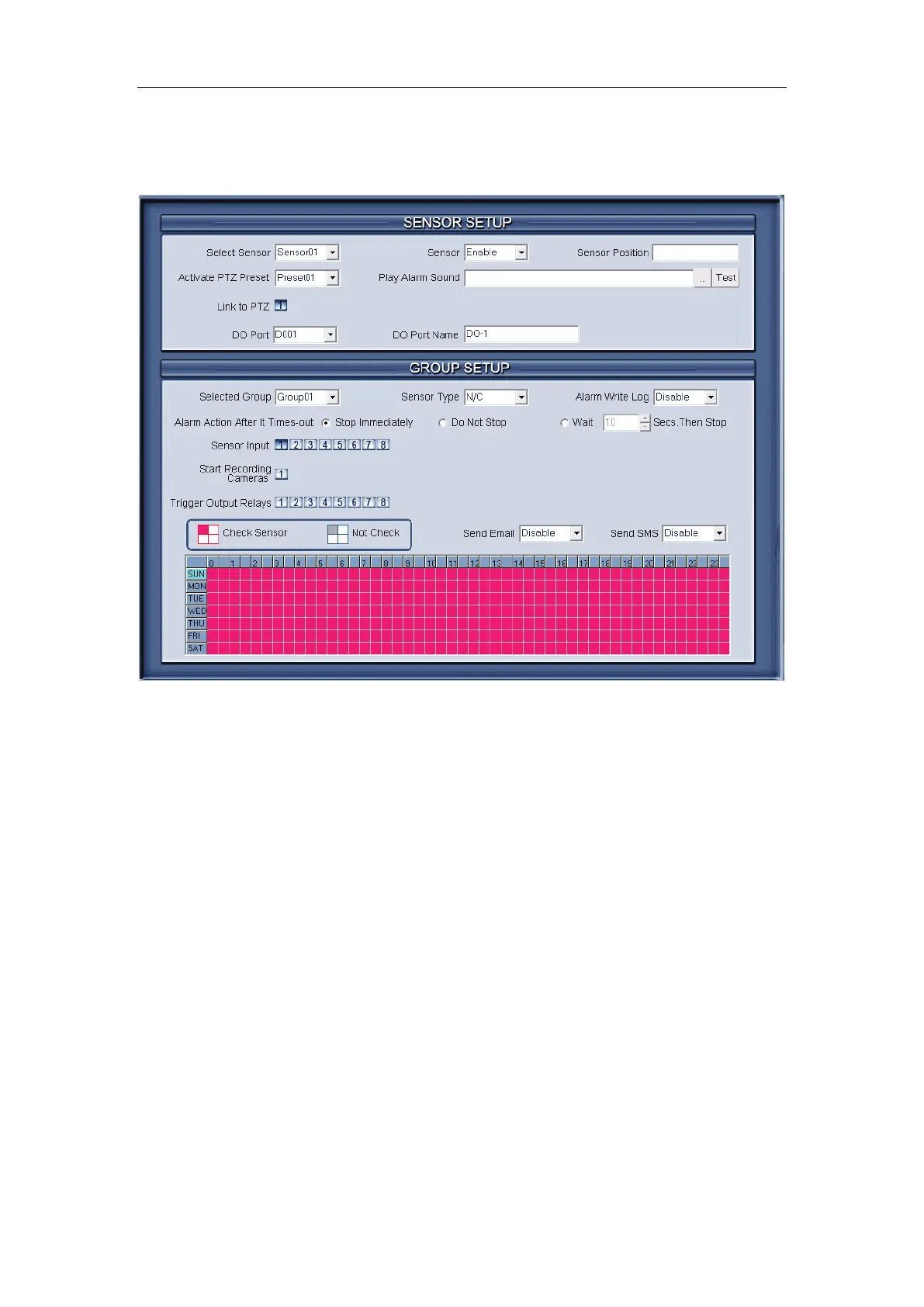
2.3 Sensor setup
2.3.1 Sensor setup
【Select Sensor】Select the sensor from the drop-down list in order to set
the parameters for it.
【Sensor】Select this sensor port to use or not.
【Sensor Position】Enter the description for easy identification.
【Activate PTZ Preset】Select linkage of Speed Dome preset number.
Speed Dome will move to this preset number automatically when there is an
alarm. (Speed Dome installation needed).
【Play Alarm sound】Select a sound of .wav for a sensor, if there is an
alarm, the sound file will play.
【Link to PTZ】Select camera that is related to this sensor alarm.
2.3.2 Group setup
Sensor group setup is very similar to the group setup of camera recording.
【Selected Group】Select group number.
【Sensor Type】Select NC or NO alarm type.



 To Next Page