DVR Server Manual
displayed in window1, and the 2nd camera has been displayed in window2.
When change the 1st camera to be displayed in window2, the 2nd camera will
be exchanged in window 1 automatically.
2.7 Password setup
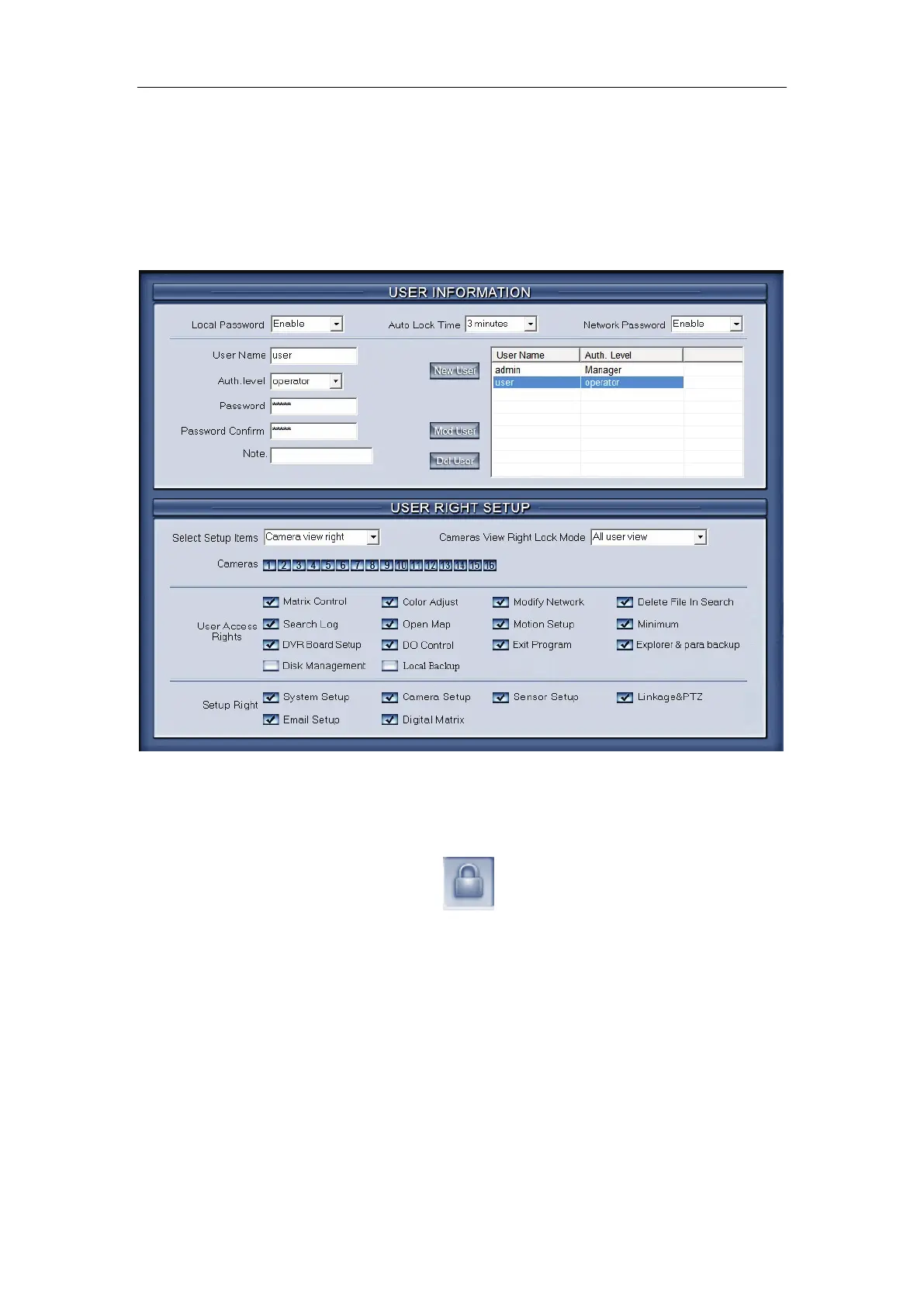
2.7.1 User information
【Local Password】Check to enable User Manage mode for local PC
DVR, and activate the lock button
in main window. Only authorized
user can log into Digivision System at User Manage Mode.
【Auto lock time】Select a time to enable system to lock automatically
when there have no actions after this time.
【Network Password】Check to enable User Manage mode for Client.
When you enable this function, client must pass the authentication to connect
with PC DVR.
【User Name】Input new User ID in this box when add a new user to
system.
【Auth. Level】Select user type. Only Administrator can enter User
Manage Window and have the right of user management.



 To Next Page