DVR Server Manual
Some settings will only come into effect after device reboots.
Adjust date and time of DVS or EMDVR. The new date and
time will accordant with NVR client computer.
After setup is finished, click this button to save the setup.
Exit setup.
Remote setup for DVS includes Server, Channel, PTZ, Sensor and Alarm.
3.2 Server setup
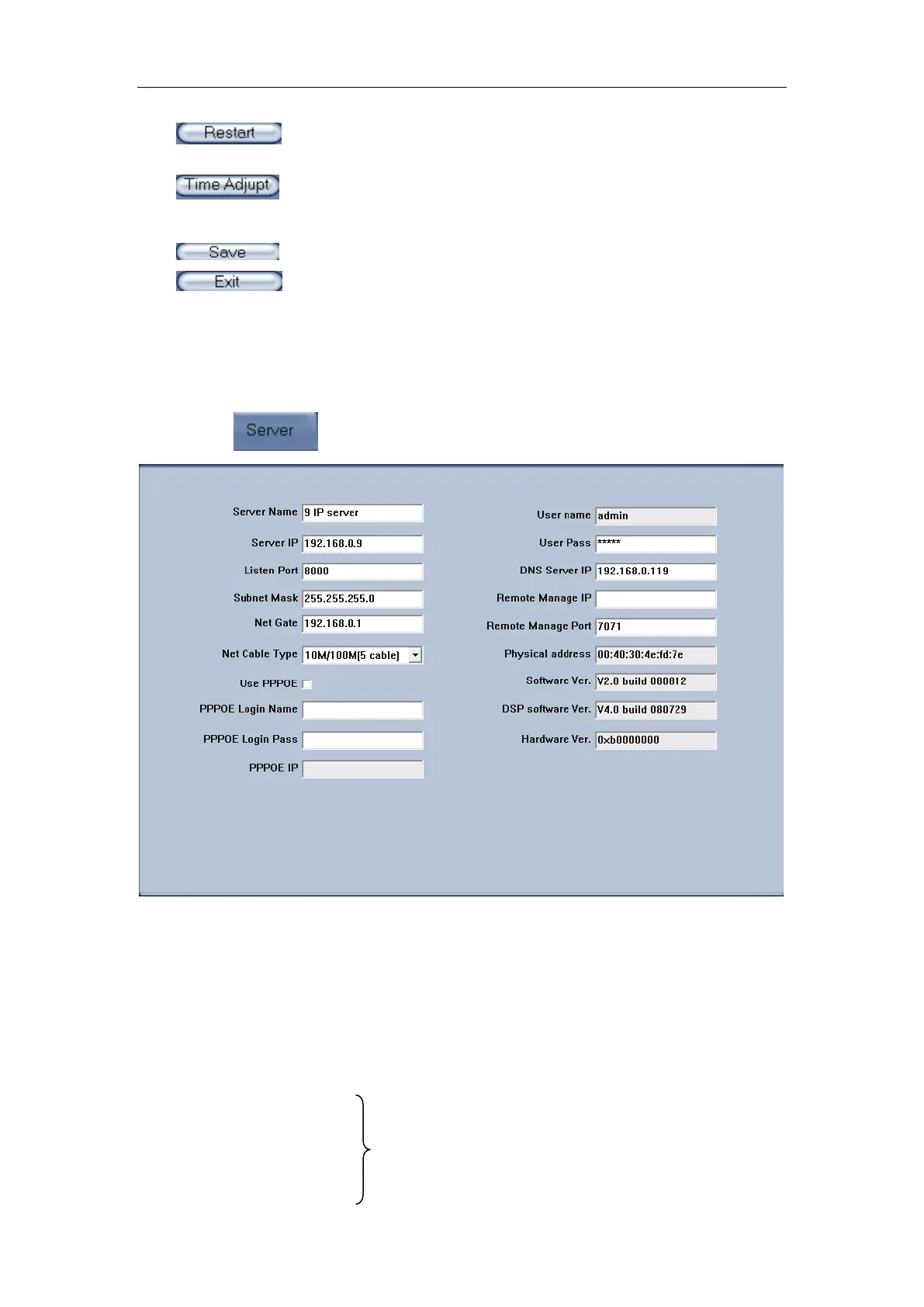
Press button to set server parameters remotely:
In the server window, some blanks’ background are gray. Those
parameters are read from foreside server, you can’t modify them. Other blanks
whose background is white, you can set them remot el y.
【Server Name】Enter the name description for easy identification. This
name delegates the foreside server. If use DNS to get IP, this name will be
used.
【IP configuration and related】
【Server IP】
【Port】
【Subnet Mask】
These are network configuration; you can set
LAN or Internet IP according to your need.



 To Next Page