DVR Server Manual
2.4 PTZ & Linkage setup
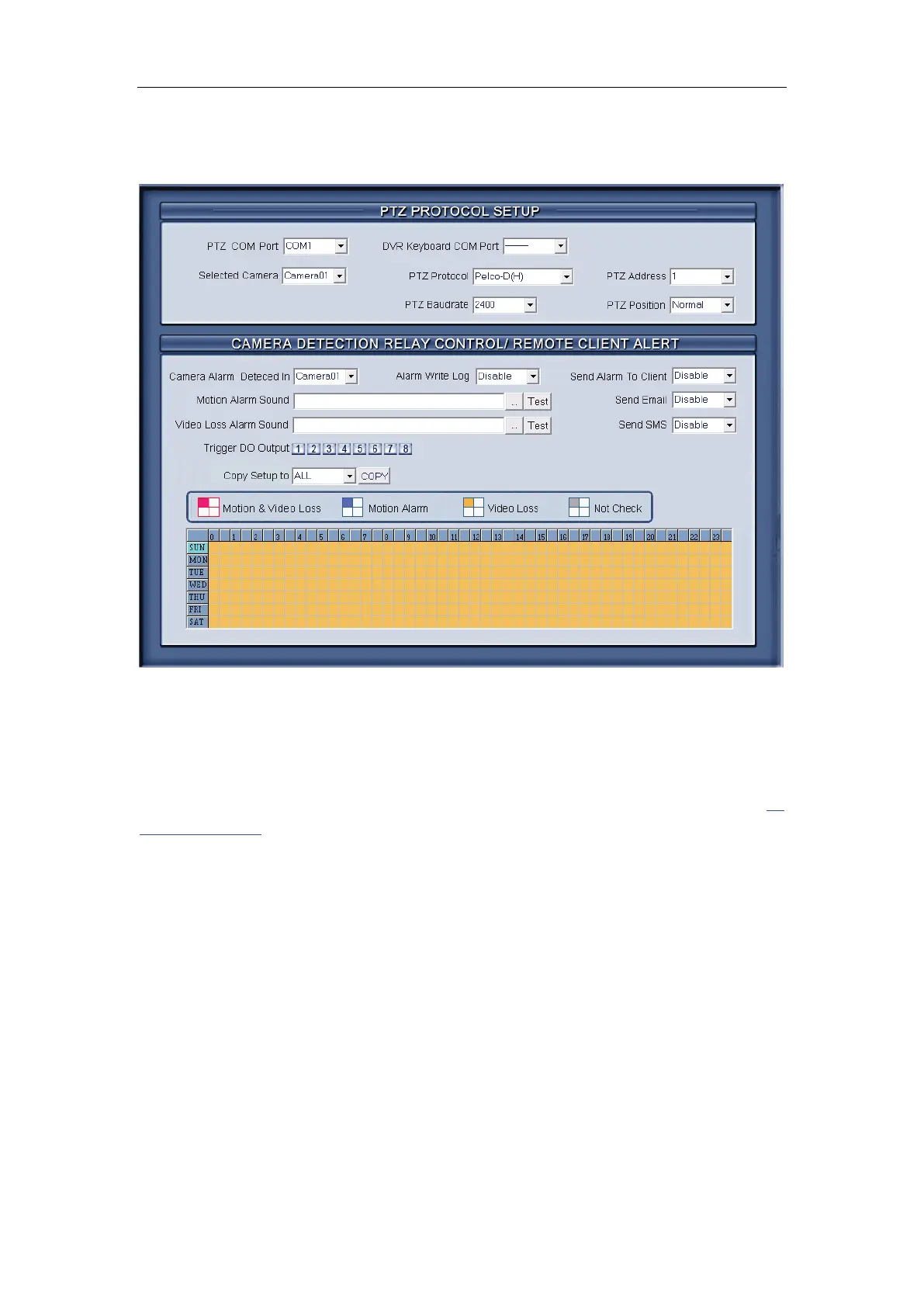
2.4.1 PTZ protocol setup
【Selected Camera】Select the camera from the drop-down list to be set
the parameters. The cameras just include the cameras of local board card; IP
Cameras are not included. For IP Camera, you should set it remotely in
IP
Camera setup.
【PTZ Port】Select PTZ connecting port, when you do not use PTZ port,
please choose “------”.
【DVR Keyboard COM Port】Select a connecting port for DVR keyboard.
If you have chosen COM1 for DI/DO Port, and you choose COM1 again for
DVR keyboard, then, DI/DO Port will be changed to another port. If you want to
know more details for DVR keyboard, please refer to DVR/NVR Keyboard
Control Manual.
【PTZ Protocol】Selects the PTZ protocol for the PTZ camera.
【PTZ Address】Set the camera ID number of the PTZ camera being
controlled.
Note:
The PTZ camera has a dipswitch to set the PTZ address. The PTZ
camera ID number must be matched with the number of this dipswitch.



 To Next Page