DVR Server Manual
Close the CD-ROM
It supports DVD or CD disc backup directly, max support 4.3G DVD disc
and user can erase DVD-RW disc and write again, all work needn't install third
burning software.
4.6 Search captured picture
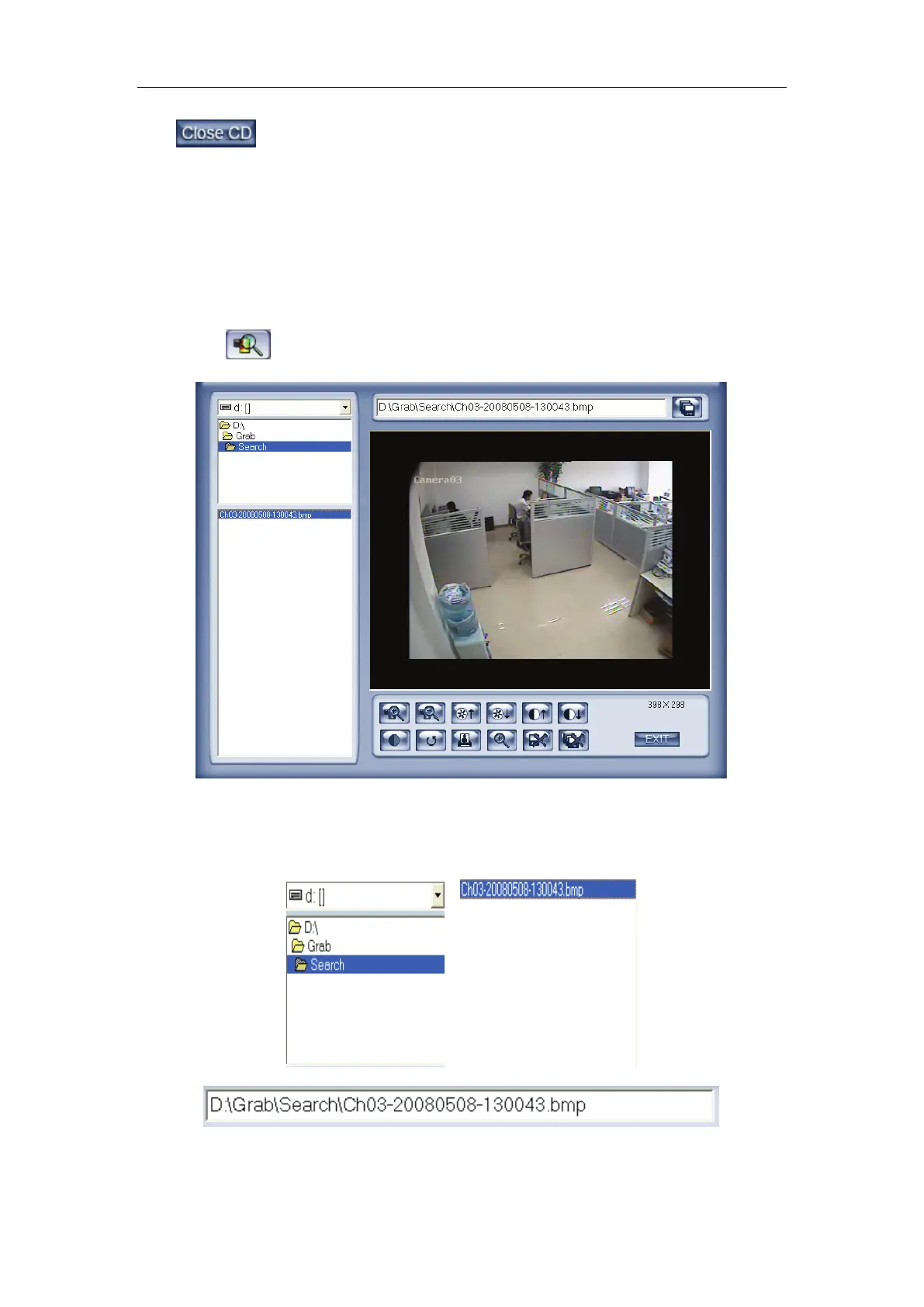
Click to enter the search captured picture window:
【Select pictures from directory and file list】You can select a captured
picture from directory list and file list in local disk and the file name will show in
the top of the window.
Note:
If you want to save the reworked picture in another file, you can change its



 To Next Page