DVR Server Manual
Tips:
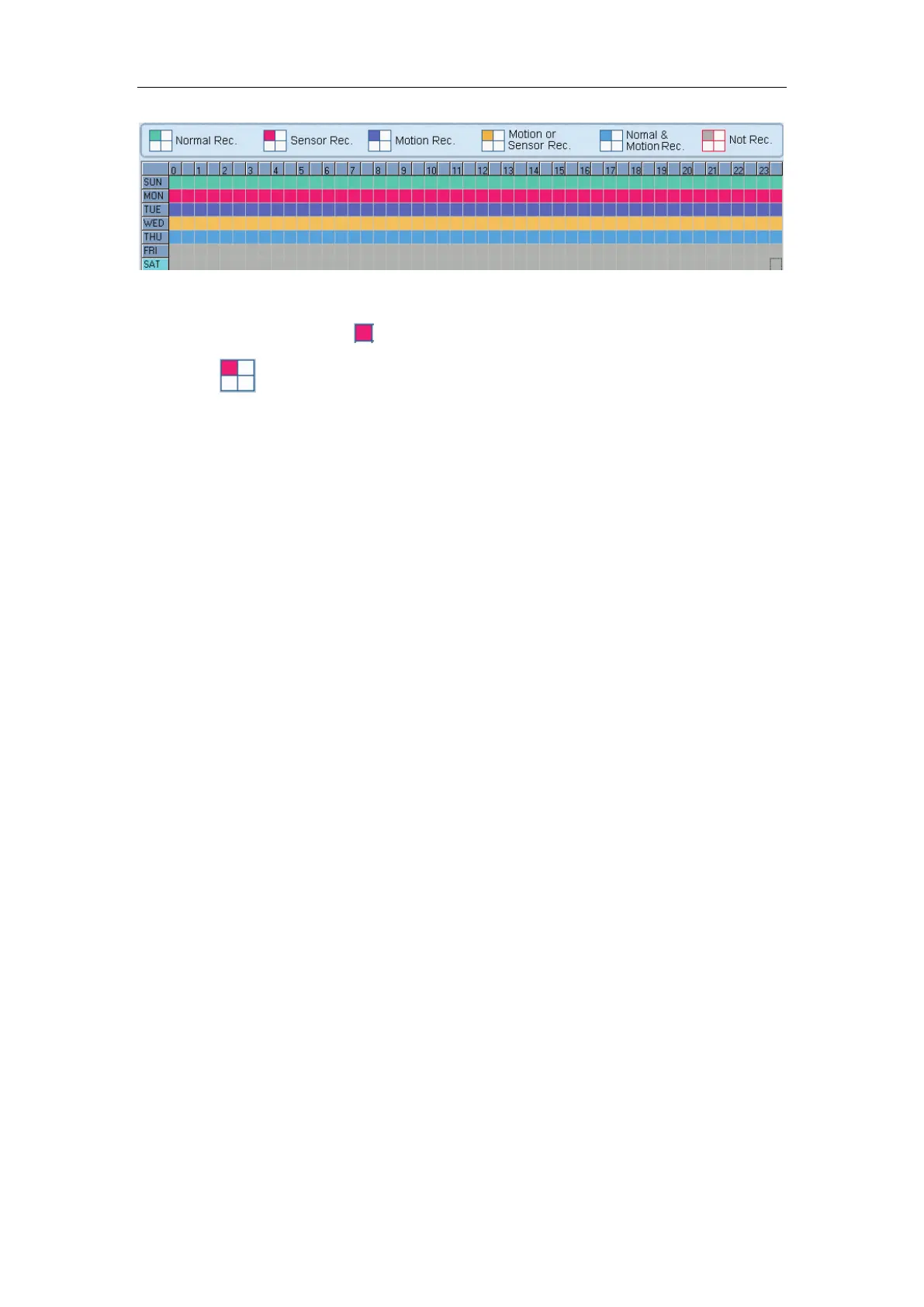
One block of pane means half an hour. Firstly click record mode
icon
, then click schedule diagram, hold down the mouse and move it
to select large area (Drag & Drop).
1. Normal Record (green): DVR system always record video (e.g. Sun.);
2. Sensor Record (red): DVR system begins to record video only when
there are POS or ACU actions(e.g. Monday);
Note:
The time setup must be corresponding with Check Alarm setups in Sensor
setup otherwise it can’t work properly.
3. Motion Record (Blue): DVR system begins to record video only when
it detects moving object (e.g. Tuesday.);
4. Motion or Sensor Record (yellow): Combine with above 2 and 3
function (e.g. Wednesday);
5. Normal & Motion Record (light blue): DVR system records in motion
detection record when it detects moving object and in normal record
when there is no motion (e.g. Thursday);
6. Not Record (gray): DVR System records no video (e.g. Friday and
Saturday).



 To Next Page