DVR Server Manual
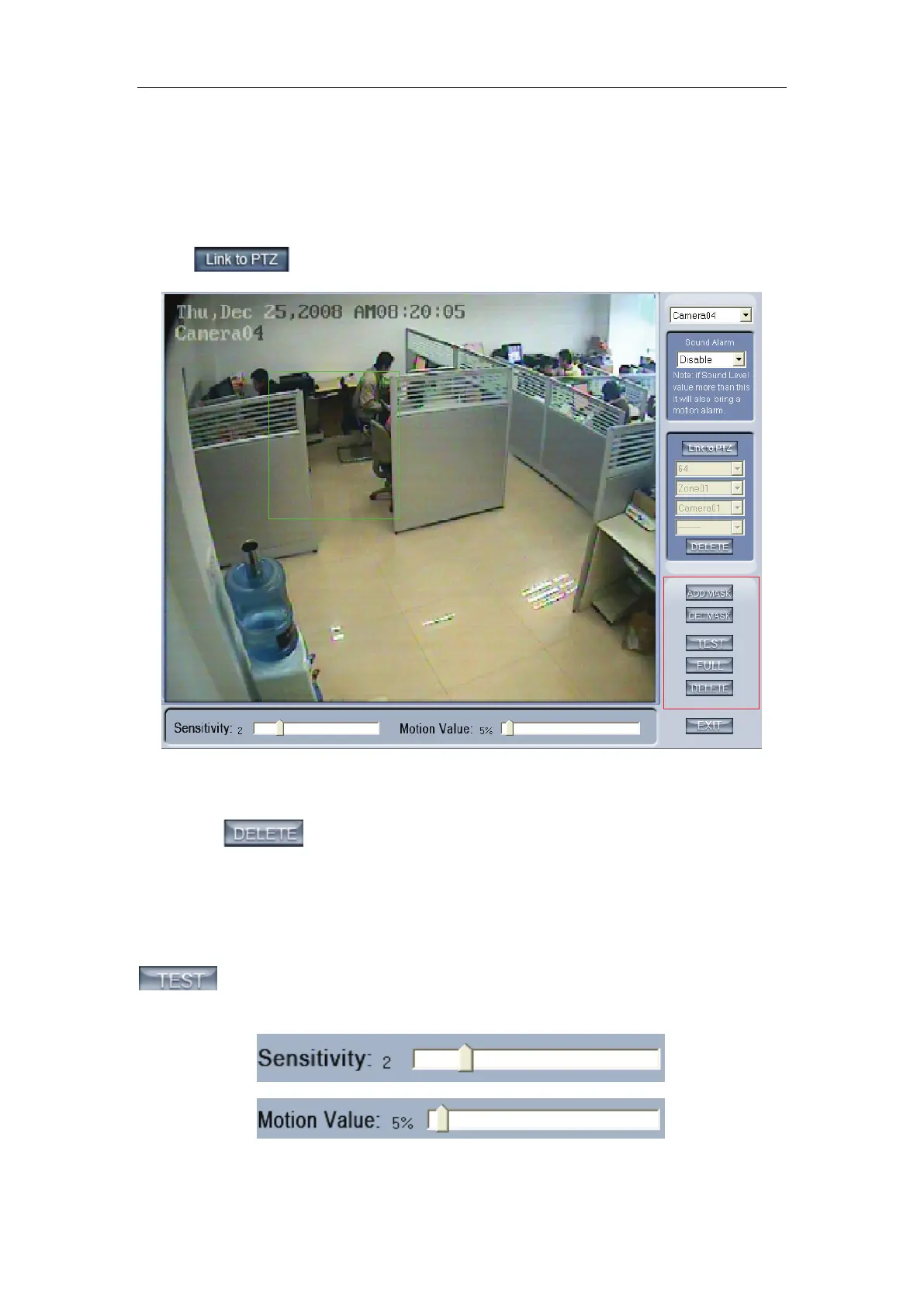
select the detected area named Zone01 like the green frame. If you select the
number is 64, the total of the zone is 64, you can detect the number of areas is
64. When the detected area motions, the ptz camera will link to the preset you
set.
If you don’t want to use the motion link ptz preset function, you should
press
again, then the motion detection is enable as below:
By default, the entire screen is set as motion detection area where is
indicated with green border around the image. To mask a specific area, you
can click
button to cancel the full screen detection border; then
Left-Single-Click and drag a rectangle. A green rectangle will mark the area of
it. Also, you can set any other areas. Any activities in the motion detection
areas will trigger recording, depending on the reaction mode; and alarms may
be generated along with electronic map icons flashing in alert mode. Click
button to test the sensitivity of motion detection. The sensitivity can
be adjusted by dragging the slider bars below the motion detection window,
The Sensitivity value bar is used to adjust the sensitivity of the area you



 To Next Page