MTG200 Trunk Gateway User Manual | Dinstar
8
⚫ Ethernet cables, power wires, telephone wires
⚫ Hub, telephone set, fax, and PBX
⚫ Terminal (can be a PC which is equipped with hyper terminal simulation software)
2.2 Installation of MTG200
2.2.1 Connect MTG200 to Ethernet
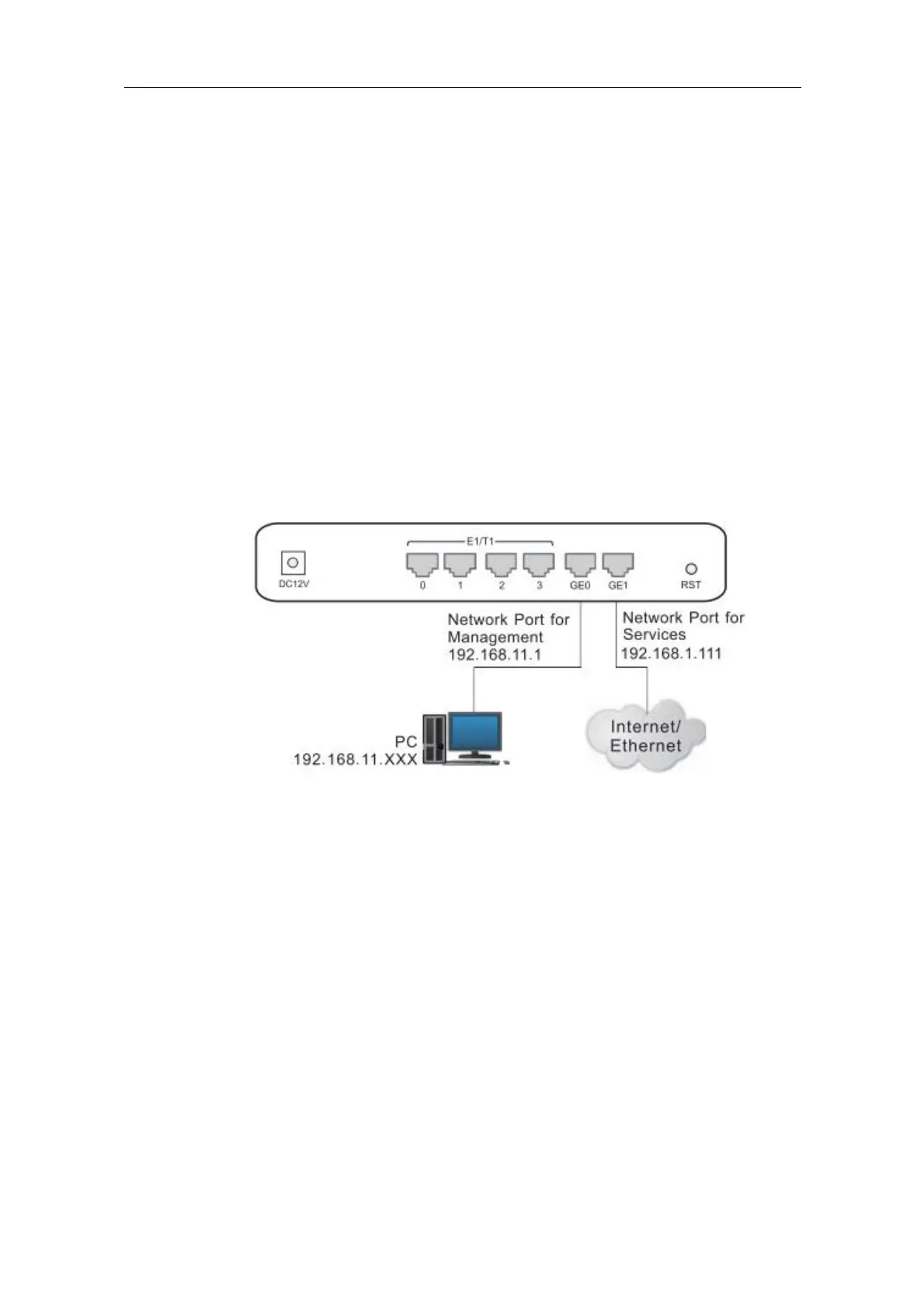
MTG200 has two network ports, namely the gigabit Ethernet port for services (GE1) and
the gigabit Ethernet port for network management (GE0). It is advised to connect GE1 to
the IP network.
Both GE1 and GE0 can be used to carry out management on MTG200, but only GE1 is put
in use generally. GE0 is used when there is a need to separate the management on MTG200
from the service processing of the MTG200. As shown below:
2.2.2 Connect MTG200 to PSTN
Generally, a distribution frame needs to be used for the connection between MTG200 and
PSTN. Firstly, connect one end of E1 cable to one of the E1/T1 ports of MTG200, and then
connect other end to the E1 port of the distribution frame. Second, connect one end of the
cable to the distribution frame, and then connect the other end to the exchanger or PBX
under the PSTN.















 To Next Page