MTG200 Trunk Gateway User Manual | Dinstar
60
2. ‘Min Length’ and ‘Max Length’ does not include the length of
prefix.
3. For overlapping dialing, it’d better to set ‘Min Length’ and ‘Max
Length’ to a same value in order to accelerate connection rate, since
the length of the called number has been known.
4.9.6 Dial Timeout
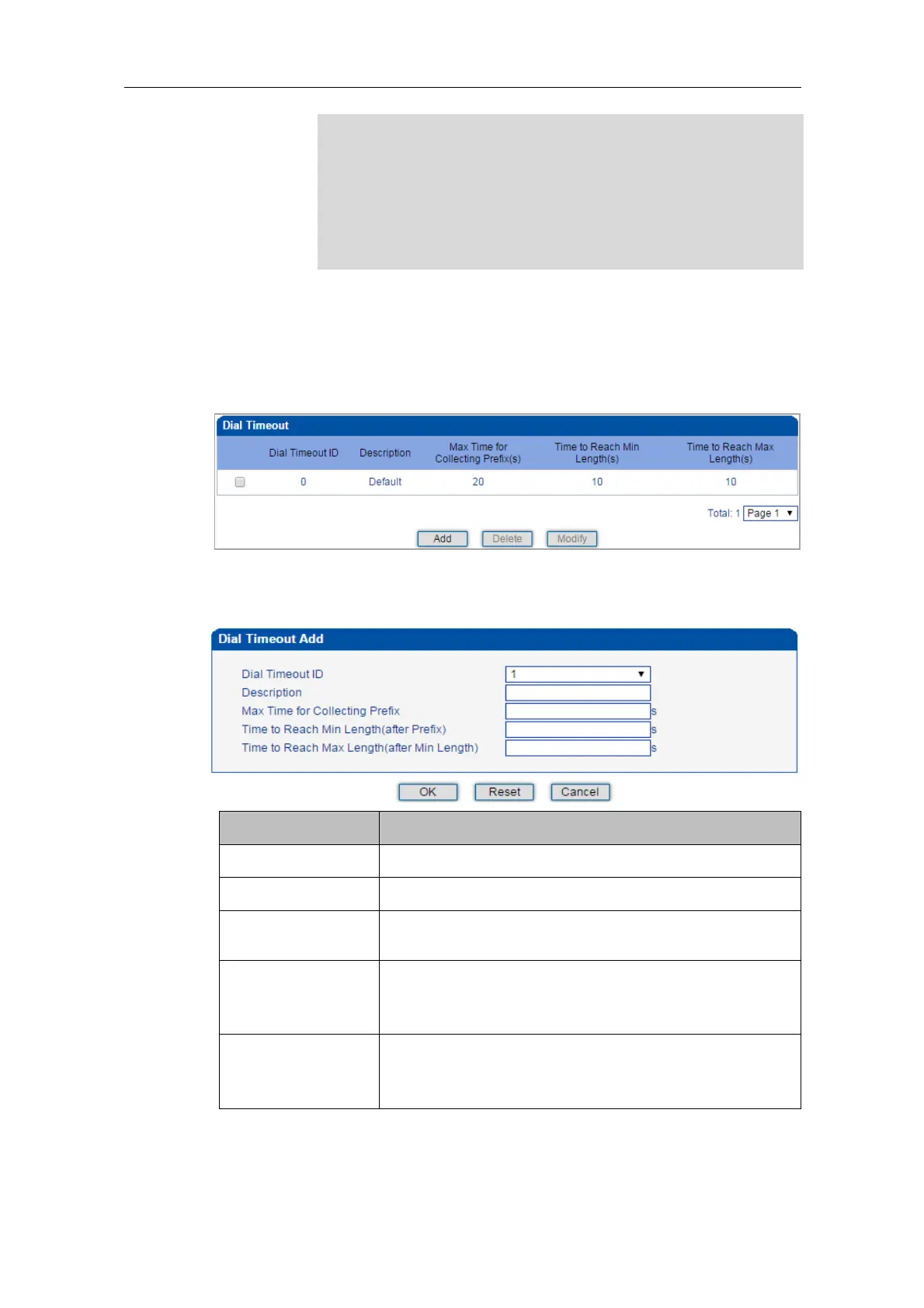
On the Dial Timeout interface, you can set the maximum time for collecting prefix and the
maximum time for telephone number to reach ‘Min Length’ and ‘Max Length’.
The setting in Dial Timeout 0 is default setting, which can be modified but cannot be deleted.
Click the Add button to add a new dial timeout rule.
The ID of the dial timeout
Description of the dial timeout
Max Time for
Collecting Prefix
The maximum time for receiving all the digits of a prefix
Time to Reach Min
Length (after Prefix)
After receiving the prefix, the maximum time before
receiving the set minimum number of digits included in a
telephone number.
Time to Reach Max
Length (after Min
Length)
After receiving the set minimum number of digits, the
maximum time before receiving the set maximum number of
digits included in a telephone number.















 To Next Page