MTG200 Trunk Gateway User Manual | Dinstar
37
4.6.2 PRI Trunk
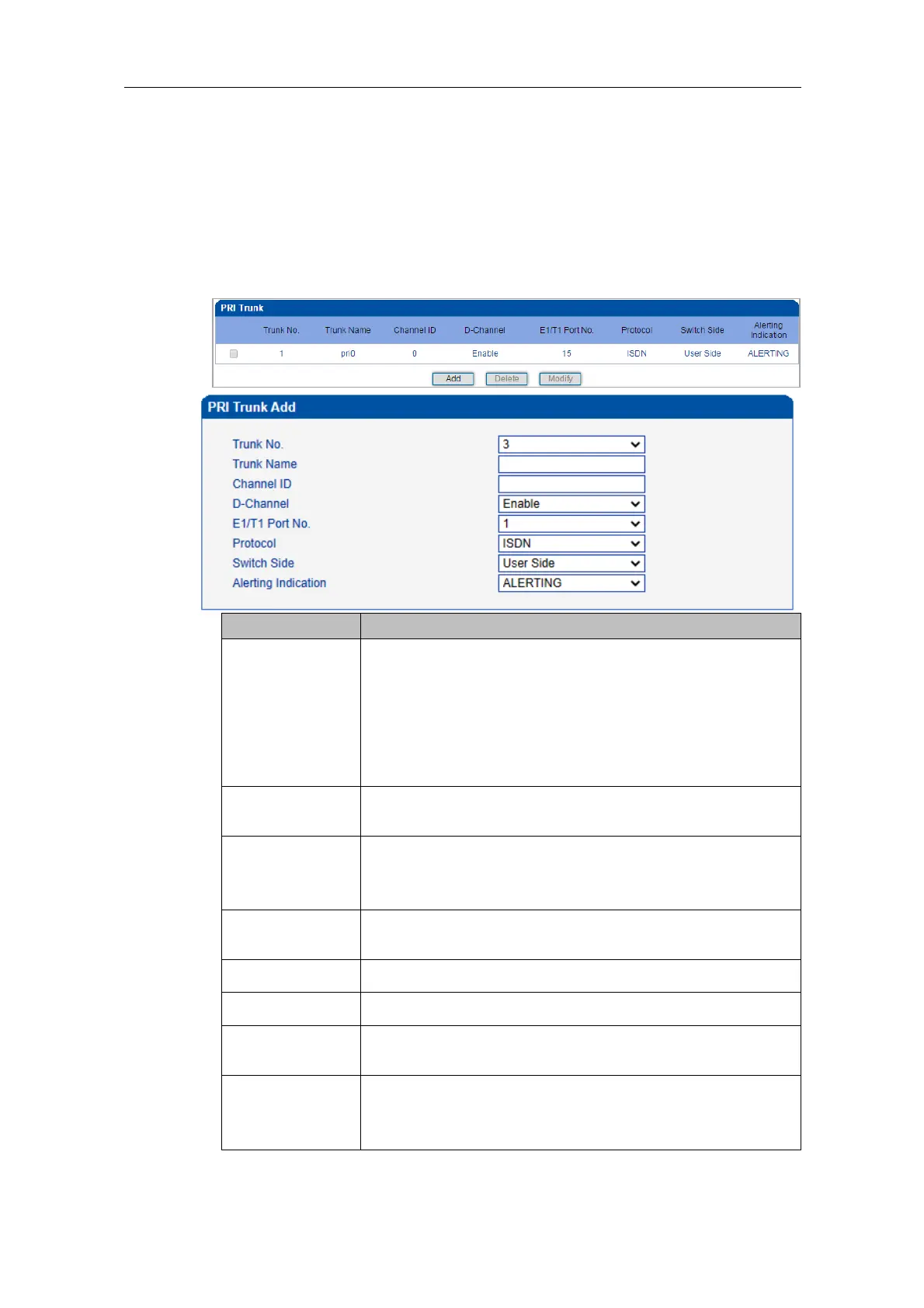
On the PRI Trunk interface, you can configure PRI trunks for PRI calls. The statuses of PRI
Trunks can be seen at the Status & Statistics ‒> PSTN Trunk Status interface.
Click the Add button, and you can add a PRI trunk. If you want to delete or modify the
information of a PRI trunk, select the checkbox on the left of the trunk, and then click the
Delete button or the Modify button.
Trunk No. starts from 0 to 19, it means you can establish 20 PRI
trunks at most.
The trunk No. is decided by the No. of the E1/T1 port linked to
the trunk. But if D-channel is not enabled for a trunk, the No. of
the trunk must be the same with a trunk under which D-channel
has been enabled.
The trunk name is used to distinguish the trunk from other
trunks.
The ID of the channel selected for the PRI trunk. The channel
ID is used for the switch to identify a PRI trunk in case that the
Trunk No. of two trunks are the same.
D-Channel
(Delta Channel)
The channel used to carry control information and signaling
information
The No. of E1/T1 port linked to the PRI trunk
Support two protocols: ISDN and QSIG. Default value is ISDN.
The EI/T1 port of the PRI trunk is taken as User Side or
Network Side.
Include Alerting and Progress
Alerting: Play ring-back tone when receiving alerting signal
Progress: Play ring-back tone when receiving progress signal















 To Next Page