MTG200 Trunk Gateway User Manual | Dinstar
41
4.7.3 SS7 MTP Link
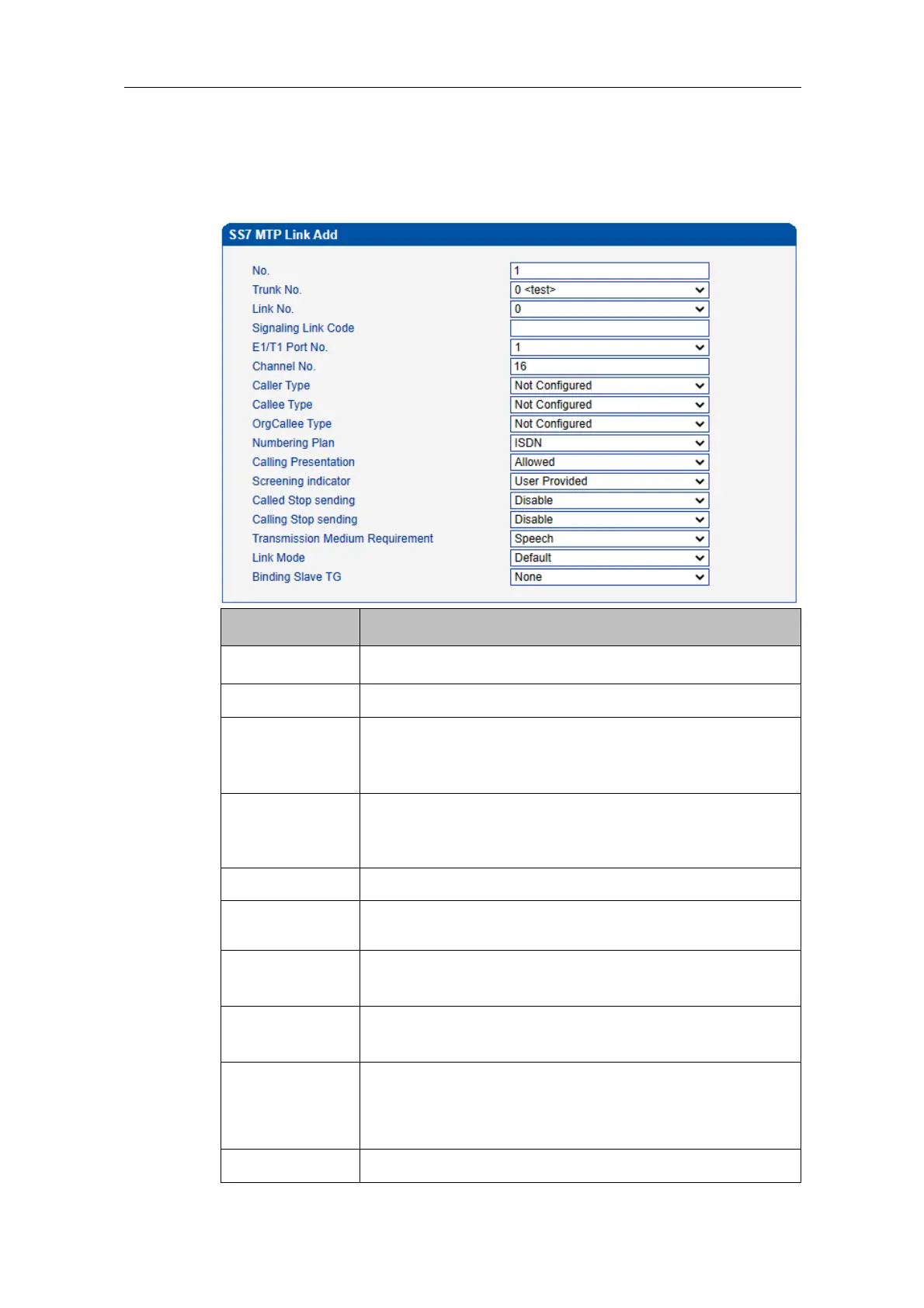
On the SS7 Config -> SS7 MTP Link interface, click the Add button, and you will see the
following interface. On the interface, you can select an E1/T1 port for an existing trunk and
establish two links between them.
Each SS7 trunk supports two links which share the loading
equally. If one link malfunctions, the other link will
automatically bear all the loading until the faulty link is restored.
If the Link No. of the trunk cannot match with that of the peer
device, the SS7 trunk will be linked to the peer device according
to signaling link code.
The No. of E1/T1 port linked to the SS7 trunk
The No. of the channel under which signal is transmitted.
Default value is 16.
The type of the caller number. Options include ‘Not
Configured’, ‘Subscriber’, ‘International” and “National’.
The type of the called number. Options include ‘Not
Configured’, ‘Subscriber’, ‘International” and ‘National’.
The type of the original called number in case of number
manipulation. Options include ‘Not Configured’, ‘Subscriber’,
‘International’ and ‘National’.
Options include ‘ISDN’, ‘Data’, ‘Telex’ and ‘Private’.















 To Next Page